Manual · Symbol
MC50 User Guide
Manual108 pagesPDF 3.8 MB
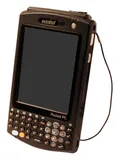
User guide for the Symbol MC50 series Windows Mobile mobile computer, including its cradles, chargers and magnetic stripe reader (MSR).
Names · 1 model
The models it names
Filed with · 1 model
Also filed with these models on the old site
Summary
What is in it
Symbol's user guide for the MC50 series of mobile computers, which run Windows Mobile 2003 Second Edition for Pocket PC. It explains the parts, installing and charging the batteries, starting up and calibrating the screen, the keypads, LEDs and beeper, bar code scanning, imaging and image capture, resets and infrared transfer. An accessories chapter covers the USB and Ethernet cradles, spare battery chargers, the snap-on magnetic stripe reader and cable adapter module. It ends with maintenance, troubleshooting and technical specifications.
Its parts
- About This Guide
- Getting Started
- Operating the MC50
- Accessories
- Maintenance and Troubleshooting
- Technical Specifications
From the manual
Key facts from this manual
Each line names its page in the PDF.
Symbol's MC50 User Guide (2004-2005) for the MC50 series of PDA-style mobile computers. It lists the parts and accessories, explains how to set up, operate and look after the unit, gives a troubleshooting table, and closes with technical specifications for the MC50 and its cradles, chargers, magstripe reader and cable adapter module.
- Device
- Mobile computer running Microsoft Windows Mobile 2003 Second Edition for Pocket PC p. 12, 80
- Processor and memory
- Intel XScale PXA270; 64 MB RAM / 64 MB ROM p. 80
- Display
- 3.5 in. QVGA transflective color touchscreen, resistive touch p. 12, 80
- Main battery
- Rechargeable Lithium-Ion 3.7 V: standard 1560 mAh, extended capacity 3600 mAh p. 80
- Charge time
- Standard battery about 3 1/2 hours; extended capacity battery about seven hours p. 74
- Interfaces
- RS-232, USB Client; IrDA port p. 17, 80
- Data capture
- Depending on configuration: 1D scanning via linear CMOS, 1D or 2D imaging, or camera image capture p. 12
- Wireless
- IEEE 802.11b WLAN, internal antenna; Bluetooth through commercially available SD Bluetooth cards p. 80
- Keypads
- Navigation (PDA-style) or QWERTY p. 12
- Operating temperature
- 32° to 122° F (0° to 50° C); charging 32° to 104° F (0° to 40° C) p. 79
- Size and weight
- Navigation keypad 4.75 in. L, QWERTY 5.4 in. L, both 3.00 in. W; 6.8 to 7.6 oz with standard battery p. 79
- Cradles and chargers
- Single-Slot USB cradle (5.4 V), Four-Slot USB and Four-Slot Ethernet cradles (12 V), Four-Slot Spare Battery Charger, UBC Adapter p. 81, 82, 83
- Magstripe reader
- Snap-on MSR: ANSI, ISO, AAMVA, CA DMV formats; serial up to 19,200 baud; tracks 1, 2 and 3 p. 18, 84
- Screen protector
- Part number KT-67525-01 p. 73
What this manual walks you through
- Troubleshooting power, charging, display, IrDA, memory and scanning problems p. 74, 75
- Cleaning and caring for the mobile computer p. 73
- Calibrating the battery gas gauge p. 73
- Choosing batteries, cradles, chargers, cables and snap-on modules p. 18
- Freeing memory by removing unused programs p. 75
- Changing the automatic power-off delay p. 74
Good to know
- The mobile computer is not water or dust resistant; keep it out of rain and moisture. p. 73
- The touch screen contains glass, so avoid drops and strong impacts. p. 73
- IrDA transfers work only with the devices between 5 and 39 inches apart. p. 75
- To receive beamed data the unit needs free memory of at least twice the data size. p. 75
- On a low battery the unit can shut off before it warns of the low battery. p. 75
Questions this manual answers
How long does the MC50 battery take to charge?
About 3 1/2 hours for the standard battery and about seven hours for the extended capacity battery. p. 74
My MC50 will not turn on. What should I do?
Charge or replace the battery and check it is installed properly; if it still fails, do a soft reset, then a hard reset. p. 74
What processor and memory does the MC50 have?
An Intel XScale PXA270 with 64 MB RAM and 64 MB ROM. p. 80
Which printers does the MC50 support?
The guide lists Zebra QL320, QL420, Cameo family and Encore 3 and 4 inch, Monarch 9460, O'Neill MF2T, MF4T and VMP2000, and AIT PT4000. p. 80
Does the MC50 support Bluetooth?
Yes, through commercially available SD Bluetooth cards in its SDIO expansion slot. p. 80
Contents
Chapters and sections
Each line opens the PDF at its page.
13 more lines, from page 64 on
The whole text · 15 parts
Read the manual here as text
Its text as extracted from the PDF, unedited, in parts; each page opens the PDF at that page.
- MC501-4
- Contents5-8
- About This Guide9-14
- Getting Started, pages 15 to 2215-22
- Getting Started, pages 23 to 3023-30
- Operating the MC50, pages 31 to 3831-38
- Operating the MC50, pages 39 to 4639-46
- Operating the MC50, pages 47 to 5247-52
- Accessories, pages 53 to 6153-61
- Accessories, pages 62 to 7062-70
- Maintenance and Troubleshooting71-76
- Technical Specifications77-86
- Glossary87-100
- Index101-104
- Tell Us What You Think105-108
The file