Manual · Symbol
LS 32XXER Series Quick Reference
Manual28 pagesPDF 438 KB
Quick reference for the Symbol LS 32xxER series extended range laser scanners: readiness check, aiming, scanning and simple fixes.
Filed with · 5 models
Also filed with these models on the old site
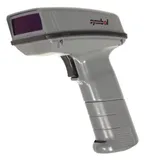 Symbol LS-3200Hand-held laser barcode scanner from$395.00121 in stock Symbol LS-3203ERHand-held laser barcode scanner from$495.0020 in stock
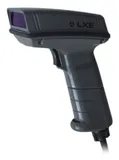 LXE LS-3203-ERHand-held laser barcode scanner Call for availability Symbol LS-3220Hand-held laser barcode scanner Call for availability Symbol LS-3280Hand-held laser barcode scanner Call for availability
Summary
What is in it
A short multilingual quick reference for the Symbol LS 32xxER series of extended range hand-held laser scanners. In English, French, German, Italian and Spanish it explains how to check the scanner is ready, test it, aim with the two-position trigger, scan the whole symbol, what the beep means, and what to check if nothing happens. It also explains why two scan beams can be visible. Installation and programming are left to the Product Reference Guide.
Its parts
- Scanning Made Easy
- Aiming
- Scan the Entire Symbol
- What If...
From the manual
Key facts from this manual
Each line names its page in the PDF.
A short Symbol quick reference card for the LS 32xxER Series long-range laser scanners (the cover reads 2200/3200 Series, LSRS32XXER Series). It shows how to check, aim and scan, what the beep and lights mean, and what to try when nothing reads. The scanning steps are repeated in French, German, Italian and Spanish.
- Scanner type
- Laser scanner with two separate lasers, one for close range and one for long range p. 6
- Beam crossing point
- The two beams converge at about 12 inches from the nose p. 6
- Trigger
- Two-position trigger: first detent gives a collapsed aiming beam, second detent the full scan beam p. 5
- Indicators
- SCAN light on the back; green DECODE light on a good read p. 4
- Good-read beep
- 1 short high tone p. 6
- Test bar codes
- Code 128, 13 mil UPC, Code 39, EAN 8 p. 22
- Languages
- English, French, German, Italian, Spanish p. 3
- Document number
- 70-15563-01Q, Revision E, September 2001 p. 28
- Radio interference class
- The manual states FCC Part 15 Class B and Industry Canada ICES-003 Class B p. 24, 25
What this manual walks you through
- Checking that the scanner is ready and testing the beam p. 4
- Aiming at an angle with the collapsed beam p. 5
- Scanning the whole symbol at the right distance p. 5
- What to check when nothing happens p. 6
- Test bar codes to try the scanner p. 22
- Laser safety labels in several languages p. 26, 27
Good to know
- Installation and programming are not covered here; the card points to the Product Reference Guide. p. 4
- Holding the scanner straight over the bar code can stop it from decoding, because light bounces back into the window. p. 5
- Seeing two beams is normal for this scanner and is not a defect. p. 6
- Any beep other than a single short high tone should be taken to the person in charge of scanning. p. 6
Questions this manual answers
Why does my LS 32xxER show two laser beams?
It has two lasers, one for close range and one for long range. The beams meet about 12 inches from the nose, and seeing both elsewhere is normal. p. 6
How do I aim the LS 32xxER scanner?
Press the trigger to the first detent and center the collapsed beam on the bar code, then press to the second detent to scan. p. 5
How do I know the scanner read the bar code?
You hear a beep, the green DECODE light comes on and the laser turns off. p. 4
What should I check if the scanner does nothing?
Check system power and cable connections, make sure the system is programmed for that bar code type, and check the symbol is not defaced. p. 6
Contents
Chapters and sections
Each line opens the PDF at its page.
- Scanning Made Easy4
- Aiming5
- Scan the Entire Symbol5
- What If...6
- Le Décodage Rendu Facile7
- Visée8
- Balayer la totalité du symbole.9
- Et Si...10
- Scanning Leichtgemacht11
- Zielen12
- Scannen Sie das ganze Symbol.13
- Was Ist, Wenn...14
- La Scansione Facile15
- Come Prendere La Mira16
- Leggete il codice nella sua interezza.17
- E Se...18
- La Lectura Hecha Facil18
- Para Apuntar19
- Leer todo el símbolo.20
- Y Si...21
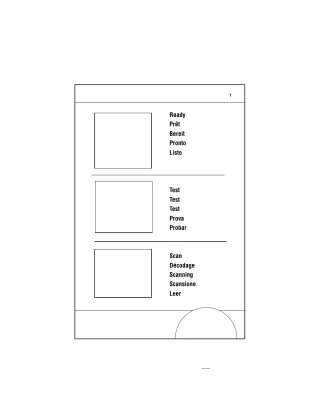
- Test - Test - Test - Prova - Probar22
The whole text · 3 parts
Read the manual here as text
Its text as extracted from the PDF, unedited, in parts; each page opens the PDF at that page.
The file