Manual · Symbol
LS 2010MX Product Reference Guide: Programmer's Guide
Manual29 pagesPDF 96 KB
Programmer's guide chapter for the LS 2010MX laser scanner: setting parameters by scanning bar code menus, with defaults.
Covers · 1 model
The models it covers
Summary
What is in it
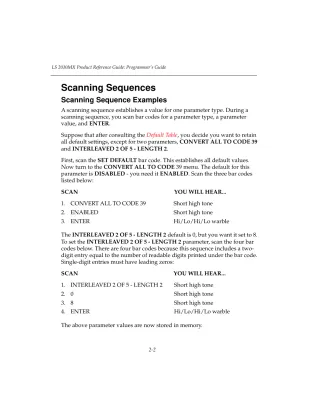
Chapter 2 of the LS 2010MX Product Reference Guide, the programmer's guide. It explains how to set the scanner's parameters by scanning sequences of bar codes from parameter menus, how to fix mistakes with BACKSPACE and CANCEL, and what each parameter does: host interface, code types, fixed lengths for 2 of 5 codes, decode options, wand emulation output, leading margin, Code 39 conversion, power mode, stand time-out and laser on time. It includes beeper definitions, a default table and the bar code menus themselves.
Its parts
- Programming
- Scanning Sequences
- Scanning Sequence Flow Chart
- Parameter Descriptions
- Beeper Definitions
- Default Table
- Parameter Menus
From the manual · read page by page
Key facts from this manual
Each line names its page in the PDF.
Programmer's guide chapter of the Symbol LS 2010MX Product Reference Guide, for the LS 2010MX hand-held laser scanner. It explains how to set the scanner by scanning sequences of bar codes, lists every parameter with its default, and prints the programming bar code menus. Settings include host type, code types, 2 of 5 lengths, decode options, wand output, power mode, and laser on time.
- Programming method
- Scan bar codes for a parameter type, a parameter value, and ENTER p. 2
- Host types
- Symbollink controller (default) or portable terminal p. 10, 13
- Laser on time
- 0.5 to 6 seconds in 0.5 second steps; default 3 seconds p. 8
- Leading margin
- 80 to 200 msec in 10 msec steps, wand emulation only; default 80 msec p. 8, 10
- Power mode
- Low power (default, powers down after each decode) or continuous p. 8, 10
- Wand bar output
- Bar = high or bar = low; default Bar High/Margin Low p. 7, 10, 22
- Convert to Code 39
- Converts all output to Code 39 in wand emulation; default disabled p. 8, 10
- 2 of 5 lengths
- Length 1 from 01 to 31, length 2 from 00 to 31, for Interleaved or Discrete 2 of 5 p. 6
- Decode options
- Beep after good decode (default enabled), UPC/EAN supplemental (default disabled), UPC only (default disabled) p. 7, 10
- Default code types
- All p. 10
- Beeps in use
- 1 short high = good decode; 2 long low = data transmission not successful; 4 short high = low power p. 9
- Beeps while programming
- 1 short high = menu read; 1 warble = value entered; 2 long low = not entered or wrong sequence p. 9
What this manual walks you through
- Setting a parameter with a scanning sequence p. 2
- Correcting mistakes with BACKSPACE and CANCEL p. 3
- Returning all parameters to their defaults p. 12
- Selecting the host interface p. 13
- Adding or deleting code types p. 14, 15
- Setting fixed lengths for 2 of 5 codes p. 16, 17
- Setting decode options such as UPC/EAN supplementals and the beeper p. 18, 19
- Choosing the leading margin and wand bar output p. 20, 22
- Changing the power mode p. 24
- Selecting the laser on time p. 27, 28, 29
Good to know
- A symbol the terminal cannot recognize is decoded but not sent to the terminal. p. 6
- With UPC/EAN supplementals selected, UPC/EAN symbols without supplementals are not decoded; the controller must use the same mode. p. 7
- Low power mode is recommended to conserve power. p. 8
- Single-digit length entries need a leading zero. p. 2
Questions this manual answers
How do I reset an LS 2010MX to its default settings?
Scan the SET DEFAULT bar code; it returns all parameters to the values in the Default Table. p. 6, 12
How long does the LS 2010MX laser stay on?
3 seconds by default; it can be set from 0.5 to 6 seconds in 0.5 second steps. p. 8
What do two long low beeps mean on the LS 2010MX?
In normal use, the data transmission was not successful. While programming, the parameter was not entered or the sequence was wrong. p. 9
How do I fix a mistake while programming the LS 2010MX?
Scan BACKSPACE to erase the last bar code scanned, or CANCEL to leave the sequence and start again. p. 3
Contents
Chapters and sections
Each line opens the PDF at its page.
- Chapter 2 Programmer’s Guide1
- Programming1
- Scanning Sequences2
- Scanning Sequence Flow Chart4
- Parameter Descriptions5
- Set Parameter Defaults6
- Host Interface Select6
- Add/delete Code Types6
- Fixed Lengths For Code 2 of 56
- Decode Options7
- Wand Emulator Bar Output7
- Variable Leading Margin8
- Convert All To Code 398
- Power Mode8
- Scanstand/IntelliStand Time-out8
- Laser On Time8
- Beeper Definitions9
- Default Table10
- Parameter Menus11
- Set Defaults12
- Host Interface Select13
- Code Types14
- Fixed Lengths For A Code 2 of 516
- Decode Options18
- Variable Leading Margin20
- Wand Emulator Bar Output22
- Convert All To Code 3923
- Power Mode24
- Scanstand/IntelliStand Time-out25
- Laser On Time27
The whole text · 3 parts
Read the manual here as text
Its text as extracted from the PDF, unedited, in parts; each page opens the PDF at that page.
The file