Manual · Symbol
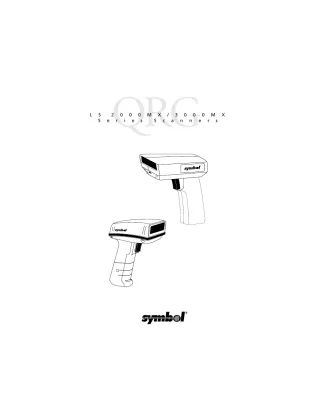
LS 2000MX/3000MX Series Scanners Quick Reference
Manual20 pagesPDF 166 KB
Multilingual quick reference for Symbol LS 2000MX and 3000MX series handheld laser scanners: scanning, aiming, beeps and simple fixes.
Names · 1 model
The models it names
Filed with · 9 models
Also filed with these models on the old site
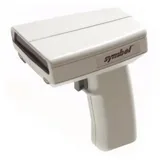 Symbol LS-2501Hand-held laser barcode scanner from$125.0039 in stock Symbol LS-2502Hand-held laser barcode scanner from$125.0016 in stock Symbol LS-2010Hand-held laser barcode scanner Call for availability Symbol LS-2020Hand-held laser barcode scanner Call for availability Symbol LS-2030Hand-held laser barcode scanner Call for availability Symbol LS-2040Hand-held laser barcode scanner Call for availability Symbol LS-2050Hand-held laser barcode scanner Call for availability Symbol LS-2080Hand-held laser barcode scanner Call for availability Symbol LS-2603Hand-held laser barcode scanner Call for availability
Summary
What is in it
A short multilingual quick reference (English, French, German, Italian and Spanish) for the Symbol LS 2000MX/3000MX series handheld laser scanners. It explains the ready, test and scan steps, how to aim at an angle, scanning the entire symbol, what the beep means and what to check when nothing happens, followed by the warranty, ergonomic recommendations and regulatory and laser safety information.
Its parts
- Scanning Made Easy
- Aiming
- Scan the Entire Symbol
- What Does The Beep Mean?
- What If...
- Warranty
- Ergonomic Recommendations
- Regulatory Information
From the manual · read page by page
Key facts from this manual
Some pages are scans or cannot be read; this says only what the readable text supports. Each line names its page in the PDF.
Symbol's Quick Reference (70-04163-03, Revision B, August 2000) for the LS 2000MX/3000MX Series scanners, in English, French, German, Italian and Spanish. It shows how to test and scan, how to aim, what the beep means and what to check when nothing happens. It holds no technical specifications.
- Device
- Trigger-operated laser bar code scanner of the LS 2000MX/3000MX Series p. 4
- Good read signal
- One short high beep, the green DECODE light comes on and the laser turns off p. 4, 11
- Indicator lights
- SCAN light on the back of the unit; green DECODE light p. 4
- Maintenance
- None required from the user p. 10
- Languages
- English, French, German, Italian, Spanish p. 3
- Document number
- 70-04163-03, Revision B, August 2000 p. 20
What this manual walks you through
- Ready, test and scan: checking the cables and testing the beam p. 4
- Aiming the scanner at an angle to the bar code p. 7
- Scanning the entire symbol at the right distance p. 9
- What the beep means p. 11
- What to check when nothing happens p. 12
- Test bar codes p. 14
- Ergonomic recommendations p. 17
- Regulatory and laser information p. 17, 18
Good to know
- Holding the scanner straight over the bar code can bounce light back into the exit window and stop a decode. p. 7
- Any beep other than one short high tone means contacting the person in charge of scanning. p. 11
- The manual states the device meets FCC Part 15 Class A limits and may interfere with radio in a residential area. p. 17
Questions this manual answers
What does the beep on a Symbol LS 2000MX mean?
One short high beep means the data was decoded. Any other beep means contacting the technical person in charge of scanning. p. 11
My LS 2000MX scanner does nothing, what should I check?
Check the system power and cable connections, make sure the system is programmed for that bar code type, and check the symbol is not defaced. p. 12
How do I know the LS 2000MX read a bar code?
It beeps, the green DECODE light comes on and the laser turns off. p. 4
Does the LS 2000MX need cleaning or maintenance?
The quick reference says MX series scanners need no user maintenance. p. 10
Contents
Chapters and sections
Each line opens the PDF at its page.
- Ready, Test, Scan3
- Scanning Made Easy4
- Aiming7
- Visée • Zielen • Come Prendere La Mira • Para Apuntar8
- Scan the Entire Symbol9
- Balayer la totalité du symbole.9
- Scannen Sie das ganze Symbol.9
- Leggete il codice nella sua interezza.10
- Leer todo el símbolo.10
- What Does The Beep Mean?11
- Que Signifie Le Bip Sonore ?11
- Was Bedeutet Der Piepton?11
- Cosa Significa Il Segnale Acustico?11
- ¿que Significa La Señal Audible?11
- What If...12
- Test - Test - Test - Prova - Probar14
- Warranty15
- Ergonomic Recommendations17
- Regulatory Information17
The whole text · 2 parts
Read the manual here as text
Its text as extracted from the PDF, unedited, in parts; each page opens the PDF at that page.
The file