Manual · Symbol
iPOS TC Product Reference Guide
Manual54 pagesPDF 1.3 MB
Product reference guide for the Symbol iPOS TC interactive payment terminal: host interfaces, installation, setup program and specifications.
Names · 1 model
The models it names
Filed with · 1 model
Also filed with these models on the old site
Summary
What is in it
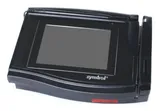
Symbol's product reference guide for the iPOS TC, an interactive point-of-sale payment terminal with a color touch screen, a 3-track magnetic stripe reader and the posPortal transaction application. It explains the parts and the POS host, LAN and dual channel interfaces, installing the terminal over RS-232, RS-485 or USB, connecting peripherals, fitting the screen guard and mounting, then using the setup program for passwords, date and time, host and IP settings, calibration, device tests, file downloads and reloading applications. An appendix lists the technical specifications.
Its parts
- About This Guide
- Getting Started
- Setting Up the iPOS TC System
- Configuring the iPOS TC
- Technical Specifications
From the manual
Key facts from this manual
Each line names its page in the PDF.
Symbol's Product Reference Guide for the iPOS TC interactive payment terminal (part 72-61362-01, Revision A, August 2003). It shows how to connect the terminal to a POS host by RS-232, RS-485 or USB, add a peripheral, fit the screen guard and mount the unit. It also walks through the setup program, the device tests and loading applications with the TC IFB Installer, and ends with a specifications table.
- Device
- Interactive payment terminal with a 206 MHz Intel StrongARM processor, pressure-sensitive touchpad, color 1/4 VGA LCD and 3-track magnetic stripe reader p. 13
- Host interfaces
- Auto-selected RS-232 or RS-485 (RS-485 supports IBM Tailgate protocol); one self-powered USB slave port; one aux port for RS-232 passthrough p. 45
- Network
- PCMCIA Type II slot and onboard 10-Base T Ethernet; supports PCMCIA ATA flash cards and Aironet Cisco 350 Series wireless LAN cards p. 15, 45
- Power
- Regulated 12V DC, 1A; from the universal power adapter (120V AC input) or from the ECR p. 45
- Memory
- 8MB flash ROM (expandable up to 32MB); 64MB SDRAM p. 46
- Display
- Color backlit LCD, 5.7 in. diagonal, 1/4 VGA (320 x 240) p. 45
- Touch pad
- 1024 x 1024 coordinates (207 x 286 dpi) p. 45
- Card readers
- Bi-directional 3-track magnetic stripe reader; optional smart card interface (ISO 7816, EMV level 1) p. 46
- PIN security
- Triple DES or DES PIN encryption with Master/Session or DUKPT key management p. 46
- Size and weight
- 9.0 x 7.25 x 2.88 in. (230 x 180 x 70 mm); 2 lb 6 oz (1.077 kg) p. 45
- Firmware
- RTOS with PersonalJava Virtual Machine; posPortal transaction application p. 46
- Host cables
- RS-232: HDB15/DB9 serial cable and AC power adapter; RS-485: HDB15/SDL serial cable; USB: USB/USB cable, HDB15/power jack cable and AC power adapter p. 18
- Software suite
- Optional: posBuilder, posVisual, IBM 4690 SDK; for DOS, Windows 98/2000, NT 3.51 or higher, IBM 4680/4690; OPOS and JPOS p. 46
What this manual walks you through
- Connecting the terminal to a POS host by RS-232 p. 19
- Connecting the terminal to a POS host by RS-485 p. 20
- Connecting the terminal to a PC or POS host by USB p. 21
- Connecting a peripheral with an auxiliary Y-cable p. 22
- Installing and replacing the screen guard p. 23, 24
- Mounting the terminal on a counter or tabletop p. 25
- Setting date, time, contrast, host and network settings in the setup program p. 31, 32, 33, 34
- Calibrating the touch screen p. 34, 35
- Testing the card reader, signature pad, smart card reader and encryption p. 36, 37, 38
- Loading applications with the TC IFB Installer p. 42, 43
Good to know
- PCMCIA cards cannot be plugged in or removed while the terminal runs, and go in label side toward the bottom. p. 15
- A peripheral on the auxiliary Y-cable needs its own power supply. p. 22
- Download mode loads IFB files only; security keys are loaded from setup mode with an external key-loading program. p. 41
- After a failed download, start Install on the host before the terminal enters download mode, since it sends its message once. p. 43
- The guide advises setting a new setup password to keep others from changing the setup. p. 30
Questions this manual answers
What power supply does the Symbol iPOS TC need?
Regulated 12V DC at 1A, from the universal power adapter on 120V AC or from the ECR. p. 45
How much memory does the iPOS TC have?
8MB of flash ROM, expandable up to 32MB, and 64MB of SDRAM. p. 46
Which wireless LAN card works in the iPOS TC?
The guide names the Aironet Cisco 350 Series wireless LAN cards, used in the PCMCIA Type II slot. p. 15
How do I connect the iPOS TC by RS-485?
Plug the HDB15 end of the serial cable into the terminal and the SDL connector into port 4B, 9A, 9B or 9E on the POS host; the terminal configures itself for RS-485. p. 20
What are the default host settings of the iPOS TC?
RS-485 address 65, 9600 baud, host port selection Auto and ECR type Others. p. 33
Contents
Chapters and sections
Each line opens the PDF at its page.
The whole text · 7 parts
Read the manual here as text
Its text as extracted from the PDF, unedited, in parts; each page opens the PDF at that page.
The file