Spec sheet · Symbol
Spectrum24 Wireless LAN: High Performance Wireless LAN Technology for Today and Tomorrow
Spec sheet6 pagesPDF 192 KB
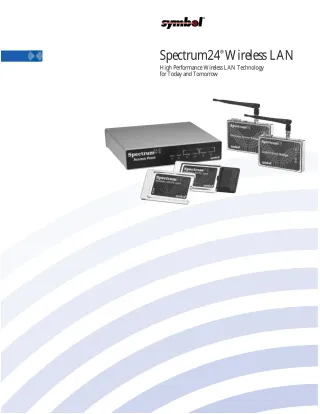
Overview brochure of the Symbol Spectrum24 frequency hopping wireless LAN, including the EB 2401 Ethernet Access Bridge and specifications.
Covers · 1 model
The models it covers
Summary
What is in it
A six-page overview of Symbol's Spectrum24 frequency hopping wireless LAN family. It introduces the system, then describes the AP 2410 Ethernet access point, the MicroAP PC cards, the LA 2470 ISA and LA 2400 PC card adapters, the EB 2401 Ethernet Access Bridge that connects Ethernet devices such as printers, scales and time clocks to the wireless LAN, and the SB 2401 Serial Client Bridge, ending with radio and network specification highlights.
From the sheet · read page by page
Key facts from this sheet
Each line names its page in the PDF.
A 1997 Symbol brochure on the Spectrum24 wireless LAN family: the AP 2410 access point, MicroAP PC cards, the LA 2470 ISA and LA 2400 PC card adapters, the EB 2401 Ethernet Access Bridge and the SB 2401 Serial Client Bridge. It describes what each product does and ends with radio and network specification highlights for the Spectrum24 system.
- What it is
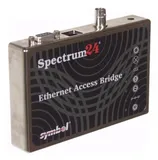
- EB 2401 Ethernet Access Bridge: wireless link to a Spectrum24 wireless LAN for Ethernet-enabled devices p. 5
- Makeup
- EB 2401: a Spectrum24 wireless LAN adapter plus an Ethernet software interface p. 5
- Modes
- EB 2401: Plug and Play; links one Ethernet device, or runs as a MicroAP for up to 16 wireless units p. 5
- Typical devices
- EB 2401: printers, scales, portable computers, bar code readers, time clocks, medical equipment, point-of-sale devices p. 5
- Radio
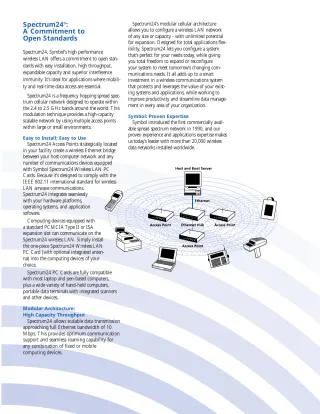
- Spectrum24: frequency hopping spread spectrum in the 2.4 to 2.5 GHz bands p. 2
- Standard
- Spectrum24: designed to comply with IEEE 802.11 p. 2
- Data rate
- Spectrum24: 1 Mbps per channel p. 6
- Range
- Spectrum24: up to 2,000 ft./606m in the open; 180 to 250 ft./54.5 to 75.7m in a typical office or store p. 6
- Hopping
- Spectrum24: 78 hops in U.S. and Europe, 23 in Japan; 10 hops/sec p. 6
- Output power
- Spectrum24: 500 mW, 230 mW and 100 mW versions p. 6
- Modulation, access
- Spectrum24: Binary GFSK; CSMA/CA p. 6
- Drivers
- Spectrum24: ODI version 1.6, NDIS version 2.01 p. 6
- Document
- Brochure printed 12/97 p. 6
What this sheet walks you through
- What the Spectrum24 wireless LAN is and how it fits a wired network p. 2, 3
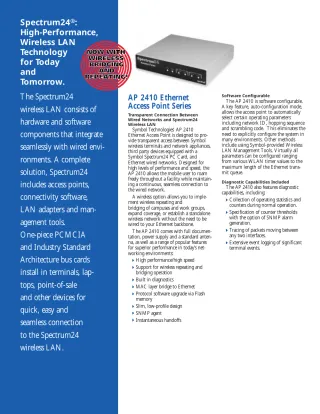
- AP 2410 Ethernet access point features and configuration p. 3
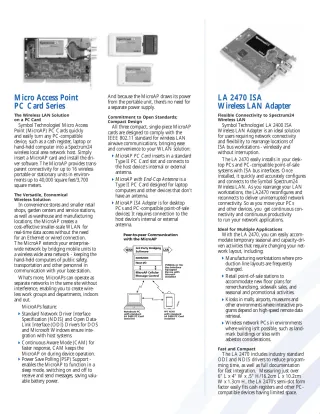
- MicroAP PC cards for small networks p. 4
- LA 2470 ISA wireless LAN adapter p. 4
- EB 2401 Ethernet Access Bridge and the devices it connects p. 5
- SB 2401 Serial Client Bridge settings p. 5
- LA 2400 wireless LAN PC card p. 5
- Spectrum24 radio and network specifications p. 6
Good to know
- Specifications are subject to change without notice. p. 6
Questions this sheet answers
What is the Symbol EB 2401?
The EB 2401 Ethernet Access Bridge gives Ethernet-enabled devices a wireless link to a Spectrum24 wireless LAN. p. 5
What devices can use the EB 2401 Ethernet Access Bridge?
Devices with Ethernet ports, such as printers, scales, bar code readers, time clocks, medical equipment and point-of-sale devices. p. 5
Can the EB 2401 act as a MicroAP?
Yes. It can be configured as a MicroAP serving up to 16 wireless portable or fixed units. p. 5
What frequency and data rate does Spectrum24 use?
2.4 to 2.5 GHz frequency hopping, at 1 Mbps per channel. p. 6
What is the range of a Spectrum24 wireless LAN?
Up to 2,000 ft./606m in open areas, and 180 to 250 ft./54.5 to 75.7m in a typical office or retail store. p. 6
The whole text · 1 part
Read the sheet here as text
Its text as extracted from the PDF, unedited, in parts; each page opens the PDF at that page.
The file