Manual · Symbol
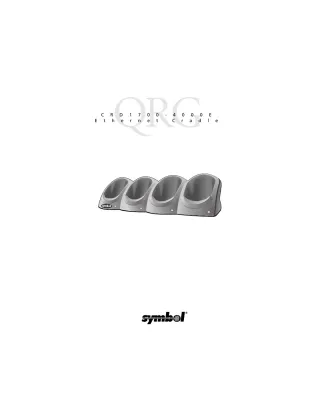
CRD1700-4000E Ethernet Cradle Quick Reference
Manual20 pagesPDF 351 KB
Quick reference guide for the Symbol CRD1700-4000E 4-slot Ethernet cradle for SPT 1700 terminals: setup, DHCP or static IP, HotSync, charging.
Filed with · 1 model
Also filed with these models on the old site
Summary
What is in it
The quick reference guide for the Symbol CRD1700-4000E, a 4-slot Ethernet cradle that lets up to four SPT 1700 terminals talk to their host computers over a network at the same time. It covers unpacking and connecting power and the network, DHCP and static address modes, network address translation, daisy-chaining CRD1700-4000S serial cradles, configuring NetSync and a modem sync service on the terminal, setting up the remote host PC, the HotSync process, battery charging, the indicator lights, troubleshooting and regulatory information.
Its parts
- Introduction
- Theory of Operation
- About This Guide
- Set Up
- Unpacking the Cradle
- Connecting Power
- Setting Up for Network Communications
- Software Configuration
- The HotSync Process
- Battery Charging
- Indicator Lights
- Troubleshooting
- Regulatory Information
From the manual · read page by page
Key facts from this manual
Each line names its page in the PDF.
Quick reference guide for the Symbol CRD1700-4000E, a 4-slot Ethernet cradle for SPT 1700 terminals; it also covers chaining CRD1700-4000S serial cradles to it. It explains connecting power and the network, DHCP and static addressing, setting up the terminals and host PC for network HotSync, battery charging, the slot lights and troubleshooting.
- Device
- CRD1700-4000E: 4-slot Ethernet cradle that lets up to 4 SPT 1700 terminals talk to their host computers at once p. 3
- Expansion
- Up to 4 CRD1700-4000S serial cradles can be daisy-chained, for 20 slots in all p. 3
- Power supply
- 8 V, 5 A power supply (p/n 50-14000-109) plus AC line cord p. 4
- Network port
- 10 Base-T Ethernet on the connector labelled Host; no Ethernet cable is shipped p. 4
- Inter-cradle cable
- RJ-45/10 to RJ-45/10 cable, p/n 70349-001, one for each chained cradle p. 11
- Addressing modes
- DHCP (factory default, one IP address shared by all slots), 6-address DHCP, or static p. 5, 6
- Private slot addresses
- With NAT, slots 1 to 4 use 192.168.1.1 to 192.168.1.4, the expansion slot 192.168.1.5; the cradle also uses 192.168.1.6 p. 9, 10
- Setup port
- Static setup through the expansion port with a CRD1700-4000S host connector cable (p/n 70245-001) and null modem, 115200 bps, 8N1, XON/XOFF p. 7
- Terminal link
- SPT 1700 Connection Setup: Direct Serial, Port Cradle, 57,600 bps, flow control Automatic p. 13
- Battery charging
- All four slots charge terminal batteries at once, in about 2 hours p. 15
- Host software
- SPT 1500/1700 Desktop Software (p/n SW-35138-xx) on the host, Network HotSync on the terminal p. 4
- HotSync timeout
- Fast red flashing means the terminal did not finish HotSyncing in 15 minutes p. 16
- Guide part number
- Quick Reference Guide p/n 72-39472-xx p. 4
What this manual walks you through
- Connecting power and the Ethernet cable p. 4, 5
- Setting up network communications in DHCP mode p. 5, 6
- Giving each slot its own address in 6 DHCP address mode p. 6, 7
- Setting static IP addresses with the debug monitor and flasher utility p. 7, 8, 9
- Daisy-chaining CRD1700-4000S serial cradles p. 11
- Configuring NetSync and HotSync options on the SPT 1700 p. 12, 13
- Creating a CRD1700-4000E Modem Sync service on the terminal p. 13
- Setting up the host PC for Network HotSync p. 14
- Performing a HotSync and charging the battery p. 15
- Reading the slot lights and troubleshooting p. 16, 17
Good to know
- Each chained cradle needs its own power supply. p. 11
- Because of NAT, some network services do not work through the cradle (for example FTP), and terminals cannot act as listeners. p. 10
- Removing a terminal while its light flashes green interrupts communication and data may be lost. p. 15
- Several terminals syncing at once with one host need synchronization server software; Palm HotSync Manager handles one HotSync at a time. p. 3
- The private addresses 192.168.1.1 to 192.168.1.6 must not be used by the outside network. p. 10
Questions this manual answers
How many SPT 1700 terminals can a CRD1700-4000E cradle handle?
Four in its own slots, and up to 20 slots in all with four CRD1700-4000S serial cradles chained to it. p. 3
What power supply does the CRD1700-4000E cradle use?
An 8 V, 5 A power supply, p/n 50-14000-109, with an AC line cord; the guide lists both as items needed besides the cradle. p. 4
How do I give the CRD1700-4000E a static IP address?
Connect a PC terminal program to the expansion port, enter the debug monitor at power-up, run the flasher utility, set Static mode to 1 and the addresses, write them to flash with F and cycle power. p. 7, 8, 9
How long does an SPT 1700 battery take to charge in the cradle?
About 2 hours, and all four slots can charge at the same time. p. 15
Why are all the CRD1700-4000E lights flashing red?
The cradle could not get its settings from a DHCP server, or the Ethernet link is down; it retries DHCP every 10 minutes. p. 16
Contents
Chapters and sections
Each line opens the PDF at its page.
The whole text · 2 parts
Read the manual here as text
Its text as extracted from the PDF, unedited, in parts; each page opens the PDF at that page.
The file