Manual · Symbol
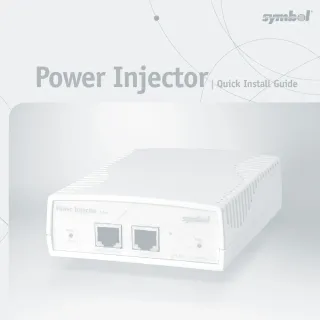
Power Injector Quick Install Guide
Manual20 pagesPDF 2.1 MB
Quick install guide for the Symbol 1-port Power Injector that sends 48VDC and Ethernet data to a connected LAN device.
Filed with · 2 models
Also filed with these models on the old site
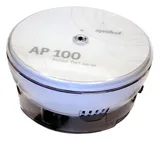
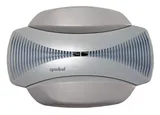
Summary
What is in it
The quick install guide for the Symbol Power Injector 1 Port, which delivers power and Ethernet data over one cable to a connected LAN device such as an access point. It gives safety rules for the power cord, warnings, environmental and electrical specifications, installation steps with the meaning of the two LEDs, cable length limits, a troubleshooting checklist, Symbol support contacts and regulatory information. It does not name a specific access point model.
Its parts
- To the Installer
- Specifications & Installation
- Contact Information
- Legal Information
From the manual · read page by page
Key facts from this manual
Each line names its page in the PDF.
The Symbol Quick Install Guide for the Power Injector 1 Port, which sends 48VDC and Ethernet data down one cable to a LAN device. The guide does not name the AP-100 or AP-200 access points; it covers the injector's specifications, installation, LEDs, power cord rules and troubleshooting.
- Device
- Single-port power injector: sends 48VDC over the non-data wire pairs of a standard Ethernet cable p. 7
- Output
- 48VDC nominal, 15.4W maximum p. 8
- Ports
- Data In: 10/100Base-T RJ-45 female; Data & Power Out: 10/100Base-T plus 48VDC on wire pairs 7-8 and 4-5 p. 8
- Input power
- 90VAC to 264VAC (47Hz-63Hz); .34A maximum at 110VAC, .17A at 240VAC p. 8
- Environment
- Operating 0°C to 50°C (32°F to 122°F); storage -20°C to 70°C; 10% to 90% humidity, no condensation p. 8
- Cable length
- Total from network source through the injector to the device no more than 100 meters (328ft); the injector does not amplify the signal p. 9
- LEDs
- Main LED steady green: power active; Active LED steady green: power connected to the remote device p. 9
- Mounting
- Free standing on a level surface or wall mounted with the back wall holders; no power switch p. 9
- Power cord
- Three-conductor with IEC 60320 coupler and grounded plug, rated at least 250VAC and 5A or 18AWG; 16AWG in Australia p. 5
- Guide number
- 72E-66499-01 Revision A p. 20
What this manual walks you through
- Choosing a place for the power injector p. 9
- Connecting AC power, the network port and the end device p. 9
- Choosing a power cord that meets the requirements p. 5
- Troubleshooting cables and power when the device gets no power p. 10
Good to know
- Only qualified personnel should install or remove the injector. p. 5
- The data ports are SELV circuits and may only connect to SELV interfaces on other equipment. p. 5
- Do not use a crossover cable between the injector output and the device. p. 10
- Do not cover or block the airflow, and keep the unit away from heat, humidity, vibration and dust. p. 9
Questions this manual answers
What voltage does the Symbol power injector supply?
48VDC nominal, up to 15.4W, on wire pairs 7-8 and 4-5 of the output port. p. 8
How long can the Ethernet cable be with the power injector?
The total run from the network source through the injector to the device must stay within 100 meters (328ft). p. 9, 10
Why is my device not getting power from the injector?
Check AC power and ground, use 4-pair CAT-5 cables that are not reversed or crossover, keep under 100 meters, and connect a power ready device. p. 10
Does the Symbol power injector have an on/off switch?
No; it runs as soon as AC power is applied, and the Main LED shows steady green. p. 9
The whole text · 2 parts
Read the manual here as text
Its text as extracted from the PDF, unedited, in parts; each page opens the PDF at that page.
The file