Spec sheet · Symbol
Access Port Series
Spec sheet12 pagesPDF 5.5 MB
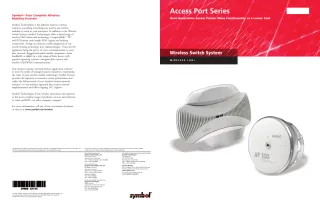
Brochure and specifications for the Symbol AP 100 and AP 200 Access Ports, wireless LAN radios managed by Symbol's WS 5000 and WS 2000 wireless switches.
Covers · 1 model
The models it covers
Summary
What is in it
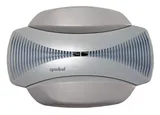
A brochure for Symbol's Access Port series, the AP 100 (802.11b) and AP 200 (802.11a/b), which connect to the WS 5000 and WS 2000 Wireless Switches and take their configuration from the switch. It explains the switch-based architecture and features such as transmit power control, dynamic frequency selection, load balancing, Power over Ethernet and Virtual AP, and lists antennas and accessories. Specification tables give data rates, frequency bands, radio power and sensitivity, environment, power, antennas, dimensions and part numbers.
From the sheet
Key facts from this sheet
Each line names its page in the PDF.
Symbol Access Port Series brochure (Part No. APBRO, 12/03) covering the AP 100 802.11b Access Port and the AP 200 802.11a/b Access Port, which work with Symbol's WS 5000 and WS 2000 Wireless Switches. It describes features, antenna options, part numbers and specifications; the facts here are for the AP 200.
- Device
- 802.11a/b access port: 802.11a built into the base unit, 802.11b added with a snap-on module p. 6
- Part numbers
- WSAP-5030-100-WW: 802.11a base unit, external SMA connectors; WSAP-5030-200-WW: dual A and B, external connectors; WSAP-5030-210-WW: dual A and B, internal antennas p. 3
- 802.11b modules
- WSM-5030-200-WW with external connectors; WSM-5030-210-WW with integrated internal omni antenna p. 3
- Data rates
- 802.11a: 6, 9, 12, 18, 24, 36, 48 and 54 Mbps (OFDM); 802.11b: 1, 2, 5.5 and 11 Mbps (DSSS) p. 3
- Ethernet
- Two built-in Ethernet ports for daisy-chaining; autosensing 10/100Base-T uplink p. 3, 5
- Power
- 48 VDC typical, 36 VDC to 57 VDC range; IEEE 802.3af (Class 0 Power) Power-over-Ethernet p. 2
- Dimensions
- 802.11a external connectors: 10 x 5 x 1.25 in.; 802.11a/b external connectors: 10 x 6 x 1.25 in.; 802.11a/b internal antennas: 10 x 7 x 1.5 in. p. 3
- Weight
- 802.11a external connectors: 1.7 lbs. / 0.77 kg; 802.11a/b external connectors: 1.9 lbs. / 0.86 kg; 802.11a/b internal antennas: 2.2 lbs. / 1.00 kg p. 3
- Temperature
- Operating -20°C to 55°C; storage -40°C to 75°C p. 2
- Mounting
- Ceiling (above and below tile), wall or desk; plenum rated housing p. 3
- Firmware
- No local firmware; it comes from the WS 5000 or WS 2000 Wireless Switch, along with the configuration p. 4, 5
- Virtual AP
- Four BSSIDs and 16 ESSIDs per Access Port, for up to four wireless VLANs p. 4, 5
- 802.11a channels
- All twelve 5 GHz channels in the three UNII bands with the integrated 802.11a antennas p. 6
- Status LED
- Color-coded: blue for 802.11b, amber for 802.11a; visible when mounted above ceiling tiles p. 5
What this sheet walks you through
- Choosing internal antennas or external antenna connectors p. 6
- Choosing omni-directional, directional or bridge external antennas p. 4
- Setting up separate wireless VLANs with Virtual AP p. 4, 5
- Powering Access Ports over Ethernet and daisy chaining them p. 3
- Updating features through the Wireless Switch software p. 4
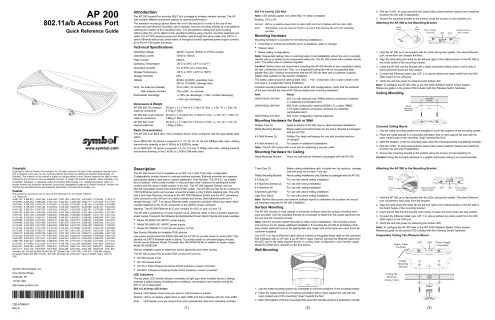
- Mounting options on desks, walls and ceilings p. 3
Good to know
- Access Ports depend on the Wireless Switch: features, security and management live there, and the ports are zero configuration devices. p. 2
- Network settings are kept only in volatile memory and are lost if a port is taken offline. p. 4
- Devices in the UNII bands must obey limits on radiated power. p. 6
Questions this sheet answers
Does the Symbol AP 200 need a wireless switch?
Yes. It has no local firmware; firmware and configuration come from a Symbol WS 5000 or WS 2000 Wireless Switch. p. 5
What is the part number of the AP 200 with internal antennas?
WSAP-5030-210-WW, the AP200 Dual A and B Access Port with internal antennas. p. 3
Can the AP 200 be powered over Ethernet?
Yes, it supports standards-based IEEE 802.3af (Class 0 Power) as well as Symbol proprietary Power-over-Ethernet. p. 2
The whole text · 2 parts
Read the sheet here as text
Its text as extracted from the PDF, unedited, in parts; each page opens the PDF at that page.
The file