Spec sheet · Symbol
The Wireless Switch System from Symbol Technologies
Spec sheet8 pagesPDF 9.3 MB
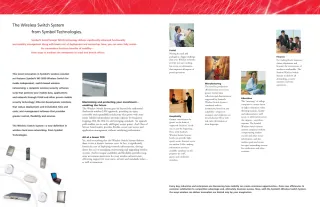
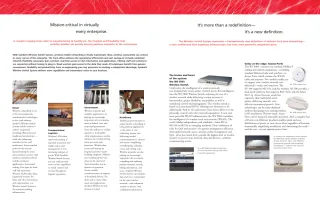
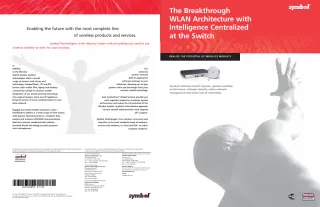
Brochure for the Symbol Wireless Switch System: the WS 5000 Wireless Switch with AP 100 and AP 200 Access Ports, security and management.
What this file really is
The old site listed this file as a spec sheet for the Symbol AP-100 and CCRF-5020. The file is labeled as an AP-100 spec sheet, but it is a marketing brochure for the Symbol Wireless Switch System that describes the AP 100 Access Port only briefly.
Names · 1 model
The models it names
Filed with · 1 model
Also filed with these models on the old site
Summary
What is in it
A Symbol Technologies brochure on the Wireless Switch System, a wireless LAN design that moves the network intelligence from access points into the WS 5000 Wireless Switch. It describes the switch, the AP 100 (802.11b) and AP 200 (802.11a/b) Access Ports, Power-over-Ethernet, centralized management, VLAN and QoS support, load balancing and roaming, and the security suite (WEP, KeyGuard TKIP, VPN and authentication), with examples from retail, healthcare, government, logistics and other markets.
From the sheet
Key facts from this sheet
Each line names its page in the PDF.
Symbol Technologies brochure (07/03) for the Wireless Switch System, a wireless LAN built around the WS 5000 Wireless Switch with AP 100 and AP 200 Access Ports. It is a product overview rather than a detailed spec sheet. It describes how the parts connect and are powered, and the system's security, management and network features.
- Device
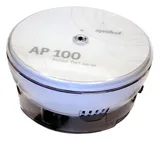
- AP 100 Access Port: holds the WLAN radio and antenna, run by the WS 5000 Wireless Switch p. 3
- Radio standard
- AP 100: 802.11b p. 3
- Connection
- Standard 100BaseT cabling, through standard Ethernet hubs and switches, to the WS 5000 p. 3
- Power
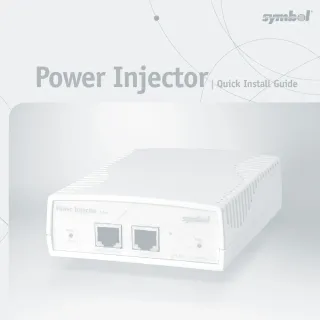
- Power-over-Ethernet from Symbol Power Injectors, so no separate power lines p. 3, 4
- Mounting
- Plenum-rated Access Ports, mountable essentially anywhere p. 3
- Security
- WEP at 64 and 128 bits, KeyGuard (TKIP), AirBEAM Safe VPN; Kerberos, EAP/TLS, 802.1x and RADIUS authentication p. 4
- WS 5000 switch
- Linux-based RTOS, 1U rack-mount; supports FH, 802.11b and 802.11a radios p. 3
- Network features
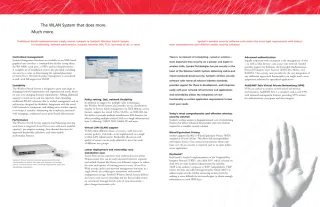
- QoS via IEEE 802.1p, VLANs via IEEE 802.1q, multiple ESS domains, layer 2/3 filtering, DHCP, NAT, Mobile IP p. 4
- Management
- XML-based GUI, command line (telnet, the WS 5000 serial port or PPP), Java-based browsers; SNMP p. 4
- Performance
- Load balancing between Access Ports, pre-emptive roaming, clear-channel detection p. 4
- AP 200
- AP 200: modular dual-mode Access Port for 802.11a/b and the future 802.11g p. 3
What this sheet walks you through
- How the WS 5000 switch moves WLAN intelligence out of the access points p. 3
- Wireless security options: WEP, KeyGuard, VPN and authentication p. 4
- Using VLANs to give user groups their own security and service levels p. 4
- Uses of the system by industry, from retail to healthcare p. 2, 3
Good to know
- The brochure presents WEP as basic over-the-air security for legacy clients or less-critical environments. p. 4
Questions this sheet answers
What wireless standard does the Symbol AP 100 Access Port support?
802.11b. The modular AP 200 adds dual-mode 802.11a/b support. p. 3
Does the AP 100 work on its own as an access point?
The brochure describes Access Ports as holding the radio and antenna, connected to the WS 5000 Wireless Switch, which centralizes the network's intelligence. p. 3
How is the AP 100 powered?
Through power-over-Ethernet, using Symbol Power Injectors, so no separate power line is run to each Access Port. p. 4
What security does the Symbol Wireless Switch System support?
WEP at 64 and 128 bits, KeyGuard (TKIP), the AirBEAM Safe VPN, and Kerberos, EAP/TLS, 802.1x and RADIUS authentication. p. 4
The whole text · 2 parts
Read the sheet here as text
Its text as extracted from the PDF, unedited, in parts; each page opens the PDF at that page.
The file