Manual · PSC
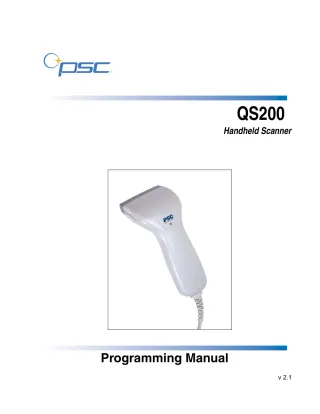
QS-200 Handheld Scanner Programming Manual
Manual48 pagesPDF 1.2 MB
Bar code programming manual for the PSC QS-200 handheld scanner: interfaces, symbologies, reading modes and keyboard and RS232 settings.
Filed with · 1 model
Also filed with these models on the old site
Summary
What is in it
The programming manual for the PSC QS-200 handheld scanner, made of bar code menus that you scan to set it up. It shows the configuration flow, then menus to choose the interface (keyboard, RS232C, CCD wand emulation or OCIA), turn symbologies on or off and set options for Code 39, Codabar, the 2 of 5 codes, EAN and UPC. Further menus cover reading modes, general and keyboard parameters, terminal types, function keys, languages, RS232 parameters, wand emulation, code marks and truncation, with an ASCII table and pinouts.
Its parts
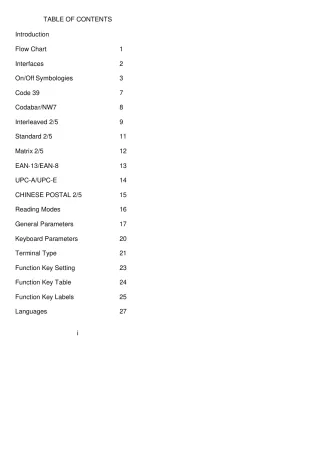
- Introduction
- Flow Chart
- Interfaces
- On/Off Symbologies
- Code 39
- Codabar/NW7
- Interleaved 2/5
- Standard 2/5
- Matrix 2/5
- EAN-13/EAN-8
- UPC-A/UPC-E
- Chinese Postal 2/5
- Reading Modes
- General Parameters
- Keyboard Parameters
From the manual · read page by page
Key facts from this manual
Some pages are scans or cannot be read; this says only what the readable text supports. Each line names its page in the PDF.
This is the bar code programming menu (version 2.1) for the PSC QS-200 handheld scanner. Scanning its labels sets the host interface, the bar code types to read, the reading mode, keyboard, RS232 and wand emulation options and the data format. Cable pin assignments are at the back.
- Configuration
- Set by scanning bar codes in the programming menu; settings kept in non-volatile RAM after power off p. 5
- Host interfaces
- Keyboard, RS232C, CCD wand emulation; OCIA on some models p. 4, 7
- Symbologies
- Code 39, Interleaved 2 of 5, Standard 2 of 5, Matrix 2 of 5, Codabar, EAN-8, EAN-13/UPC-A, UPC-E, ISBN/ISSN, Code 128, Code 93, Chinese 2 of 5; on some models also MSI/Plessey, Code 11, Code IV and Code49 p. 4, 8, 9, 10, 11
- Reading modes
- Trigger on/off, trigger with good read off, continuous, continuous with LED always on, testing p. 21
- Wand emulation speeds
- 28, 36, 49, 80 or 208 cm/sec, based on a 0.125 mm bar code p. 36
- Terminators
- None, CR, LF, CR/LF, space, tab, ESC, CTRL-C, EXEC, STX..ETX or EOT p. 22
- RS232 parity
- None, odd, even, space or mark p. 34
- RS232 handshaking
- None, ACK/NAK, XON/XOFF, RTS/CTS p. 34
- Preamble and postamble
- Up to 10 bytes each p. 25, 35
- Scanner power
- Vcc +5V; the RS232 cable has a DC power socket for 5V p. 46, 47
- Cable connectors
- Pinouts for 9-pin and 25-pin D-sub (female), 5-pin and 6-pin DIN, 6-pin mini DIN and 8-pin DIN p. 45, 46, 47
What this manual walks you through
- Changing a setting: start configuration, scan the option, end configuration p. 6, 7
- Turning bar code types on and off p. 8, 9, 10, 11
- Setting bar code lengths for 2 of 5 codes p. 14, 15
- Truncating leading digits and transmitting check digits for EAN and UPC p. 18, 19
- Choosing a reading mode p. 21
- Setting the terminator, buzzer, data comparison and data format p. 22, 23
- Keyboard options: case, keyboard speed, preamble and function keys p. 25, 28
- RS232 parity, handshaking and response times p. 34, 35
- Adding code marks and truncating digits per bar code type p. 39, 40, 41, 42
- Cable pin assignments for each interface p. 45, 46, 47
Good to know
- Numbers in the menu are shown in decimal but must be entered as hexadecimal. p. 4
- Options shown in braces are only available on some models. p. 4
- Reading function key labels needs Code 39 Full ASCII turned on. p. 28
- Italian PharmaCode needs Pharmaceutical Code enabled as well. p. 11
- Leading or ending digits can be truncated for only one bar code type at a time, besides EAN and UPC. p. 41
Questions this manual answers
How do I program the QS-200 scanner?
Scan START OF CONFIGURATION, then the option label, then END OF CONFIGURATION. p. 7
Does the QS-200 keep its settings after power off?
Yes. Settings are stored in non-volatile RAM that keeps them after power is turned off. p. 5
The whole text · 5 parts
Read the manual here as text
Its text as extracted from the PDF, unedited, in parts; each page opens the PDF at that page.
The file