Manual · PSC
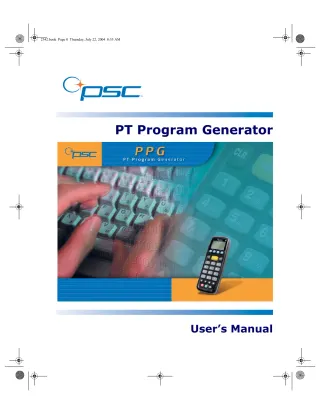
PT Program Generator User's Manual
Manual204 pagesPDF 14 MB
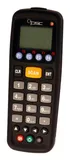
User's manual for PSC's PT Program Generator (PPG) v5.0, the PC software for building applications for the Falcon PT40 portable.
Covers · 2 models
The models it covers
Summary
What is in it
The user's manual for PT Program Generator (PPG) v5.0, PSC's Windows software for designing data collection programs for the PSC Falcon PT40 portable terminal without writing code. It covers installation and system requirements, application design with flow-chart nodes, the PPG menus, creating and using each node type, managing data in registers, files, templates and fields, downloading programs and transferring data with XFER32, a step-by-step tutorial, example frames, system commands and useful bar codes.
Its parts
- Software End User License Agreement
- Introduction
- Getting Started
- PPG Application Design
- The PPG Menubar
- Creating & Using Nodes
- Managing Data
- PT40 Communication
- PPG Tutorial
- Example Frames
- The PPG Library
- PPG System Commands
- ASCII/Hex Conversion Table
- Useful Bar Codes
From the manual
Key facts from this manual
Each line names its page in the PDF.
User's manual for PSC's PT Program Generator (PPG) v5.0, the Windows software used to design applications for the PSC Falcon PT40 portable data terminal and load them into it. It explains installing PPG, building programs from frames and nodes, downloading them, moving files with XFER32, default-setting bar codes, troubleshooting and error messages.
- PC connection
- Dock or serial cable with a 9-pin connector to a PC serial port (25-to-9-pin adapter if needed) p. 101
- Baud rate
- PT40 default 9600; supports baud rates up to 38400 p. 105
- Transfer protocols
- ACK/NAK (default) or XModem; ZModem not supported p. 106
- Flow control
- RTS/CTS (default) or None; XON/XOFF not supported p. 106
- Applications
- The Falcon PT40 holds up to four applications p. 104
- Software
- PT Program Generator (PPG) v5.0, which supports only the PSC Falcon PT40 p. 19
- PC requirements
- 450MHz processor, 12MB memory, 10MB hard disk, VGA, CD-ROM drive, serial port p. 18, 19
- Operating systems
- Windows 98 (SP5), 2000, Me (SP5), NT (SP6) and XP p. 19
- Program files
- Source *.scr files compile to *.hex files, which are downloaded to the portable p. 102
- Transfer tools
- PPGXFER downloads compiled programs; XFER32 sends and receives files p. 104
- Default sets
- Bar codes reset the PT40 to D0 (all off), D1 (all on), D2 (factory defaults) or serial defaults p. 176
- Size limits
- Application must be < FFFFH; each output node displays up to 132 characters p. 186, 188
- Language support
- Double-byte Chinese Simplified and Chinese Traditional characters p. 18
What this manual walks you through
- Installing, upgrading and uninstalling PPG p. 19, 20
- Downloading an application to the PT40 p. 101, 102
- Updating the PT40 operating system during a download p. 103
- Downloading a compiled file to several portables p. 104
- Setting up XFER32 for file transfer p. 104, 105, 106, 107, 108
- Resetting the PT40 to predefined defaults with bar codes p. 176
- Retrieving data after a PROGRAM FAILED message p. 177
- Fixing corrupted .scr files p. 183, 184
- Troubleshooting a failed download connection p. 184
- PPG, PPGComp and PPGXfer error messages p. 185, 186, 187, 188, 189
Good to know
- Choosing to download the new operating system removes all applications stored on the PT40. p. 103
- Skipping an operating system update may leave a new application unable to run correctly on an outdated PT40. p. 103
- PPG v5.0 has no keyboard wedge support; older applications using it need a new input method. p. 20
- Do not edit .scr files by hand; let PPG create and edit them. p. 184
- Loading an application into an occupied location replaces the application there. p. 104
Questions this manual answers
How do I load a program into a PSC Falcon PT40?
Connect the dock or 9-pin serial cable to the PC, turn the portable on, open the application in PPG and select File > Download Program. p. 101
What baud rate does the PSC PT40 use?
The PT40 defaults to 9600 and supports baud rates up to 38400. p. 105
Does the PT40 support ZModem file transfer?
No. Only ACK/NAK and XModem are supported, with ACK/NAK the default. p. 106
How do I reset the PT40 when a download will not connect?
Press <CLR>+<ENT> while reloading the battery, check the cable at both ends and try a different serial port. p. 184
What does the error 'PDT does not support application file' mean?
The application was created for a different PDT; use File > Customize Application to select the correct PDT type, then save and download again. p. 189
Contents
Chapters and sections
Each line opens the PDF at its page.
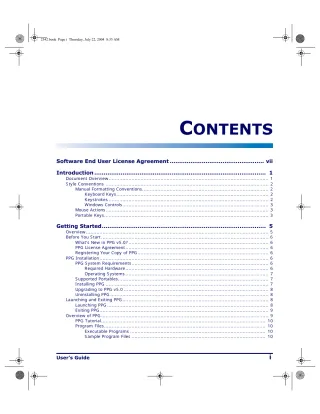
- PT Program Generator User's Manual1
- (PPG) Software End User License Agreement9
- Introduction13
- Getting Started17
- PPG Application Design27
- The PPG Menubar35
- Creating & Using Nodes61
- Managing Data89
- PT40 Communication101
- PPG Tutorial111
- Example Frames147
- The PPG Library171
- PPG System Commands175
- ASCII/Hex Conversion Table179
- Useful Bar Codes181
- Troubleshooting183
- Glossary191
- Index195
The whole text · 21 parts
Read the manual here as text
Its text as extracted from the PDF, unedited, in parts; each page opens the PDF at that page.
- Pages 1 to 71-7
- Pages 8 to 178-17
- Pages 18 to 2718-27
- Pages 28 to 3728-37
- Pages 38 to 4738-47
- Pages 48 to 5748-57
- Pages 58 to 6758-67
- Pages 68 to 7768-77
- Pages 78 to 8778-87
- Pages 88 to 9788-97
- Pages 98 to 10798-107
- Pages 108 to 117108-117
- Pages 118 to 127118-127
- Pages 128 to 137128-137
- Pages 138 to 147138-147
- Pages 148 to 157148-157
- Pages 158 to 167158-167
- Pages 168 to 177168-177
- Pages 178 to 187178-187
- Pages 188 to 197188-197
- Pages 198 to 204198-204
The file