Manual · PSC
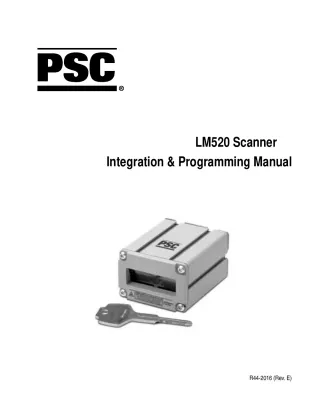
LM520 Scanner Integration & Programming Manual
Manual50 pagesPDF 437 KB
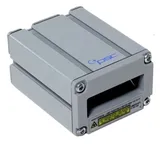
Integration and programming manual for the PSC LM520 compact fixed-mount laser bar code scanner.
Covers · 1 model
The models it covers
Summary
What is in it
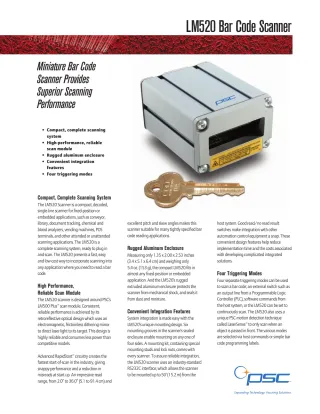
PSC's integration and programming manual for the LM520, a compact decoded single-line laser scanner for fixed or embedded use such as conveyors, libraries, vending machines and POS terminals. It covers unpacking and care, mounting (stand-alone, at the right read distance, behind a window), the electrical interface, programming by serial commands or bar codes, serial settings, scan triggering modes, symbology settings, data formatting, other commands, specifications, factory defaults and programming labels.
Its parts
- The LM520 Bar Code Scanner
- Mounting the LM520
- LM520 Scanner Configuration
- Technical Specifications
- Mechanical Specifications
- Factory Default Configuration
- LM520 Programming Labels
- ASCII Conversion Table
From the manual
Key facts from this manual
Each line names its page in the PDF.
This is the PSC integration and programming manual (document R44-2016) for the LM520, a compact fixed-mount single-line laser bar code scanner. It explains mounting, placing the scanner behind a window, the DB-9 serial interface and configuring the scanner by host commands or programming bar codes. Appendices give the technical specifications and the factory default settings.
- Device
- Compact decoded single-line laser scanner for fixed position or embedded use p. 5
- Host interface
- RS232C serial over a standard DB-9 connector p. 12
- Default serial settings
- 9600 baud, 8 data bits, no parity, 1 stop bit p. 12
- Supply voltage
- 4.75 to 12.0 V DC p. 44
- Symbologies
- UPC-A, UPC-E, EAN-8, EAN-13, Code 39, Code 128, Code 93, Codabar, Interleaved 2 of 5, Standard 2 of 5 p. 24
- Scan rate
- 42 scans per second ±10%, bi-directional p. 43
- Depth of field
- 5 mil: 2.5 to 4.25 in; 7.5 mil: 2.0 to 7.25 in; 10 mil: 1.5 to 10.25 in; 13 mil: 1.5 to 14.25 in p. 43
- Scan angle
- 46° nominal, ±2.0° p. 43
- Laser
- 650 nm visible laser diode p. 43
- Scan modes
- External switch such as a PLC output, host software commands, continuous scanning, or LaserSense motion detection p. 5
- Size and weight
- 1.35 in (3.43 cm) high, 2.0 in (5.08 cm) wide; 0.30 lb (136.1 g) p. 44
- Operating temperature
- -20º C to +40º C in normal mode; -20º C to +30º C in continuous scanning mode at 12 VDC p. 44
- Rain and dust
- The manual states IP54 p. 44
- Standard package
- Scanner, power supply, mounting hardware (two bolt studs with nuts), interface cable with male DB9 at the scanner end, diskette with the manual p. 6
What this manual walks you through
- Mounting the scanner on any of four sides p. 7
- Working out the usable scan line length at a given distance p. 8
- Placing the scanner behind a protective window: size, tilt angle and materials p. 9, 10, 11
- Wiring the DB-9 interface: pinout and cable schematic p. 12, 13
- Managing the active and factory default configurations p. 14
- Programming the scanner over the serial interface or with bar codes p. 16
- Starting a scan from the host with the Scan Now command p. 21
- Enabling and disabling symbologies p. 24
- Factory default settings list p. 46, 47
Good to know
- The bar code must not sit square to the scanner face: at least 3 degrees of skew is needed. p. 8
- Only about 80% of the scan line is usable, so the line should be longer than the bar code. p. 8
- Never wipe the scan window with a dry tissue or applicator, and do not scrub it. p. 6
- The scan trigger input must be limited to 5 VDC and 10 mA. p. 12
- Antiglare coatings on a system window are generally not to be used. p. 11
Questions this manual answers
What power supply voltage does the PSC LM520 need?
The LM520 takes 4.75 to 12.0 VDC on pin 6 of its DB-9 connector. p. 12
Which bar code types can the LM520 read?
UPC-A, UPC-E, EAN-8, EAN-13, Code 39, Code 128, Code 93, Codabar, Interleaved 2 of 5 and Standard 2 of 5. p. 24
How do I trigger the LM520 scanner from a PLC?
Pulling the scan trigger input on pin 9 to ground starts scanning; the manual names a PLC output line as one such external switch. p. 5, 12
How far away can the LM520 read a bar code?
The depth of field depends on the code size: for example 1.5 to 10.25 in for 10 mil codes and 1.5 to 14.25 in for 13 mil codes. p. 43
How do I reset the LM520 to factory defaults?
The Z1 command copies the factory defaults into the active configuration; Z2 stores the active configuration as the new factory default. p. 14
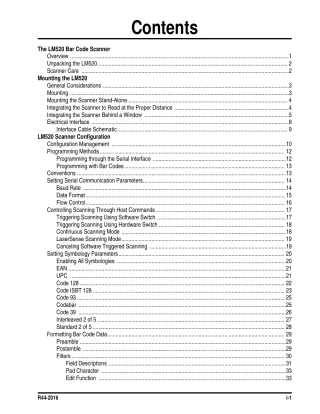
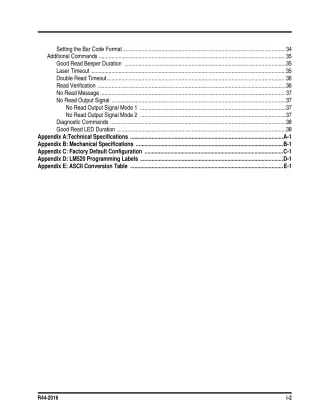
Contents
Chapters and sections
Each line opens the PDF at its page.
- Section 15
- The LM520 Bar Code Scanner5
- Section 27
- Mounting the LM5207
- Section 314
- LM520 Scanner Configuration14
- Appendix A :Technical Specifications43
- Appendix B : Mechanical Specifications45
- Appendix C : Factory Default Configuration46
- Appendix D : LM520 Programming Labels48
- Appendix E : ASCII Conversion Table50
The whole text · 7 parts
Read the manual here as text
Its text as extracted from the PDF, unedited, in parts; each page opens the PDF at that page.
The file