Manual · Printek
MtP Series & FieldPro Programmer's Manual
Manual63 pagesPDF 923 KB
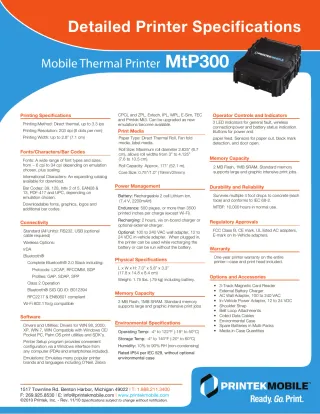
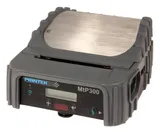
Programmer's manual for Printek MtP300, MtP400 and FieldPro RT43 mobile thermal printers: control codes, escape sequences and emulations.
Covers · 1 model
The models it covers
Summary
What is in it
A programmer's manual for software developers writing applications for the Printek MtP and FieldPro Series mobile thermal printers (MtP300, MtP300LP, MtP400, MtP400LP, MtP400SL and FieldPro RT43). It explains how to select emulations and documents the Printek emulation commands by function: communications, character size and attributes, positioning, bar codes, graphics and stored logos, black mark and gap sensing, printer controls, status queries and the magnetic card reader. Summaries follow for the Mt3, O'Neil, ZPL-II and CPCL emulations, plus hex dump mode, font samples and ASCII tables.
Its parts
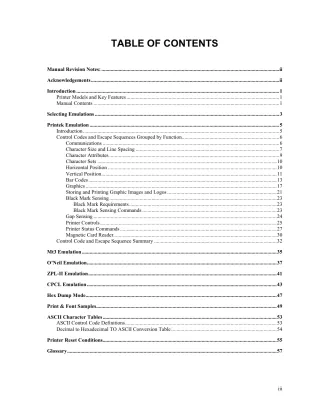
- Introduction
- Selecting Emulations
- Printek Emulation
- Mt3 Emulation
- O'Neil Emulation
- ZPL-II Emulation
- CPCL Emulation
- Hex Dump Mode
- Print & Font Samples
- ASCII Character Tables
- Printer Reset Conditions
From the manual
Key facts from this manual
Some pages are scans or cannot be read; this says only what the readable text supports. Each line names its page in the PDF.
Programmer's manual for the Printek MtP and FieldPro Series mobile thermal printers, covering the MtP300, MtP300LP, MtP400, MtP400LP, MtP400SL and FieldPro RT43. It explains the control codes and escape sequences of the Printek emulation and summarizes the commands of the Mt3, O'Neil, ZPL-II and CPCL emulations. It is written for software developers building or changing printing applications.
- Printer type
- Mobile thermal printer (Printek MtP and FieldPro Series) p. 5
- Emulations
- Printek, O'Neil, ZPL-II and CPCL, plus Printek Mt3 p. 7
- Paper size
- MtP300: 3.12" x 2.625" roll (width x diameter), front black mark; MtP300LP: same roll, front/back black mark and gap p. 5
- Host interfaces
- RS-232, IrDA, Bluetooth and Wi-Fi are the interfaces listed for the series p. 5
- Card reader
- Optional three-track magnetic card reader for ANSI/ISO 7810, 7811 cards p. 34
- Mark and gap sensing
- Black mark on the front of the form read by the paper out sensor; LP models also sense back marks and label gaps p. 27
- ZPL-II bar codes
- Interleaved 2 of 5, Code 39, PDF417, EAN-8, UPC-E, Code 128 (A, B, C), EAN-13, ANSI Codabar, UPC-A p. 45
- Firmware
- Manual reflects firmware 3.6; MtP300 support began with firmware 2.0 p. 2
- Manual part number
- Printek 6361 Rev. B p. 1
- Paper out sensitivity
- Set in 0.125mm dot rows, 0 to 255, default 40 p. 27
What this manual walks you through
- Selecting a printer emulation from the host with ESC ESC n p. 7
- Printing vector graphics such as a captured signature p. 23, 24
- Using black mark sensing to print on preprinted forms p. 27
- Storing a command file that can be run from the front panel p. 30
- Querying print buffer, card reader and battery status p. 31
- Reading magnetic cards with the optional card reader p. 34
- Command summaries for the Mt3 and O'Neil emulations p. 39, 41
- Command summaries for the ZPL-II and CPCL emulations p. 45, 47
- Printer settings after power-up or reset p. 59
Good to know
- CPCL emulation needs firmware version 2.0 or later. p. 47
- Vector graphics need firmware version 2.8 or later. p. 23
- Return to the previous emulation remembers only one step back. p. 7
- While Printek emulation is selected, commands from the other emulations are not available. p. 9
- Command file types other than Text are not supported and may give unpredictable results. p. 30
Questions this manual answers
Which printer languages can the Printek MtP series emulate?
Printek, O'Neil, ZPL-II and CPCL, plus a Printek Mt3 emulation for existing three inch applications. ZPL-II and CPCL support a subset of their command sets. p. 7, 45, 47
How do I switch the MtP printer emulation from software?
Send ESC ESC n with the number of the emulation. ESC ESC ? returns to the previous emulation and ESC ESC @ to the default set in the Interface setup menu. p. 7
How can a host read the MtP printer battery level?
ESC P ^ prints the battery voltage and charge status, and the SYN status query also returns the battery voltage. p. 31
What cards can the MtP magnetic card reader read?
The optional reader reads one, two or all three tracks of cards such as credit cards or driver's licenses, encoded to ANSI/ISO 7810, 7811. p. 34
Contents
Chapters and sections
Each line opens the PDF at its page.
The whole text · 7 parts
Read the manual here as text
Its text as extracted from the PDF, unedited, in parts; each page opens the PDF at that page.
The file