Manual · Portsmith
Portsmith Modem Charging Cradle User Guide, Model PS6PM5M, PS6PM5M-I
Manual12 pagesPDF 244 KB
User guide for the Portsmith PS6PM5M Modem Charging Cradle, which lets Palm handhelds HotSync over a phone line.
Covers · 1 model
The models it covers
Summary
What is in it
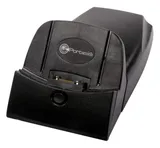
A short user guide for the Portsmith Modem Charging Cradle (models PS6PM5M and PS6PM5M-I), which charges a Palm handheld and connects it to a host computer over a telephone line. It lists the minimum requirements and box contents, explains connecting power and an analog phone line, configuring HotSync on the handheld for modem sync, and setting up the desktop synchronization software, followed by a glossary, warranties, the software license and regulatory information.
Its parts
- Introduction
- Preparing to Use the Portsmith Modem Charging Cradle
- Install & Configure HotSync Desktop Synchronization Software
From the manual · read page by page
Key facts from this manual
Some pages are scans or cannot be read; this says only what the readable text supports. Each line names its page in the PDF.
User guide (first edition, August 2002) for the Portsmith Modem Charging Cradle, model numbers PS6PM5M and PS6PM5M-I, a charging cradle with a built-in modem for Palm handhelds. It explains what comes in the box, how to connect the cradle to power and a phone line, and how to set up HotSync on the handheld and the desktop computer for modem synchronization.
- Device
- Charging cradle with built-in modem for HotSync to a host computer over a phone line p. 4
- Compatible handhelds
- Palm m125/130/500/505/515 or i705 Series p. 4
- Connections
- Power jack, Line In and Line Out phone jacks at the rear; HotSync button p. 4, 5
- Phone line
- Standard analog (POTS) lines only; plugs into an RJ11 receptacle p. 5
- Power
- Supplied AC adaptor for 120VAC household outlets, barrel connector p. 4, 5
- Host requirement
- Desktop computer with a V.34 or faster modem and HotSync Manager set for modem sync p. 4
- In the box
- Cradle, power adapter, phone cord, quick install guide p. 4
- Serial number
- On the bottom label of the adapter p. 7
What this manual walks you through
- Connecting the cradle to power and a phone line p. 5
- Setting HotSync on the handheld for modem sync p. 5
- Setting up desktop synchronization software for modem use p. 6
- What to have ready when contacting technical support p. 7
Good to know
- Digital phone lines, such as PBX systems, do not work with the cradle. p. 5
- Only one device can use the phone line at a time. p. 4
- Use only the supplied adaptor; another adaptor may damage the cradle. p. 4
- The desktop computer must be on, with its sync software running and set for modem use, during a sync. p. 6
Questions this manual answers
Which Palm handhelds work with the Portsmith PS6PM5M modem cradle?
Palm m125/130/500/505/515 or i705 Series handhelds. p. 4
Does the Portsmith modem cradle work on a PBX or digital phone line?
No. It is made for standard analog (POTS) lines; digital lines such as PBX systems are not compatible. p. 5
How do I set up HotSync on the Palm to use the modem cradle?
In HotSync open Options, Modem Sync Prefs and choose Direct to Modem, select Serial to Modem, enter the phone number, then press the cradle's HotSync button. p. 5
What is the Line Out jack on the Portsmith modem cradle for?
It passes the phone line through to a phone or other device sharing the line; only one device can use the line at a time. p. 4
Contents
Chapters and sections
Each line opens the PDF at its page.
The whole text · 3 parts
Read the manual here as text
Its text as extracted from the PDF, unedited, in parts; each page opens the PDF at that page.
The file