Manual · Palm
Handbook for the Palm Tungsten T3 Handheld
Manual408 pagesPDF 5.6 MB
User handbook for the Palm Tungsten T3 handheld: setup, data entry, HotSync, and the built-in applications.
Covers · 2 models
The models it covers
Summary
What is in it
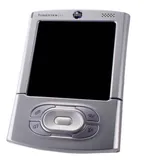
The full user handbook for the Palm Tungsten T3 handheld. It covers computer requirements and first setup with the HotSync cradle, the handheld's controls and expansion card slot, entering data with the onscreen keyboards and Graffiti 2 writing, beaming and Bluetooth sending, and installing applications. Separate chapters explain Calendar, Contacts, Expense, Memos, Note Pad, Phone Link, Palm Photos, SMS, Tasks, VersaMail e-mail, Voice Memo, Web Pro, World Clock and HotSync operations.
Its parts
- Setting Up Your Palm Tungsten T3 Handheld
- Exploring Your Handheld
- Entering Data on Your Handheld
- Working with Applications
- Using Calendar
- Using Card Info
- Using Contacts
- Using Palm Dialer
- Using Expense
- Using Memos
- Using Note Pad
- Using Phone Link
- Using Palm Photos
- Using SMS
- Using Tasks
From the manual
Key facts from this manual
Each line names its page in the PDF.
The full handbook for the Palm Tungsten T3 handheld organizer. It covers setup with the HotSync cradle, the controls and connectors, the built-in applications such as Calendar, Contacts, VersaMail and Web Pro, HotSync and Bluetooth, preferences, resets and a troubleshooting appendix.
- Device
- Palm Powered handheld organizer with a slide-open body, stylus, voice recorder and photo viewer p. 15, 21
- Expansion slot
- Secure Digital (SD), SDIO or MultiMediaCard (MMC) cards p. 23
- Connectors
- Universal connector for the cradle, HotSync cable, battery pack or portable keyboard; IR port; 3.5mm stereo headphone jack p. 23, 24, 25
- Wireless
- Bluetooth and infrared (IR) p. 24, 31
- Charging
- In the HotSync cradle; at least two hours for the first charge, then 15 to 30 minutes a day p. 17
- Computer link
- USB cradle; a serial cradle or cable is sold separately p. 15, 17
- Windows desktop
- Windows NT 4.0 (serial cradle only), 98, ME, 2000 Pro or XP; 50 MB disk space p. 15, 17
- Mac desktop
- PowerPC Mac, Mac OS 9.1 or later or Mac OS X 10.1.2 through 10.2.6; 25MB disk space p. 16
- Text entry
- Graffiti 2 writing, Full-screen Writing and onscreen keyboards p. 22, 32
- Screen
- Touch screen that rotates between portrait and landscape view p. 31, 33
- Auto-off
- 30 seconds or one, two or three minutes p. 372
- Handbook part number
- 407-5752A-US p. 2
What this manual walks you through
- Connecting the HotSync cradle and charging the handheld p. 17
- Installing Palm Desktop software and doing the first HotSync operation p. 18, 19
- Finding the controls on the front, top, side and back panels p. 22, 23, 24
- Inserting and removing an expansion card p. 26
- Using the navigator, the status bar and screen rotation p. 29, 30, 31, 33
- Prolonging battery life p. 364
- Soft and hard resets, and restoring data from the computer afterward p. 365, 366, 367
- Troubleshooting installation, operating, writing and application problems p. 370, 371, 372, 373
Good to know
- A hard reset erases all records and entries; use it only when a soft reset does not help. p. 365
- A drained handheld keeps data for about a week; left uncharged for long, all stored data can be lost. p. 364
- The handheld is not waterproof and should be kept from rain and moisture. p. 363
- Use only the stylus on the screen; a pen or pencil will scratch it. p. 27
- There are no serviceable parts inside; do not open the unit. p. 364
Questions this manual answers
How long does the Palm Tungsten T3 take to charge?
At least two hours in the cradle for the first charge; in daily use it needs 15 to 30 minutes of charge a day. p. 17
What memory cards does the Tungsten T3 take?
Secure Digital (SD), SDIO and MultiMediaCard (MMC) expansion cards. p. 23
How do I reset a frozen Tungsten T3?
Press the reset button in the hole on the back panel with the stylus tip for a soft reset, which keeps your data. A hard reset also holds the power button and erases everything. p. 365
Can I use the Tungsten T3 USB cradle with Windows NT?
No. Windows NT users need a cradle with a serial port connection, sold separately. p. 17
Why does my Tungsten T3 keep turning itself off?
It turns off after a period of inactivity set on the Power Preferences screen: 30 seconds or one, two or three minutes. p. 372
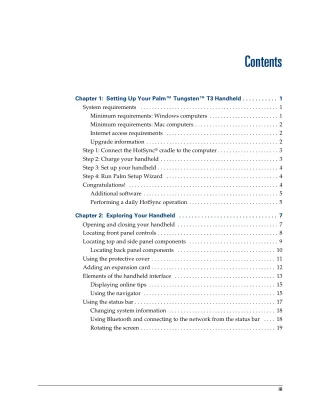
Contents
Chapters and sections
Each line opens the PDF at its page.
- Handbook for the Palm™ Tungsten™ T3 Handheld1
- Setting Up Your Palm™ Tungsten™ T3 Handheld15
- Exploring Your Handheld21
- Entering Data on Your Handheld35
- Working with Applications51
- Using Calendar77
- Using Card Info93
- Using Contacts97
- Using Palm™ Dialer107
- Using Expense111
- Using Memos117
- Using Note Pad119
- Using Phone Link123
- Using Palm™ Photos133
- Using SMS143
- Using Tasks153
- Using Palm™ VersaMail™ Personal Email Software161
- Using Voice Memo243
- Using Palm™ Web Pro251
- Using World Clock275
- Performing HotSync® Operations283
- Setting Preferences for Your Handheld311
- Maintaining Your Handheld363
- Frequently Asked Questions369
- Product Regulatory Information389
- Index393
The whole text · 41 parts
Read the manual here as text
Its text as extracted from the PDF, unedited, in parts; each page opens the PDF at that page.
- Pages 1 to 101-10
- Pages 11 to 2011-20
- Pages 21 to 3021-30
- Pages 31 to 4031-40
- Pages 41 to 5041-50
- Pages 51 to 6051-60
- Pages 61 to 7061-70
- Pages 71 to 8071-80
- Pages 81 to 9081-90
- Pages 91 to 10091-100
- Pages 101 to 110101-110
- Pages 111 to 120111-120
- Pages 121 to 130121-130
- Pages 131 to 140131-140
- Pages 141 to 150141-150
- Pages 151 to 160151-160
- Pages 161 to 170161-170
- Pages 171 to 180171-180
- Pages 181 to 190181-190
- Pages 191 to 200191-200
- Pages 201 to 210201-210
- Pages 211 to 220211-220
- Pages 221 to 230221-230
- Pages 231 to 240231-240
- Pages 241 to 250241-250
- Pages 251 to 260251-260
- Pages 261 to 270261-270
- Pages 271 to 280271-280
- Pages 281 to 290281-290
- Pages 291 to 300291-300
- Pages 301 to 310301-310
- Pages 311 to 320311-320
- Pages 321 to 330321-330
- Pages 331 to 340331-340
- Pages 341 to 350341-350
- Pages 351 to 360351-360
- Pages 361 to 370361-370
- Pages 371 to 380371-380
- Pages 381 to 390381-390
- Pages 391 to 400391-400
- Pages 401 to 408401-408
The file