Manual · Opticon
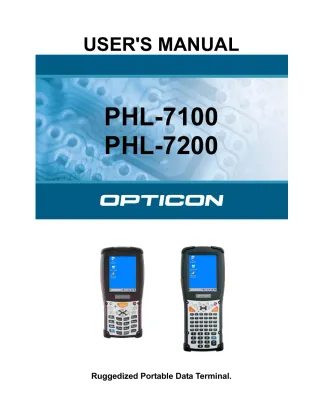
User's Manual PHL-7100 PHL-7200 Ruggedized Portable Data Terminal
Manual168 pagesPDF 4.5 MB
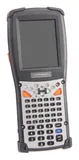
User's manual for the Opticon PHL-7100 and PHL-7200 (PHL-7000 series) Windows CE rugged portable data terminals.
Filed with · 1 model
Also filed with these models on the old site
Summary
What is in it
Opticon's user's manual for the PHL-7000 series portable data terminals, the PHL-7100 and PHL-7200, which run Windows CE .NET and have a built-in 1D or 2D bar code reader. It covers safety, battery and FCC notices, product labels, package contents and getting started, the PDT settings, communication options, the installed software applications and the GSM/GPRS phone tools. Bar code reader configuration is left to the separate Opticon Universal Menu Book.
Its parts
- Introduction
- Getting started
- PDT settings
- Communication
- Software Applications
- Phone tools (GSM/GPRS)
From the manual
Key facts from this manual
Each line names its page in the PDF.
This is the Opticon user's manual for the PHL-7100 and PHL-7200 rugged Windows CE .NET portable data terminals of the PHL-7000 series; the PHL-7254 is not named in it. It gives the specifications and explains battery charging, the IRU-7000 cradle, reading bar codes, suspend and reset, settings and communication.
- Device type
- Rugged Windows CE .NET portable data terminal (PDT) with integrated 1D or 2D bar code reader p. 7
- Processor
- 400MHz Intel PXA255 32 bits RISC CPU p. 16
- Memory
- 64 MB Flash ROM, 128 MB SDRAM; SD card slot (SD memory only); CF type-II slot on some models p. 16
- Display
- 240 x 320, 3.5 in, 256K color TFT with LED backlight and touch panel p. 7, 16
- Battery
- Li-Ion pack, 3.7V, 3000 mAh standard; 4000mAh high-capacity pack optional p. 18, 21, 22
- Power adapter
- 5VDC/2.6A for the PDT; the IRU-7000 cradle needs its own 5VDC/6.5A adapter p. 21, 30
- Ports
- USB v1.1 host and client; RS232 via optional cable or cradle; one USB/RS232 sync port p. 16, 24
- Wireless options
- 802.11b Wireless LAN, Bluetooth Ver 1.2 class II, GSM/GPRS, each optional p. 16
- Scan engine
- 1D laser reader by default; optional 2D CMOS SXGA (1280*1024) reader p. 16
- Reading range
- 1D laser version: 50 to 650mm; 2D CMOS version: 45 to 260mm p. 59, 60
- Temperature
- Operating -10°C to 50°C; storage -20°C to 70°C p. 19
- Charging time
- About 6 hours the first time, about 4 hours after that p. 29
- Accessories
- RS232 serial cable, USB host cable, IRU-7000 single slot cradle and charger, IRU-7004 4-slot battery charger, car adapter, holster p. 18
- Software
- Microsoft Windows CE.NET 4.2 Professional p. 7, 18
What this manual walks you through
- Keys, indicators and connectors on the PHL-7100 and PHL-7200 p. 24, 26
- Installing the battery pack p. 27, 28
- Charging the battery with the power adapter p. 29
- Charging in the IRU-7000 cradle, including a spare battery p. 30, 31
- Turning the terminal on, off and into suspend mode p. 32, 62, 63
- Reading bar codes with the 1D laser version p. 59
- Reading bar codes with the 2D CMOS version and its green aiming spots p. 60, 61
- Warm reset and cold reset p. 63
- Battery safety p. 9
Good to know
- The IRU-7000 cradle adapter (5VDC/6.5A) is not the same as the terminal's adapter (5VDC/2.6A); use the cradle's own adapter. p. 30
- Leaving the battery out too long loses the data in SDRAM; power the terminal off before changing the main battery. p. 31
- A cold reset closes all applications and clears working RAM and all files; try a warm reset first. p. 63
- The manual states the terminal passed IP54 water and dust testing, but warns against long exposure to rain or concentrated moisture. p. 8
- The SD slot takes memory cards only; SDIO cards are not supported. p. 16
Questions this manual answers
How do I reset a frozen Opticon PHL-7200?
Press F1 and F4 together for a warm reset, which keeps files. If that fails, press Power, F1 and F4 together for a cold reset, which clears all files. p. 63
How long does the PHL-7100 battery take to charge?
About 6 hours the first time and about 4 hours after that; the charge LED turns from red to green when full. p. 29
What is the scanning range of the PHL-7000 series?
50 to 650mm for the 1D laser version and 45 to 260mm for the 2D CMOS version. p. 59, 60
What battery does the PHL-7100 or PHL-7200 use?
A 3.7V 3000 mAh Li-Ion pack as standard; a 3.7V 4000mAh high-capacity pack is an optional accessory. p. 18, 21, 22
What power adapter does the IRU-7000 cradle need?
Its own 5VDC/6.5A adapter, not the terminal's 5VDC/2.6A adapter. p. 30
The whole text · 17 parts
Read the manual here as text
Its text as extracted from the PDF, unedited, in parts; each page opens the PDF at that page.
- Pages 1 to 101-10
- Pages 11 to 2011-20
- Pages 21 to 3021-30
- Pages 31 to 4031-40
- Pages 41 to 5041-50
- Pages 51 to 6051-60
- Pages 61 to 7061-70
- Pages 71 to 8071-80
- Pages 81 to 9081-90
- Pages 91 to 10091-100
- Pages 101 to 110101-110
- Pages 111 to 120111-120
- Pages 121 to 130121-130
- Pages 131 to 140131-140
- Pages 141 to 150141-150
- Pages 151 to 160151-160
- Pages 161 to 168161-168
The file