Manual · Opticon
OPL 9728 Specifications Manual
Manual22 pagesPDF 644 KB
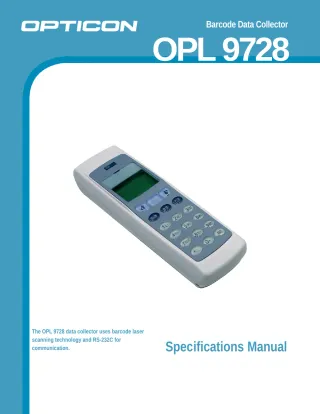
Specifications manual for the Opticon OPL 9728 laser barcode data collector: physical, optical, battery and interface data.
What this file really is
The old site listed this file as a manual for the Opticon OPL-9728. This is a specifications manual for the OPL 9728, not an operating manual.
Filed under · 1 model
Filed under these models in the old catalog
Summary
What is in it
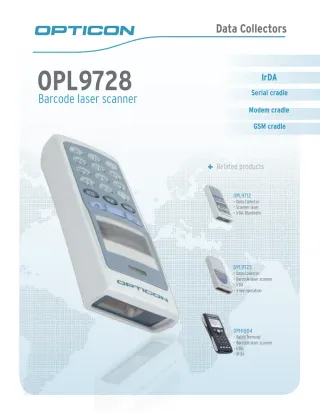
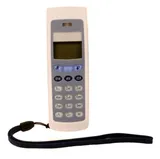
Specifications manual for the Opticon OPL 9728, a handheld barcode data collector that scans with a laser. It lists the supported symbologies, compatible cradles, dimensions and weight, operating and storage conditions, memory, display and clock, battery capacity and run time, laser and scanning performance (depth of field, pitch, skew, tilt), the IrDA interface, packaging, drop and dust tests, regulatory compliance, safety notes and a mechanical drawing.
Its parts
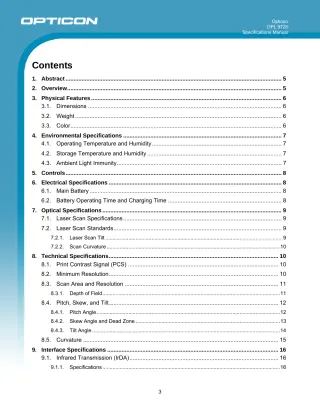
- Abstract
- Overview
- Physical Features
- Environmental Specifications
- Controls
- Electrical Specifications
- Optical Specifications
- Technical Specifications
- Interface Specifications
- Serial Number
- Packaging Specifications
- Durability
- Reliability
- Regulatory Compliance
- Safety
From the manual · read page by page
Key facts from this manual
Each line names its page in the PDF.
The Opticon OPL 9728 Specifications Manual (SS07019, edition 2A, 2006-12-01) for the OPL 9728 barcode data collector with a laser scanner. It sets out the size, environment, memory and display, battery, laser and reading performance, IrDA interface, cradles, durability, reliability, regulatory compliance and handling cautions.
- Device
- Handheld barcode data collector with a laser scanner, trigger switch and built-in clock for time stamps p. 5
- Interface
- IrDA Ver1.2 through the dedicated cradle; 115.2 kbps default, selectable down to 2400 bps p. 16
- Cradles
- CRD 9723 single-bay (1 charging, 1 communication) or multi-bay (5 charging, 1 or 5 communication); CRD 9722 single-bay charging only p. 6
- Battery
- Lithium-ion, 600 mAh, rechargeable 300 times; 3 mAh backup battery p. 8
- Battery time
- 50 hours or more at 1 scan/5s without backlight or communication; data held 72 hours or more after the main battery is discharged p. 8
- Memory
- Flash ROM 512 KB to 2 MB and SRAM 512 KB to 1 MB, 512 KB standard each; 16-bit CPU p. 8
- Display
- Semi-transparent dot matrix LCD, 112 x 64 dpi, with backlight p. 8
- Laser
- Red laser diode, 650 ±10 nm, 1.0 mW or less; bi-directional scanning, 100 ±20 scans/s p. 9
- Depth of field
- Code 39 at PCS 0.9: 1.0 mm 60–300 mm; 0.5 mm 35–210 mm; 0.25 mm 35–120 mm; 0.15 mm 35–70 mm p. 11
- Bar codes
- 1D codes incl. JAN/UPC/EAN, Code 39, Code 128, GS1 Databar; Chinese and Korean postal; Composite Codes, MicroPDF417, PDF417 with an external library p. 5
- Size and weight
- W 129 mm x D 44 mm x H 22.3 mm; 105g with lithium-ion battery p. 6
- Temperature
- Operating 0 to 40° C, 20 to 85% humidity; storage -20 to +60° C p. 7
- Durability
- 1.5 m drops onto concrete, each side three times; IEC IP54 p. 18, 19
- Reliability
- MTBF 8 years excluding laser diode and mirror motor scan unit; laser scan engine 10,000 hours p. 19
What this manual walks you through
- Supported bar code symbologies p. 5
- Choosing a single-bay or multi-bay cradle p. 6
- Ambient light limits for reading p. 7
- Pitch, skew, tilt angles and the skew dead zone p. 12, 13, 14
- Changing the IrDA transmission speed p. 16
- Reading the serial number label p. 16
- Laser, EMC and RoHS compliance p. 20
- Handling and safety cautions p. 21
Good to know
- Do not let the scanner touch the bar code surface when scanning. p. 5
- Dirt or scratches on the optical window reduce scanning performance; keep it clean. p. 10
- Battery life may be shorter than specified when the battery pack is degraded. p. 8
- The unit may not work properly near a flickering light such as a monitor or CRT. p. 21
- The manual states the laser is Class 1; avoid staring into the beam. p. 20
Questions this manual answers
How does the Opticon OPL 9728 send data to a PC?
By infrared (IrDA Ver1.2) through its dedicated cradle, at 115.2 kbps by default. p. 16
How long does the OPL 9728 battery last?
50 hours or more at one scan every 5 seconds without backlight or communication; data is held 72 hours or more after it runs down. p. 8
Which cradles work with the OPL 9728?
The CRD 9723 single-bay and multi-bay cradles, which charge and communicate, and the CRD 9722, which only charges. p. 6
Does the OPL 9728 read PDF417?
Yes, along with MicroPDF417 and Composite Codes, but these need an external library. p. 5
What comes in the OPL 9728 box?
One lithium-ion battery and one hand strap. p. 17
The whole text · 3 parts
Read the manual here as text
Its text as extracted from the PDF, unedited, in parts; each page opens the PDF at that page.
The file