Manual · Opticon
OPL 972X CRD 972X User's Manual
Manual23 pagesPDF 336 KB
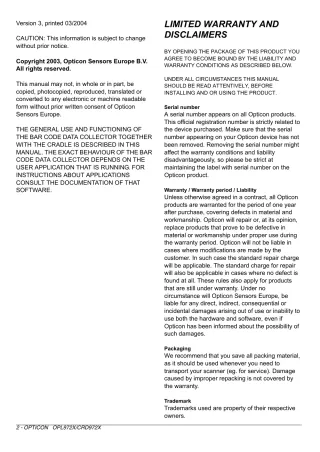
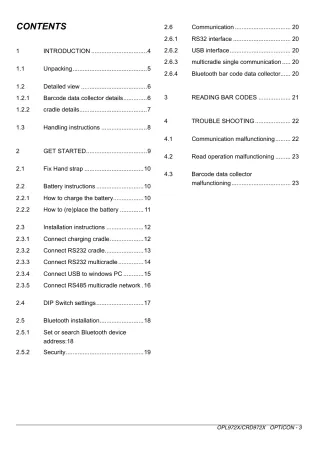
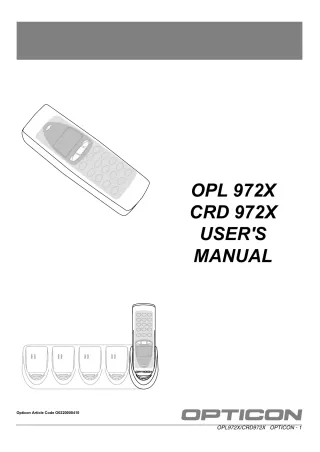
User's manual for the Opticon OPL972X handheld laser bar code data collectors and the CRD972X charging and communication cradles.
Filed with · 2 models
Also filed with these models on the old site
Summary
What is in it
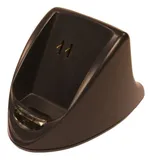
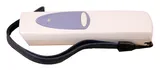
Opticon user's manual for the OPL972X range of handheld bar code data collectors with built-in laser scanner, and the CRD972X cradles that charge them and pass data to a host over RS232 or USB. It describes the collector and cradle parts, handling and cleaning, fitting the hand strap and battery, connecting the various cradle types (charging, single, multicradle and RS485 multicradle network), Bluetooth setup, reading bar codes and troubleshooting.
Its parts
- Introduction
- Get Started
- Reading Bar Codes
- Trouble Shooting
From the manual · read page by page
Key facts from this manual
Each line names its page in the PDF.
This is the Opticon user's manual for the OPL972X range of handheld laser bar code data collectors and the CRD972X cradles that charge them and pass their data to a PC. It is written for the whole range and does not name single models such as the CRD-9723 or OPL-9725. It covers the battery, connecting each kind of cradle by RS232, USB or an RS485 network, the DIP switches, Bluetooth setup and troubleshooting.
- Device
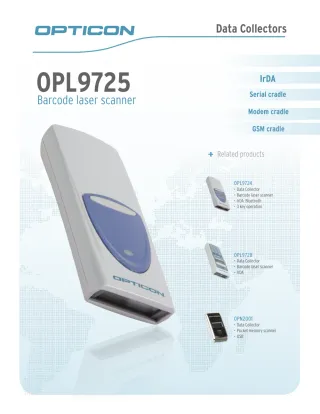
- OPL972X: handheld bar code data collectors with a built-in laser scanner and data memory; CRD972X: cradles for charging and communication p. 4
- Cradle types
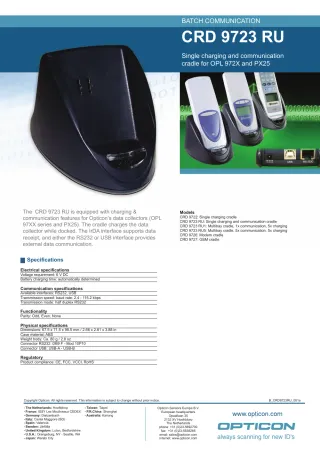
- Charging cradle; single cradle (RS232 or USB); 5-slot multicradle with one communication slot; 5-slot multicradle with RS485 networking p. 4
- Cradle connectors
- Depending on model: DC input socket, two RS 232-C sockets, USB socket, RS 485 socket p. 7
- Battery, charging
- Opticon rechargeable battery, charged only inside the collector in the cradle; the cradle charges for at most 8 hours p. 10
- Wireless
- Bluetooth model supports the SPP and DUN profiles; IrDA models communicate through a communication station p. 4
- Baud rates
- 2400 to 115200 baud, set by cradle DIP switches SW 1, 2 and 3; 9600 default p. 17
- RS485 network
- Up to 16 multicradles; one connects to the PC by RS232; first and last need termination set p. 16
- USB
- Opticon USB driver; Windows sees the cradle as a USB High Speed Serial Converter on a USB Serial Port (COMn) p. 15
- Keys, display
- 1-key, 3-key or keyboard models; LCD display depending on model p. 6
- Laser
- The manual states it is a Class I laser product; the laser switches off automatically above 50°C p. 21, 23
- Operating temperature
- 0 to 40 °C p. 8
- Bluetooth pairing
- Address entered by hand or found by Discovery (up to 10 devices); optional PIN-code of 1 to 16 digits p. 18, 19
- Box contents
- OPL972X: collector, battery, hand strap; CRD972X: cradle, with interface cables and power supply as separate items p. 5
What this manual walks you through
- Charging the battery in the cradle p. 10
- Replacing the battery p. 11
- Connecting a charging cradle p. 12
- Connecting an RS232 cradle p. 13
- Connecting an RS232 multicradle p. 14
- Installing the USB driver and finding the COM port on a Windows PC p. 15
- Building an RS485 network of multicradles p. 16
- Setting the cradle DIP switches p. 17
- Setting the Bluetooth address and PIN-code p. 18, 19
- Troubleshooting communication, reading and charging problems p. 22, 23
Good to know
- Never remove the battery while the collector is on: stored data can be deleted. p. 10
- Use only the Opticon rechargeable battery. p. 10
- The connectors have a special pin-out, so use the cables supplied by the manufacturer. p. 12
- Place nothing but an OPL972X-type collector in the CRD972X cradle. p. 8
- Do not clean the cradle with water or use solvents on the case. p. 9
Questions this manual answers
How long does an Opticon OPL972X take to charge?
The cradle charges for at most 8 hours, and the manual advises charging 8 hours before first use. p. 9, 10
What is the default baud rate of the CRD972X cradle?
9600 baud. DIP switches SW 1, 2 and 3 set rates from 2400 to 115200. p. 17
How many Opticon multicradles can be networked?
Up to 16 multicradles over RS485 cables, with one of them connected to the PC by RS232. p. 16
Why does the OPL972X laser stay off when I press the trigger?
The scan menu may not be selected, or the laser has passed 50°C and switched off; wait for it to cool. p. 23
Which COM port does the Opticon USB cradle use?
After the driver is installed, Device Manager shows it under USB Serial Port (COMn). p. 15
The whole text · 3 parts
Read the manual here as text
Its text as extracted from the PDF, unedited, in parts; each page opens the PDF at that page.
The file