Manual · LXE
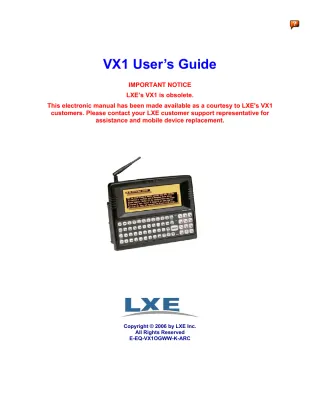
VX1 User's Guide
Manual80 pagesPDF 2.3 MB
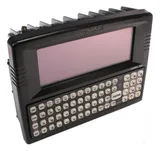
User's guide for the LXE VX1 rugged DOS vehicle mount computer: components, keyboards, mounting, power wiring and operation.
Names · 1 model
The models it names
Filed with · 1 model
Also filed with these models on the old site
Summary
What is in it
The user's guide for the LXE VX1 Vehicle Mount Computer, a rugged DOS based PC for fork-lift trucks and other vehicles with a PCMCIA radio for wireless data. It describes the components, half-screen display, keyboards, PCMCIA slots and power supply, then installation (mounting brackets, antenna, serial scanner, printer or PC, vehicle power and fuses) and operation (power, display, volume, status LED, data entry). Appendixes give key maps and regulatory notices. LXE marks this archived manual as obsolete.
Its parts
- The VX1 Vehicle Mount Computer
- Installation
- Operation
From the manual
Key facts from this manual
Each line names its page in the PDF.
This is the LXE user's guide for the VX1, a rugged DOS computer mounted on a fork-lift truck or other vehicle, with a 900MHz or 2.4GHz PCMCIA radio. It describes the display, keyboards, ports and power, and lists accessories with part numbers. It walks through mounting, cabling, vehicle power wiring, fuse replacement, power-on and reboot.
- What it is
- Vehicle-mounted DOS PC with a 486 25MHz CPU and 8MB of Flash memory p. 7
- Radio
- PCMCIA spread spectrum 900MHz (obsolete) or 2.4GHz; needs an external antenna p. 7, 34
- Display
- Monochrome electroluminescent (EL), VGA graphics modes, 640 x 200 pixels p. 11
- Keyboard
- Internal 60 key backlit keyboard: QWERTY with Standard, IBM 3270 or IBM 5250 overlay, or ABCD with Standard overlay p. 12
- Serial ports
- COM1/Scanner (powers the scanner) and COM2 for a printer or PC, nine-pin D-shell; the keyboard port is not supported p. 11, 35, 37
- PCMCIA slot
- One active slot (slot 0, right), PCMCIA 2.1; Type I, II or III SRAM cards p. 19
- Power input
- 12V to 80V DC vehicle power, no adjustment needed; optional external supply for AC p. 20
- Fuse
- 125V, 5A time delay (slow blow), Bussman Type GMC-5 (5x20mm), user replaceable p. 44
- Backup battery
- Internal 50mAh NiCd; when it runs down the BIOS settings return to factory defaults p. 20
- Operating temperature
- -4°F to 122°F (-20°C to 50°C) non-condensing; heater option -22°F to 122°F (-30°C to 50°C) p. 8
- Storage temperature
- -22°F to 160°F (-30°C to 70°C), non-condensing p. 8
- Sealing and shock
- The manual states IEC IP56; shock 75G, 5ms duration, 100 shock impacts p. 8
- Power parts
- 10-80VDC 12ft input power cable 1380A053CBL12ML3; 120 – 240 VAC power supply 9000A304PSACWW; power filter 9000A308PSFILTERWW p. 22
- Mount and antenna parts
- Mounting bracket for VX1/VX2 VXXA003BRACKET; 2.4GHz replacement antenna 153180-0001; replacement rubber isolator 158293-0001 p. 22
What this manual walks you through
- Quick start: the order of installation steps p. 9
- Connecting the antenna p. 34
- Connecting a serial barcode scanner to COM1 p. 35
- Connecting a serial printer or PC to COM2 p. 37
- Connecting the optional external AC power supply p. 39
- Wiring the unit directly to 12-60VDC or 12-80VDC vehicle power p. 40, 41, 42, 43
- Replacing the fuse p. 44
- Entering Suspend mode and reading the status LED p. 17
- Using the 2nd key for secondary functions p. 16
- Rebooting and the factory default settings p. 46
Good to know
- The 12-60VDC direct connection is for negative and floating ground vehicles only. p. 40
- The vehicle circuit needs a 5 Amp maximum slow blow fuse, within 5 inches of the battery positive terminal when wired to the battery. p. 40
- Reversed polarity blows the computer's fuse. p. 40
- Use only non-conducting straps, never metal safety straps, to catch the computer if the isolators fail. p. 40
- The LXE AC power adapter is meant for a 25ºC (77ºF) maximum ambient temperature. p. 39
Questions this manual answers
What voltage does the LXE VX1 run on?
12V to 80V DC vehicle power, with no adjustment needed. Where that is not available, an optional external power supply converts AC wall power. p. 20
What fuse does the VX1 use?
A 125V, 5A time delay (slow blow) fuse, Bussman Type GMC-5 (5x20mm), which the user can replace. p. 44
Which VX1 power wire goes where?
Red / White is DC+, Red / Black is DC- and Green is ground, connected through a 5 Amp slow blow fuse. p. 42
How do I reboot the VX1?
Press Ctrl + Alt + Del or Ctrl + Alt + numeric dot; unsaved data in RAM is lost. p. 46
What display does the VX1 have?
A monochrome electroluminescent display of 640 x 200 pixels that supports VGA graphics modes. p. 11
Contents
Chapters and sections
Each line opens the PDF at its page.
- VX1 User’s Guide1
- The VX1 Vehicle Mount Computer7
- Installation25
- Operation45
- Appendix A Key Maps57
- Appendix B Regulatory Notices and Safety Information65
2 more lines, from page 66 on
The whole text · 9 parts
Read the manual here as text
Its text as extracted from the PDF, unedited, in parts; each page opens the PDF at that page.
The file