Manual · LXE
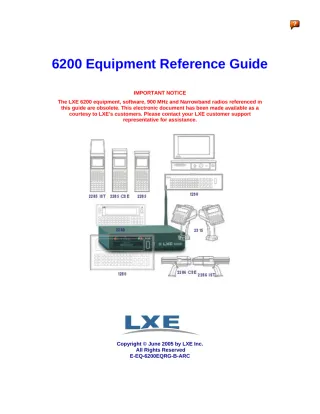
6200 Equipment Reference Guide
Manual74 pagesPDF 1.6 MB
Archived reference guide for the LXE 6200 RF system: 6210, 6220 and 6230 network controllers, radio frequency units and legacy terminals.
Covers · 1 model
The models it covers
Summary
What is in it
An archived LXE reference guide for the 6200 Series radio frequency data communication system. It covers the backbone equipment (the 6210, 6220 and 6230 network controllers and 6280 and 6281 radio frequency units), antennas and the network management workstation, then the legacy 12XX vehicle-mount and 22XX hand-held RF terminals: scanners, symbologies, batteries, hot keys, terminal emulation key sequences, data entry and tethered scanners. Technical specifications and safety notices close the guide. LXE marks this equipment as obsolete.
Its parts
- 6200 Series System Overview
- LXE Legacy Terminals
- Daily Operation
- Tethered Scanners
- Technical Specifications
From the manual
Key facts from this manual
Each line names its page in the PDF.
LXE's reference guide to the 6200 Series wireless data system: the 6210, 6220 and 6230 network controllers, the 6280 and 6281 radio frequency units, and the 1280, 1290, 2280, 2285 and 2315 terminals. It explains how the parts fit together, the controller panels and ports, the management software, and gives technical specifications. Its first page states that the 6200 equipment and its radios are obsolete.
- What it is
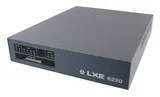
- 6210: entry level network controller with an integrated radio, for facilities under 150,000 square feet p. 11
- Terminals supported
- 6210: up to 32 terminals; no separate radio frequency units needed p. 11, 53
- Host network
- 6210: Ethernet or Token-Ring p. 11
- Ethernet ports
- THIN NET (10Base2), AUI (10Base5) and TPE RJ-45 (10BaseT) p. 15
- Token-Ring ports
- UTP (RJ-45) and STP (D-9), chosen with a UTP-STP selector switch p. 16
- Other ports
- RS-232 AUX port (DTE only) for non-TCP/IP hosts; console port for the management workstation p. 15
- Radio bands
- 450 - 470 MHz or 806 - 869 MHz narrowband; 902 - 928 MHz spread spectrum at 64Kbps p. 53
- Power
- Universal input 110-240 VAC, 50-60 Hz (nominal) p. 54
- Size and weight
- Network controllers: 6 lbs (2.7 kg); 2.5" (63 mm) high, 11.7" (297 mm) wide, 14.5" (368 mm) deep p. 54
- Operating temperature
- 32°F - 122°F p. 54
- Antenna
- 0db gain omnidirectional antenna, local or remote, on the rear antenna connector p. 11, 15, 17
- Host protocols
- Network controllers: TCP/IP on Ethernet or Token-Ring; IBM 3270 and IBM 5250 over SDLC with RS-232 or V.35 p. 53
- Management
- Network Management Workstation software on a PC, by serial link or, from version 3.4, over the network p. 18
- Software loading
- PCMCIA memory card slot downloads software into Flash RAM p. 14
What this manual walks you through
- How a 6200 radio data system links terminals to a host p. 9, 10
- Choosing between the 6210, 6220 and 6230 network controllers p. 11, 12
- The 6280 and 6281 radio frequency units p. 13
- Reading the controller front panel LEDs p. 14
- Rear panel ports on Ethernet and Token-Ring units p. 15, 16
- Antennas for 6200 devices p. 17
- Connecting the Network Management Workstation by serial or network p. 18
- Legacy RF terminal models and their features p. 20, 21
- Terminal specifications and barcode port pinout p. 55, 56, 57, 58, 59, 60, 61, 62
- Cleaning the terminal display and scanner window p. 21
Good to know
- The 6210 is meant for a fairly clean place without high dust, moisture or vibration. p. 11
- Clearing a unit's NVRAM sets its IP address to 0.0.0.0, so the first connection must be serial. p. 18
- Early Ethernet 6200 units had no TPE port; twisted pair needs an adapter on the AUI connector. p. 15
- The 6220 has no antenna connector and needs a radio frequency unit. p. 15, 53
- The guide states that the 6200 equipment, software and radios are obsolete. p. 1
Questions this manual answers
How many terminals can an LXE 6210 handle?
Up to 32 terminals. It has an integrated radio, so no separate radio frequency unit is needed. p. 11
What is the difference between the LXE 6210 and 6230?
The 6210 supports up to 32 terminals with its integrated radio. The 6230 supports up to 128 terminals and up to 59 radio frequency units besides its own radio. p. 11, 12
What power does a 6200 network controller need?
A universal AC input of 110-240 VAC, 50-60 Hz (nominal). p. 54
What does the SYSTEM RUN LED on a 6210 show?
It blinks on and off while the 6200 firmware is running; SYSTEM ALARM lights when a fault is detected. p. 14
Can the 6210 network management software connect over Ethernet?
Yes, from NMWS version 3.4 the PC can reach any 6200 unit over the network; older versions needed a serial link. p. 18
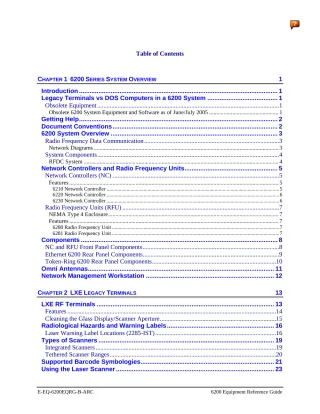
Contents
Chapters and sections
Each line opens the PDF at its page.
The whole text · 8 parts
Read the manual here as text
Its text as extracted from the PDF, unedited, in parts; each page opens the PDF at that page.
- 6200 Equipment Reference Guide1-6
- Chapter 1 6200 Series System Overview7-18
- Chapter 2 LXE Legacy Terminals, pages 19 to 2619-26
- Chapter 2 LXE Legacy Terminals, pages 27 to 3427-34
- Chapter 3 Daily Operation35-48
- Chapter 4 Tethered Scanners49-52
- Chapter 5 Technical Specifications53-66
- Appendix A Regulatory Notices and Safety Information67-74
The file