Spec sheet · Kaba
Kaba 97 00 Spec Sheet
Spec sheet2 pagesPDF 231 KB
Both pages are below, each with its text.
Covers · 1 model
The models it covers
From the sheet · read page by page
Key facts from this sheet
Each line names its page in the PDF.
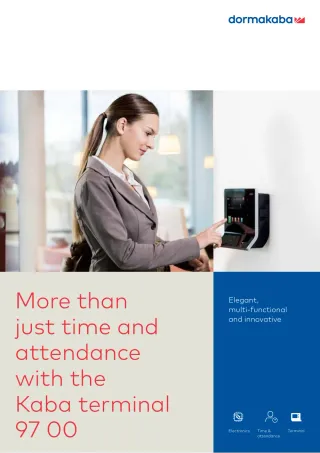
A two-page dormakaba data sheet (version 12/2016) for the Kaba terminal 97 00, a time and attendance terminal with a 7" color touch screen. It also covers the option packages 97 20, 97 40 and 97 60 and compares their hardware, power, software and memory options.
- Device
- Time and attendance terminal for IN and OUT booking and showing flexitime or vacation balances; also runs apps and a web browser p. 1
- Display
- Colored 7" touch screen, configurable interface, capacitive navigation keys p. 1
- Packages
- 97 20 entry-level time and attendance; 97 40 adds access control, CardLink and a camera; 97 60 adds an uninterruptible power supply p. 1
- Power options
- PoE, AC connection 230 V, or 24 V DC via power supply unit p. 1
- Network
- 10/100 Ethernet interface; PoE according to IEEE 802.3af p. 2
- RFID reader
- LEGIC, MIFARE, HID p. 2
- In/outputs option
- 2 relay outputs and 4 inputs p. 2
- Memory options
- 200, 1.000, 2.000 or 10.000 persons p. 2
- Biometrics
- Biometric module CBM / CBM-E for 500 / 3,000 / 5,000 persons p. 2
- Software
- Terminal software B-Client HR30 p. 2
- Audio
- Integrated microphone and loudspeaker; configurable audio messages p. 1
- Other readers
- Magnetic stripe reader, CCD barcode scanner and barcode scan engine listed p. 2
- Camera
- Camera with white and infrared light p. 2
What this sheet walks you through
- Choosing between the 97 20, 97 40 and 97 60 option packages p. 1, 2
- Power supply choices for the terminal p. 1
Good to know
- Magnetic stripe and other RFID readers are installed in the substructure housing when ordered and cannot be added later. p. 2
- The functions actually available depend on the system the terminal is used in. p. 2
- The biometric module version is set when the product is ordered; changing it means replacing the terminal. p. 2
Questions this sheet answers
Can the Kaba 97 00 run on Power over Ethernet?
Yes. Power options are PoE, a 230 V AC connection, or 24 V DC through a power supply unit. p. 1
Which Kaba 97 00 package does access control?
The 97 40 package adds door surveillance and control and offline door components through CardLink. p. 1
How many people can the Kaba 97 00 store?
Memory options are 200, 1.000, 2.000 or 10.000 persons, depending on the package. p. 2
What RFID badges does the Kaba 97 00 read?
LEGIC, MIFARE and HID. p. 2
The file
Size and text
Every page · 2
Read it here
Each page as it is printed, and its words beside it, so a phone can search and copy them.
Page1of 2
Open in the PDF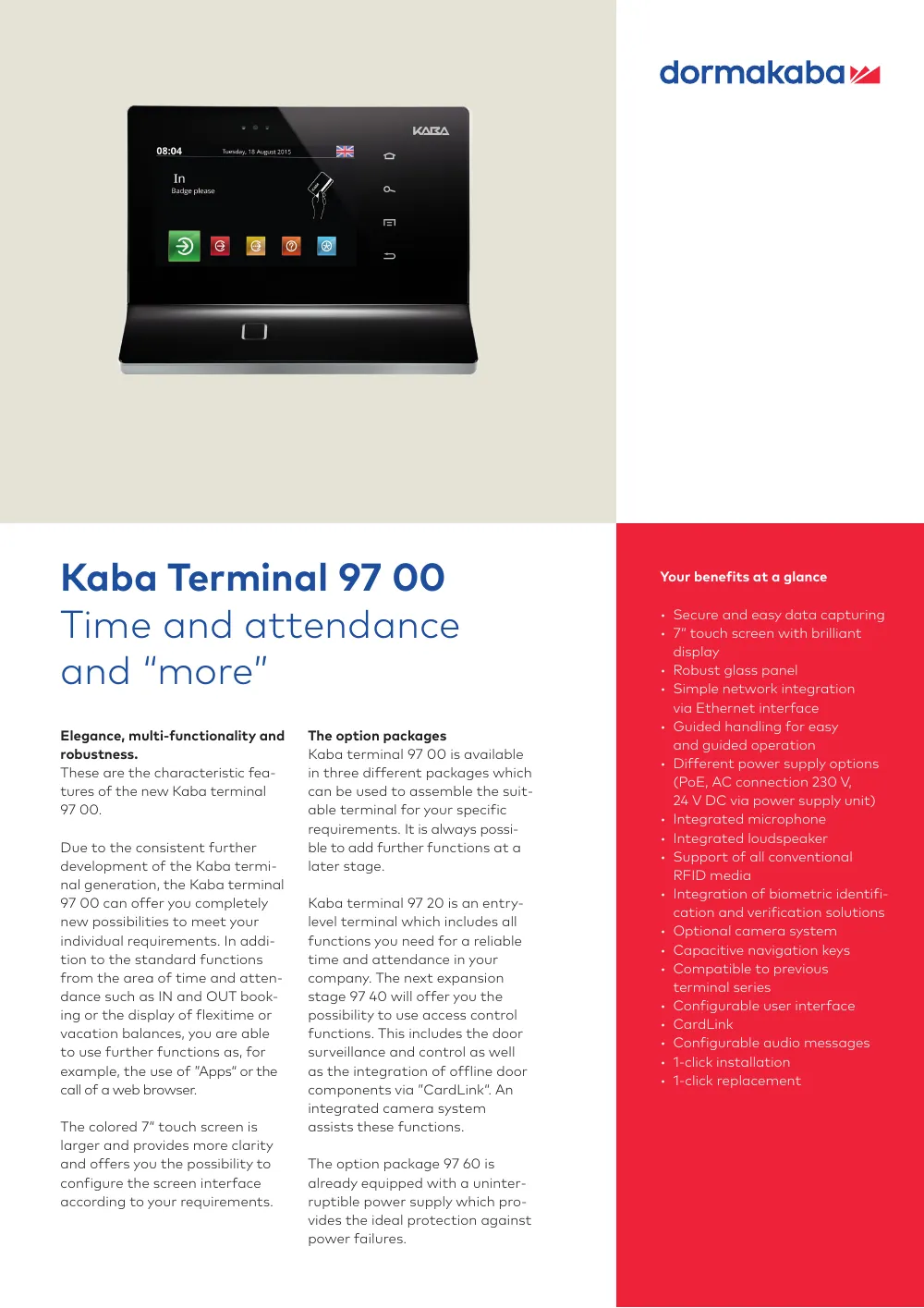
The text of page 1, from the PDF itself
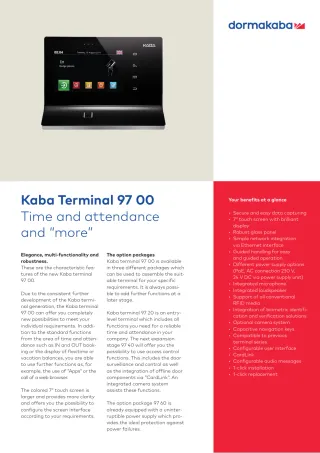
Kaba Terminal 97 00 Time and attendance and “more” Elegance, multi-functionality and robustness. These are the characteristic features of the new Kaba terminal 97 00. Due to the consistent further development of the Kaba terminal generation, the Kaba terminal 97 00 can offer you completely new possibilities to meet your individual requirements. In addition to the standard functions from the area of time and attendance such as IN and OUT booking or the display of flexitime or vacation balances, you are able to use further functions as, for example, the use of ”Apps“ or the call of a web browser. The colored 7“ touch screen is larger and provides more clarity and offers you the possibility to configure the screen interface according to your requirements.
The option packages Kaba terminal 97 00 is available in three different packages which can be used to assemble the suitable terminal for your specific requirements. It is always possible to add further functions at a later stage. Kaba terminal 97 20 is an entrylevel terminal which includes all functions you need for a reliable time and attendance in your company. The next expansion stage 97 40 will offer you the possibility to use access control functions. This includes the door surveillance and control as well as the integration of offline door components via ”CardLink“. An integrated camera system assists these functions. The option package 97 60 is already equipped with a uninterruptible power supply which provides the ideal protection against power failures.
Your benefits at a glance
- Secure and easy data capturing
- 7“ touch screen with brilliant display
- Robust glass panel
- Simple network integration via Ethernet interface
- Guided handling for easy and guided operation
- Different power supply options (PoE, AC connection 230 V, 24 V DC via power supply unit)
- Integrated microphone
- Integrated loudspeaker
- Support of all conventional RFID media
- Integration of biometric identification and verification solutions
- Optional camera system
- Capacitive navigation keys
- Compatible to previous terminal series
- Configurable user interface
- CardLink
- Configurable audio messages
- 1-click installation
- 1-click replacement
Page2of 2
Open in the PDF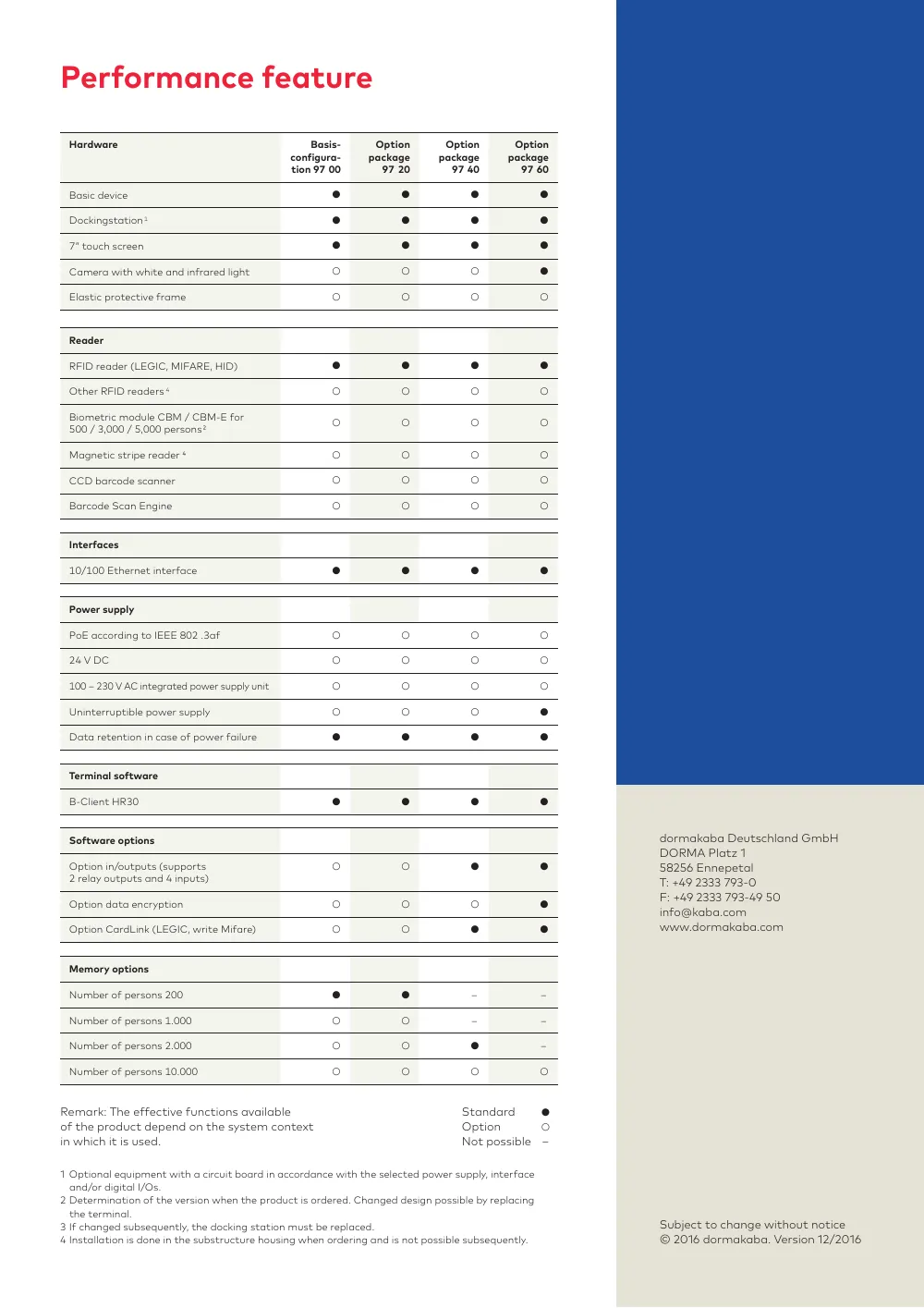
The text of page 2, from the PDF itself
Performance feature Hardware
Basisconfiguration 97 00
Option package 97 20Option package 97 40Option package 97 60Basic device●●●●Dockingstation 1●●●●7“ touch screen●●●●
Camera with white and infrared light
Elastic protective frame
RFID reader (LEGIC, MIFARE, HID)
Other RFID readers 4○○○○
Biometric module CBM / CBM-E for 500 / 3,000 / 5,000 persons 2
Magnetic stripe reader 4
CCD barcode scanner○○○○Barcode Scan Engine○○○○●●●●
PoE according to IEEE 802 .3af
24 V DC○○○○
100 – 230 V AC integrated power supply unit
Uninterruptible power supply
Data retention in case of power failure
Reader
Interfaces 10/100 Ethernet interface Power supply
Terminal software B-Client HR30 Software options Option in/outputs (supports 2 relay outputs and 4 inputs)
Option data encryption○○○●
Option CardLink (LEGIC, write Mifare)
Number of persons 200●●––
Number of persons 1.000
–
–
Number of persons 2.000
–
Number of persons 10.000
dormakaba Deutschland GmbH DORMA Platz 1 58256 Ennepetal T: +49 2333 793-0 F: +49 2333 793-49 50 info@kaba.com www.dormakaba.com
Memory options
Remark: The effective functions available of the product depend on the system context in which it is used.
Standard
- Option
- Not possible –
1 Optional equipment with a circuit board in accordance with the selected power supply, interface and/or digital I/Os. 2 Determination of the version when the product is ordered. Changed design possible by replacing the terminal. 3 If changed subsequently, the docking station must be replaced. 4 Installation is done in the substructure housing when ordering and is not possible subsequently.
Subject to change without notice © 2016 dormakaba. Version 12/2016