Spec sheet · Kaba
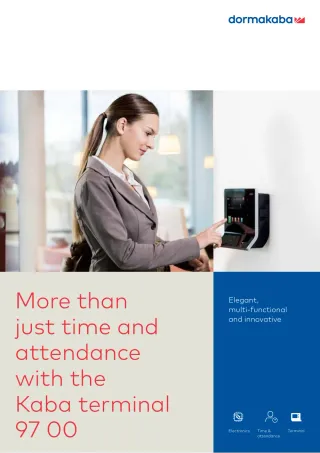
More than just time and attendance with the Kaba terminal 97 00
Spec sheet12 pagesPDF 1.7 MB
Product brochure for the Kaba terminal 97 00 time and attendance terminal and its 97 20, 97 40 and 97 60 option packages.
Covers · 1 model
The models it covers
Summary
What is in it
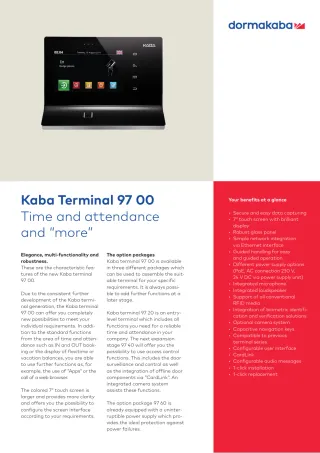
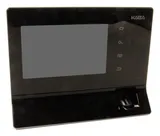
dormakaba's brochure for the Kaba terminal 97 00, a time and attendance terminal with a 7 inch touch screen and RFID reader. It describes the three option packages (97 20 for time and attendance, 97 40 adding access control and CardLink, 97 60 with 10,000-person memory, encryption and an uninterruptible power supply), wall mounting on a docking station powered by PoE, 24 V DC or 230 V AC, the configurable display, 1-click installation and replacement through B-COMM, a comparison table of hardware and options, and biometric finger identification.
From the sheet · read page by page
Key facts from this sheet
Each line names its page in the PDF.
A dormakaba brochure (version 12/2016) for the Kaba terminal 97 00, a time and attendance terminal with a 7" touch screen that can also handle access control. It also describes the option packages 97 20, 97 40 and 97 60, the wall docking station, and installing or replacing a terminal through the B-COMM software.
- Device
- Time and attendance terminal, with access control functions in the 97 40 package p. 4
- Display
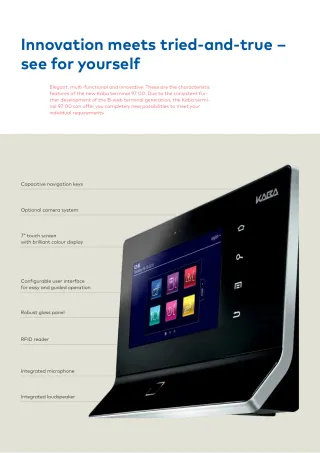
- 7" color touch screen with capacitive navigation keys p. 3
- Built in
- RFID reader, microphone, loudspeaker and glass panel; camera optional p. 3
- RFID types
- LEGIC, MIFARE, HID p. 10
- Packages
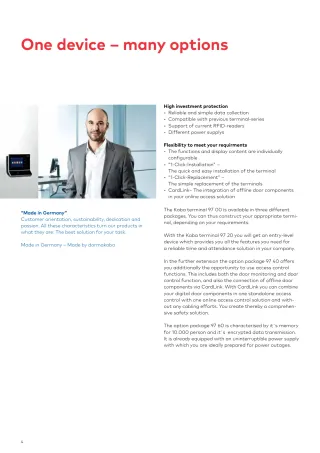
- 97 20 entry-level time and attendance; 97 40 adds access control and CardLink; 97 60 adds encrypted transmission and a UPS p. 4
- Power
- Power over Ethernet through the network cable as standard; docking station also in 24 V DC or 230 V AC versions p. 5
- Network
- 10/100 Ethernet (IPv4/IPv6); PoE to IEEE 802.3af p. 10
- Door control
- Optional door control with 2 relay outputs and 4 inputs p. 10
- Memory options
- Records for 200, 1,000, 2,000 or 10,000 persons p. 10
- Biometrics
- Biometric module CBM / CBM-E for 500 / 3,000 / 5,000 persons p. 10
- Mounting
- Wall-mounted docking station that the terminal clicks onto and locks p. 5
- Software
- Terminal software B-Client HR30; configuration managed by B-COMM p. 5, 10
- Other readers
- Magnetic stripe reader, CCD barcode scanner and barcode scan engine listed p. 10
What this sheet walks you through
- Mounting the docking station and clicking the terminal onto it p. 5
- Setting terminal parameters with 1-click installation and B-COMM p. 5
- Swapping a damaged terminal with 1-click replacement p. 9
- Designing the display layout and acoustic feedback p. 6, 7
- Comparing the option packages 97 20, 97 40 and 97 60 p. 10
- Identifying staff by finger with a biometric sensor p. 11
Good to know
- If the power supply version is changed later, the docking station must be replaced. p. 10
- A magnetic stripe reader is installed in the substructure housing when ordered and cannot be added later. p. 10
Questions this sheet answers
Does the Kaba 97 00 need a separate power supply?
Not in the standard version: it is powered over Ethernet through the network cable. 24 V DC and 230 V AC docking stations are optional. p. 5
What is the difference between the Kaba 97 20, 97 40 and 97 60?
The 97 20 is the entry-level time and attendance terminal, the 97 40 adds access control, and the 97 60 adds encrypted data transmission and an uninterruptible power supply. p. 4
How do I replace a broken Kaba 97 00 terminal?
Loosen the lock, lift it off the docking station, lock the replacement in place, and B-COMM sends it all the settings. p. 9
What badges does the Kaba 97 00 read?
Its RFID reader handles LEGIC, MIFARE and HID badges. p. 10
The whole text · 2 parts
Read the sheet here as text
Its text as extracted from the PDF, unedited, in parts; each page opens the PDF at that page.
The file