Manual · Juniper Systems
Pro4000 FieldBook
Manual140 pagesPDF 4.6 MB
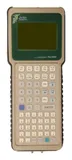
User manual for the HarvestMaster Pro4000 FieldBook, a rugged hand-held DOS computer for field and agricultural data collection.
Covers · 1 model
The models it covers
Summary
What is in it
HarvestMaster's manual for the Pro4000 FieldBook, a rugged, sealed hand-held MS-DOS computer for harvest data, crop yield mapping, field notes and GPS data acquisition. It covers the keyboards, display, serial ports and batteries; memory, solid state disk and PC card storage; the system setup program; the ProShell, Lynx and ProEdit utilities; MS-DOS; technical specifications; a programming guide; and the SafeCharger and SmartCharger battery chargers.
Its parts
- Introduction
- Hardware Features
- Memory Configuration, Program and Data Storage Options
- System SetUp Program
- Utility Programs
- Operating System, MS-DOS
- Technical Reference
- Programming Guide
From the manual
Key facts from this manual
Some pages are scans or cannot be read; this says only what the readable text supports. Each line names its page in the PDF.
This is the March 1999 user manual for the HarvestMaster Pro4000 FieldBook, a rugged hand-held DOS computer for field data collection. It explains the hardware, serial ports, battery packs and chargers, power management, memory and utility software, and gives the technical specifications.
- Device
- Rugged hand-held DOS computer with solid state disk storage and a PC card slot p. 11
- Processor and OS
- 486 AMD processor (AMD SC 400); MS-DOS 6.22 p. 91
- Memory
- 2M RAM for program execution; 4M or 12 M solid state disk p. 92
- Display
- Backlit LCD, 16 lines x 24 characters, CGA graphics 192 x 128 pixels, LCD heater p. 91
- Keypad
- Sealed elastomeric keypad with 59 keys, or rugged membrane keypad with 39 keys p. 92
- Serial ports
- Two 9 pin RS-232C ports (COM1, COM2), 50 to 115.2 Kbaud, 16550 UART p. 91
- PC card slot
- PCMCIA 2.0 Type I or Type II memory cards and Type II input/output cards p. 92
- Battery
- Rechargeable NiCad pack: standard 1700 mAhr (12 to 18 hours), heavy-duty 3400 mAhr (24 to 36 hours) p. 92
- Backup power
- Lithium battery runs the real time clock about 5 years; super capacitor holds RAM during a pack change p. 92
- Operating temperature
- -22 to +130°F (-30 to +54°C) with heater; storage -22 to +140°F (-30 to +60°C) p. 91
- Case
- Submersible at 1 foot depth for 1 minute; withstands a 4 foot drop onto concrete p. 91
- Weight
- 2.34 lbs with standard battery pack p. 91
- Chargers
- SafeCharger wall mount, model PW-WB110 (110 V) or PW-WB220 (220 V), into COM1; SmartCharger; cigarette lighter adaptor p. 35
- Software
- ProShell DOS shell, ProEdit text editor, ProLink file transfer; Lynx Windows file utility for the PC p. 12, 14
What this manual walks you through
- Serial port pinouts for COM1 and COM2 p. 29
- Checking battery status on the System Information screen p. 31
- Power use by activity and CPU speed p. 32
- Setting Auto Suspend, Performance and Power Manager p. 33, 34
- Low battery warnings and what happens as voltage drops p. 34
- Choosing a charger and planning a charging routine p. 34, 35
- Changing the battery pack p. 36, 37
- Storing the unit and its batteries p. 37
- Resetting after a power-on self test error p. 95
- Writing applications in standard DOS languages p. 15
Good to know
- A bar code wand on COM2 may need its own power source. p. 29
- The battery bar chart is a rough guide and does not show the remaining charge. p. 31
- In Suspend/Resume mode, replace the battery pack within 15 minutes or the unit may reboot instead of resuming. p. 36
- Do not leave the unit on the cigarette lighter charger for more than 24 hours. p. 35
- The unit is factory sealed with no user serviceable parts inside. p. 4
Questions this manual answers
What battery does the Pro4000 FieldBook use?
A rechargeable, field replaceable NiCad pack: standard 1700 mAhr for 12 to 18 hours, or heavy-duty 3400 mAhr for 24 to 36 hours of typical use. p. 92
How long does a Pro4000 battery pack take to charge?
About 2 hours in a SmartCharger, and approximately 14 hours from a cigarette lighter adaptor. p. 35
What happens when the Pro4000 battery runs low?
At 5.9V it beeps and flashes the display; at 5.65 V or less it suspends; below 4 V it shuts down and unsaved data is lost. p. 34
How do I reset a Pro4000 that shows an error at power up?
Hold the ON/OFF key down for 8 to 10 seconds. If the error persists, the manual says to contact customer service. p. 95
The whole text · 14 parts
Read the manual here as text
Its text as extracted from the PDF, unedited, in parts; each page opens the PDF at that page.
The file