Manual · Intermec
TRAKKER T2090 Application Simulator User's Manual
Manual60 pagesPDF 341 KB
User's manual for the Intermec TRAKKER T2090 Application Simulator, a PC tool to create, test and debug T2090 batch computer programs.
Filed with · 1 model
Also filed with these models on the old site
Summary
What is in it
User's manual for the TRAKKER T2090 Application Simulator, PC software that helps programmers create, test and debug applications for Intermec TRAKKER T2090 hand-held batch computers. It covers installation and Microsoft Visual C/C++ requirements, how the simulator works, which T2090 features are simulated (display, keypad, bar code input, COM1 data, reader command syntax) and which are not, the modified PSK functions, the INI file parameters and the Simulator Editor, and troubleshooting.
Its parts
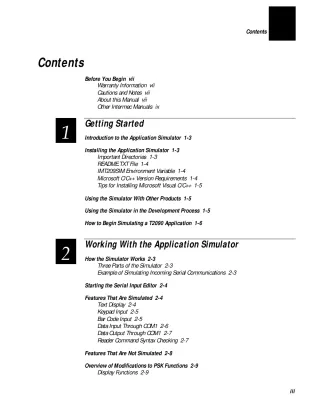
- Getting Started
- Working With the Application Simulator
- INI File Parameter Descriptions
- Customizing INI Files With the Editor
- Troubleshooting
From the manual
Key facts from this manual
Each line names its page in the PDF.
Intermec's user's manual (P/N 069671-001, 1999) for the TRAKKER T2090 Application Simulator, PC software for creating, testing and debugging applications for TRAKKER T2090 computers. It explains installing it, which T2090 features it simulates and which it does not, the IMT209SM.INI settings, and troubleshooting. It is written for experienced PC programmers who know C and Microsoft Visual C/C++.
- Software
- PC tool to create, debug, test and run most TRAKKER T2090 applications p. 13
- Installation
- Installed with the T2090 PSK v2.1 or EZBuilder v2.1; default folder C:\INTERMEC p. 13
- Compiler needed
- Microsoft Visual C/C++ Professional Edition v1.0 or v1.5x (16-bit DOS); v5.0 lacks the 16-bit version p. 14
- Compiler part number
- Microsoft Visual C/C++ Enterprise Edition v1.52, P/N 590224 p. 14
- Debugger
- Microsoft Codeview for DOS p. 15
- Parts
- Serial Input Editor, the IMT209SM.INI file and the Simulator Editor p. 19
- Simulated features
- Text display, keypad input, bar code input, data in and out through COM1, reader command syntax checking p. 20
- T2090 display size
- 8x20 p. 21
- Serial simulation
- Frame mode on COM1 only; output goes to a COMP1.TRX file p. 23, 24
- PSK library
- IMT209ML.LIB version 2.1 or higher p. 49
- Related manuals
- T2090 Hand-Held Batch Computer User's Manual 067212; Model 200 Controller System Manual 063439; Model 200 Controller Technical Reference Manual 064398 p. 9
What this manual walks you through
- Installing the simulator and the directories it creates p. 13, 14
- Using the simulator from Visual C/C++ or EZBuilder in the development process p. 15, 16
- Simulating bar code input from the keyboard or an Intermec Wedge p. 21, 22
- Sending serial data to an application with the Serial Input Editor p. 22, 23
- Customizing and storing the IMT209SM.INI file p. 31, 32
- Fixing an application that fails to launch or locks up p. 49
- Error and status messages of the Simulator Editor and Serial Input Editor p. 50, 51
Good to know
- Reader command execution, file transfer, Character mode, label time stamps, double-byte characters, speed and contrast are not simulated. p. 24
- Output of standard C display functions such as printf is not held to the 8x20 display size. p. 21
- An application should still be tested on a real T2090 to check its communications protocols. p. 23
- A wedge preamble set with an uppercase G becomes Ctrl-Shift-G and is not taken as bar code input. p. 50
Questions this manual answers
Can I test TRAKKER T2090 programs on a PC?
Yes. The Application Simulator runs most T2090 applications built with PSK version 2.1 on a PC. p. 13
Which Visual C++ version does T2090 development need?
Microsoft Visual C/C++ Professional Edition v1.0 or v1.5x, which builds 16-bit DOS programs; v5.0 does not have the 16-bit version. p. 14
How do I simulate a bar code scan in the T2090 simulator?
Press Ctrl-G, type the data and press Enter, or set an Intermec Wedge preamble to Ctrl-G and scan real labels. p. 21, 22
Where does the T2090 simulator look for its INI file?
First in the working directory, then in Target_Directory\Tools; if neither has it, the default settings are used. p. 31
What if a T2090 application locks up in the simulator?
The application may have errors to debug, or the PC memory may be corrupted and should be checked. p. 49
The whole text · 6 parts
Read the manual here as text
Its text as extracted from the PDF, unedited, in parts; each page opens the PDF at that page.
The file