Manual · Intermec
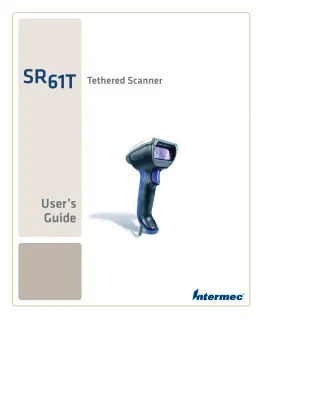
SR61T Tethered Scanner User's Guide
Manual96 pagesPDF 2.8 MB
User's guide for the Intermec SR61T tethered handheld scanner: connecting, configuring, troubleshooting, commands and specifications.
Covers · 1 model
The models it covers
Summary
What is in it
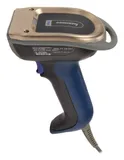
The user's guide for the Intermec SR61T, a small, rugged tethered handheld scanner offered with a 1D linear imager, 2D area imager, laser scanner or near-far range area imager. It explains the status light, beeps and vibrate alert, how to scan, and how to connect to a host by USB, RS-232, keyboard wedge or wand emulation. It also covers keyboard and serial parameters, troubleshooting, upgrading and cleaning, an A to Z configuration command reference, and specifications and accessories.
Its parts
- Before You Begin
- Learning About the SR61T
- Connecting and Configuring the SR61T
- Troubleshooting and Maintaining the SR61T
- Configuration Command Reference
From the manual
Key facts from this manual
Each line names its page in the PDF.
Intermec's user's guide (version 002, 3/2009) for the SR61T Tethered Scanner and its four scan engine options: SR61TV, SR61TA, SR61TL and SR61TE. It explains scanning, the status light and beeps, connecting by USB, RS-232, keyboard wedge or wand emulation cable, troubleshooting and firmware upgrades, and gives the specifications and accessories.
- Device
- Small, rugged handheld tethered scanner, powered through its cable by the host computer or an external power supply p. 14, 15
- Scan engines
- 1D linear imager (SR61TV), 2D area imager (SR61TA), laser scanner (SR61TL) or near-far range area imager (SR61TE) p. 14
- Connections
- USB, RS-232, keyboard wedge (including a Y-cable to a PS2 keyboard) and wand emulation p. 22, 23, 26, 27, 28
- Electrical rating
- 5V, 1.7A p. 72
- Size and weight
- 19.4 cm (7.6 in) long, 13.1 cm (5.2 in) high, 7.2 cm (2.8 in) wide; 320 g (11.2 oz) p. 72
- Operating temperature
- By scan engine: EV10 -30°C to 50°C; EA11 -20°C to 60°C; EL20 -20°C to 55°C; EX25 -20°C to 60°C p. 72
- Environment
- IP54; 5 to 95% relative humidity non-condensing p. 72
- Serial defaults
- 57600 baud, 8 data bits, no parity, 1 stop bit p. 24
- SR61TV range
- SR61TV: up to 50 cm (19.7 in), 40° scan angle, 4 mils (0.1 mm) minimum X dimension p. 74
- Symbologies on at start
- Code 39, Code 128 / GS1-128, EAN/UPC, PDF417, and DataMatrix on the SR61TA and SR61TE only p. 18, 19
- 2D-only symbologies
- SR61TA and SR61TE only: Aztec, DataMatrix, Maxicode, QR Code and postal codes such as Postnet, Planet and Japan Post p. 73
- USB and RS-232 cables
- USB 236-182-xxx (host powered) or 236-183-xxx (external power); RS-232 236-184-xxx (host powered) or 236-185-xxx / 236-198-xxx (external power); power supply 851-089-105 p. 22, 23, 24
- Wedge and wand cables
- Keyboard wedge 236-186-xxx (standard) or 236-187-xxx (powered); Y-cable 236-214-001; wand emulation 236-188-xxx, 236-189-xxx or 236-190-xxx p. 26, 27, 28
- Stands and holder
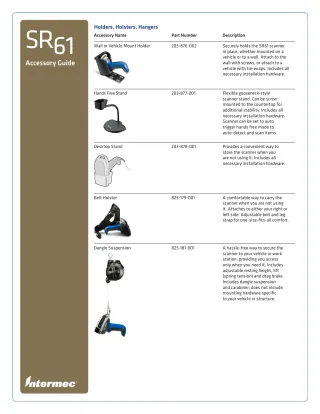
- Desktop stand 203-878-xxx, hands-free stand 203-877-xxx, wall or vehicle mount holder 203-876-xxx p. 82, 83
What this manual walks you through
- Reading the status light, beeps and vibrate alert p. 16, 17, 18
- Scanning with the laser or 1D imager and with the area imagers p. 19, 20
- Connecting by USB, RS-232, keyboard wedge, Y-cable or wand emulation cable p. 22, 23, 24, 25, 26, 27, 28
- Finding the firmware, decode and sub-system versions before calling support p. 40
- Resetting the scanner to factory defaults from EasySet p. 42
- Upgrading the scanner firmware p. 43
- Minimum and maximum reading distances for each scan engine p. 74, 75, 76, 77, 78, 79, 80, 81
Good to know
- With the SR61TL and SR61TE, do not look into the window or at a reflection of the laser beam while scanning. p. 18
- Vibrate alert cannot be used when the scanner runs in Legacy scanner mode. p. 18
- Over a wand emulation connection, preamble, postamble and data editing are not available. p. 28
- Do not disconnect the scanner while the green light on the Intermec computer is flashing. p. 25
- Before a firmware upgrade, make sure no other application is using the chosen COM port. p. 43
Questions this manual answers
How do I tell which scan engine my SR61T has?
The sixth character of the configuration number on the label gives the scan engine option, for example V for the 1D linear imager. p. 15
What are the SR61T default serial settings?
57600 baud, 8 data bits, no parity and 1 stop bit. p. 24
Nothing happens when I pull the SR61T trigger. What should I check?
The scanner gets its power through the cable, so check that the cable is the right one, plugged into the right port, and that any power supply is plugged in. p. 41
What do I need to upgrade the SR61T firmware?
An RS-232 cable with external power (236-185-001 or 236-198-001), power supply 851-089-105, a power cord, a Windows XP SP2 or Windows 2000 SP4 PC, the Intermec Scanner Upgrade Utility and the .ldr file. p. 43
Which Intermec computers work with the SR61T wand emulation cable?
The 2420, 2425, 2435, 2455, 2475, 2480, 2481, 2485 and 2486. p. 28
Contents
Chapters and sections
Each line opens the PDF at its page.
The whole text · 12 parts
Read the manual here as text
Its text as extracted from the PDF, unedited, in parts; each page opens the PDF at that page.
- Document Change Record1-9
- Before You Begin10-12
- Learning About the SR61T13-20
- Connecting and Configuring the SR61T, pages 21 to 2921-29
- Connecting and Configuring the SR61T, pages 30 to 3830-38
- Troubleshooting and Maintaining the SR61T39-46
- Configuration Command Reference, pages 47 to 5447-54
- Configuration Command Reference, pages 55 to 6255-62
- Configuration Command Reference, pages 63 to 7063-70
- Specifications and Accessories, pages 71 to 7971-79
- Specifications and Accessories, pages 80 to 8880-88
- Specifications and Accessories, pages 89 to 9689-96
The file