Manual · Intermec
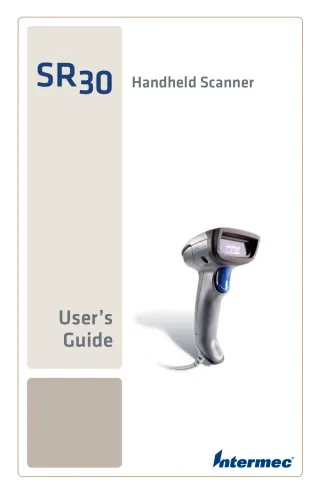
SR30 Handheld Scanner User's Guide
Manual56 pagesPDF 1.8 MB
User's guide for the Intermec SR30 handheld scanner (linear or area imager): connecting, configuring, upgrading and care.
What this file really is
The old site listed this file as “Programmers Guide” for the Intermec SR30. Linked as a programmer's guide, this is the SR30 Handheld Scanner User's Guide (setup, configuration bar codes, maintenance and specifications).
Filed under · 1 model
Filed under these models in the old catalog
Summary
What is in it
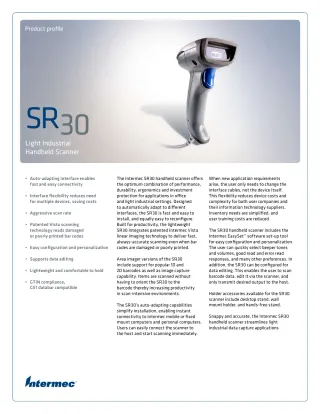
Intermec's user's guide for the SR30 Handheld Scanner, a general duty point-of-service scanner that comes with either a linear (EV12) or area (EA15) imager. It explains powering the scanner, the status light and beeps, scanning bar codes, connecting to a host by USB or RS-232 cable, configuration bar codes for international keyboards and serial parameters, troubleshooting, resetting, upgrading and cleaning, plus specifications, reading distances, stand and cable accessories and the default configuration.
Its parts
- Before You Begin
- Learning About the SR30
- Connecting and Configuring the SR30
- Troubleshooting and Maintaining the SR30
- Specifications and Accessories
- Default Settings
From the manual · read page by page
Key facts from this manual
Each line names its page in the PDF.
User's guide (revision 002, 2008) for the Intermec SR30 handheld scanner, in its linear and area imager versions. It explains the status light and beeps, connecting by USB, RS-232, keyboard wedge or wand emulation cable, setting keyboard and serial options with bar codes, troubleshooting, firmware upgrades and cleaning. It also lists specifications, accessories and every default setting.
- Device
- General duty handheld scanner for point of service, with a linear or area imager p. 12
- Imagers
- EV12 1D linear imager (P/N 3-103013-00-51) or EA15 2D area imager (P/N 3-140019-01-01) p. 39, 40
- Interfaces
- USB, RS-232, keyboard wedge, keyboard wedge Y cable, wand emulation p. 18, 19, 20, 21
- Power
- 5 V, 0.5 A, through the cable from the host or an external power supply p. 12, 38
- Cables
- USB 236-164-xxx; powered RS-232 236-159-xxx, 236-160-001; external powered RS-232 236-161-xxx; keyboard wedge 236-162-xxx; wedge Y 236-204-xxx; wand emulation 236-163-xxx p. 44, 45
- Power supply
- Model AE26 (U.S.A. and Canada) or P/N 851-086-xxx (other countries) p. 44
- Stands
- Desktop 203-846-xxx, hands-free 203-845-xxx, wall mount 203-847-xxx p. 42, 43
- Size and weight
- 10.79 cm long, 17.27 cm high, 7.37 cm wide; 184.3 g (6.5 oz) p. 38
- Environment
- Operating 0°C to 50°C (32°F to 122°F); storage -20°C to 60°C; 5 to 95% humidity; IP30 p. 38
- Default symbologies
- Code 39, Code 128/GS1-128, UPC/EAN; area imager also DataMatrix and PDF 417 p. 14
- Area imager only
- Aztec, Codablock, DataMatrix, GS1 Composite, MaxiCode, MicroPDF 417, PDF417, QR Code p. 38
- Serial defaults
- 19200 baud, 8 data bits, no parity, 1 stop bit p. 30
- Setup software
- EasySet version 5.6.0.0 or later p. 14
- Firmware upgrade
- HIP and imager firmware over RS-232 with EasySet on Windows XP SP2 or Windows 2000 p. 31
What this manual walks you through
- Reading the status light and beeps p. 13
- Scanning a bar code p. 14, 15
- Connecting by USB or RS-232 cable p. 18, 19
- Connecting by keyboard wedge, Y cable or wand emulation cable p. 19, 20, 21
- Setting an international keyboard p. 22, 23
- Setting serial parameters with bar codes p. 24, 25, 26
- Troubleshooting and resetting the SR30 p. 28, 29, 30
- Upgrading the HIP and imager firmware p. 31, 32, 33, 34
- Cleaning the scanner window p. 35
- Default value of every setting p. 48, 49, 50, 51, 52, 53, 54, 55
Good to know
- Opening the SR30 may damage its internal components. p. 35
- Do not let any abrasive material touch the scanner window. p. 35
- After scanning the firmware upgrade bar code, the upgrade must start within 1 minute. p. 33
Questions this manual answers
What are the Intermec SR30 default serial settings?
19200 baud, 8 data bits, no parity and 1 stop bit. p. 30
Which USB cable does the Intermec SR30 use?
The USB cable P/N 236-164-xxx. p. 18
How do I reset the Intermec SR30?
Scan the Reset Factory Defaults bar code in the guide; this restarts the scanner control firmware. p. 30
What does it mean when the SR30 blinks red six times?
Data could not be sent to the host: the host PS2 port is not initialized or an RS-232 protocol timeout occurred. p. 13
Which power supply does the SR30 keyboard wedge cable need?
Model AE26 in the U.S.A. and Canada, or P/N 851-086-xxx in other countries. p. 44
Contents
Chapters and sections
Each line opens the PDF at its page.
The whole text · 7 parts
Read the manual here as text
Its text as extracted from the PDF, unedited, in parts; each page opens the PDF at that page.
The file