Manual · Intermec
IP4 Portable RFID Reader User's Guide
Manual34 pagesPDF 1.5 MB
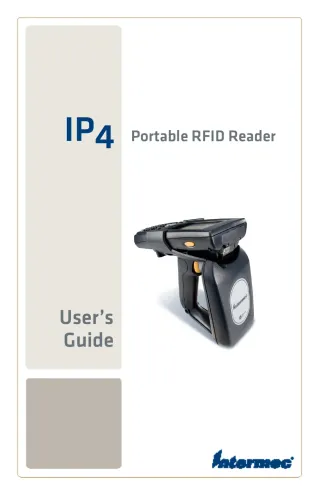
User's guide for the Intermec IP4 portable RFID reader that attaches to 700 Color and 730 Series mobile computers.
Covers · 1 model
The models it covers
Summary
What is in it
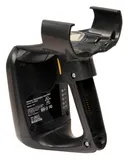
Intermec's user's guide for the IP4 Portable RFID Reader, which attaches to a 700 Color or 730 Series mobile computer and talks to it over IrDA. It covers what is in the box, the LEDs, charging and installing the battery, attaching the reader, establishing a connection (.NET Compact Framework 2.0 and IVA), configuring it as a keyboard wedge, the RFID demo application and resource kit, RFID and BRI settings, upgrading Windows Mobile and firmware, and the IP4 specifications.
Its parts
- Before You Begin
- Getting Started
- Creating and Using RFID Applications
- Specifications
From the manual · read page by page
Key facts from this manual
Each line names its page in the PDF.
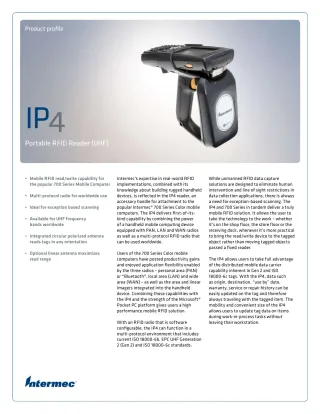
Intermec user's guide from 2008 for the IP4 Portable RFID Reader, which attaches to the 700 Color and 730 Series mobile computers. It covers charging the battery, attaching the reader, setting up the software, reading tags, configuring RFID and BRI settings, and upgrading the OS and firmware, with specifications.
- Device
- Portable RFID reader handle for the 700 Color and 730 Series mobile computers, linked by IrDA infrared p. 12
- Read range and rate
- 91 cm (3 ft); at least six tags per second p. 31
- Battery
- Model AB12, P/N 318-014-xxx; charges fully in about 4 hours p. 12, 15
- Charger
- AC12 Dual Pack Charger P/N 852-062-003; power supply P/N 851-061-306 (North America) or 851-061-106; USA AC cord P/N 1-974028-025 p. 14
- Frequency versions
- 865-868 MHz, 4 channel, 0.5 W; 869.525 MHz single channel, 0.5 watt ERP; 902-928 MHz frequency hopper, 1 watt EIRP p. 30, 31
- Host software
- Windows Mobile 4.95.1 Premium or 4.96.4 Phone GSM or later; IVA 4.03.35.1064 or later; .NET Compact FrameWork 2.0 p. 13, 18
- Part numbers
- IP4 reader P/N 245-299-xxx; product documentation P/N 943-002-xxx p. 12
- Firmware
- Basic Reader Interface (BRI) mode; ANSI NCITS 256.2000 for API p. 31
- Tag data speed
- Reads 8 bytes within 50 ms; verified write at an average of 75 ms per byte per tag p. 31
- LEDs
- Power, Data Communications, RFID Transmit, Tag ID and Battery p. 13
- Battery LED
- Green above 80%; orange 20% to 80%; red below 20% p. 14
- Storage and humidity
- Storage -30°C to 70°C (-22°F to 158°F); 5 to 95% non-condensing p. 30
- Related documents
- Basic Reader Interface Programmer's Reference 937-000-xxx; Intermec Computer Command Reference 073529-xxx; AC12 Dual Pack Charger Instructions 930-131-xxx p. 9
What this manual walks you through
- Charging, installing and removing the battery p. 15, 16
- Attaching the IP4 to the mobile computer p. 16, 17
- Installing .NET Compact FrameWork 2.0 and IVA from an SD card p. 18, 19
- Setting up the IP4 as a keyboard wedge p. 22
- Reading an RFID tag into Pocket Word p. 23
- Writing your own applications with the RFID Resource Kit p. 24
- Choosing the tag type in Intermec Settings p. 25
- Configuring the BRI server settings p. 25, 26
- Upgrading the Windows Mobile OS on the 700 Series p. 27
- Upgrading the IP4 firmware from an SD card p. 28
Good to know
- Continuous reading can overheat the IP4; it then stops reading tags until it cools down. p. 23
- Keep the body at least 20 cm (8 in) from the dome-shaped antenna cover while the device is on. p. 23
- Charging the IP4 battery does not charge the mobile computer. p. 16
- Do not remove the lightpipe that carries the IrDA signal. p. 12
- Keyboard wedge use needs at least 64 MB of flash ROM in the mobile computer. p. 22
Questions this manual answers
Which mobile computers work with the Intermec IP4 RFID reader?
The 700 Color and the 730 Series mobile computers. p. 12
How far can the IP4 read RFID tags?
Up to 91 cm (3 ft), at a rate of at least six tags per second. p. 31
What charger does the IP4 battery use?
The AC12 Dual Pack Charger, P/N 852-062-003, which charges a fully discharged battery in about 4 hours; the IP4 ships without it. p. 14, 15
Why does my IP4 not read tags?
The guide says it may need to be set to the right tag type in Intermec Settings, or to Mixed if the tag type is unknown. p. 23, 25
What software does the 700 Series need to use the IP4?
Windows Mobile 4.95.1 Premium or 4.96.4 Phone GSM or later, and IVA version 4.03.35.1064 or later. p. 13
Contents
Chapters and sections
Each line opens the PDF at its page.
The whole text · 5 parts
Read the manual here as text
Its text as extracted from the PDF, unedited, in parts; each page opens the PDF at that page.
The file