Manual · Intermec
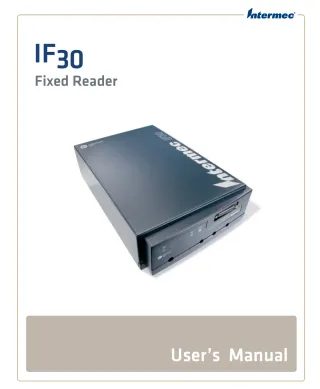
IF30 Fixed Reader User's Manual
Manual106 pagesPDF 3.0 MB
User's manual for the Intermec IF30 fixed RFID reader: installation, network setup, RFID settings, GPIO and specifications.
Covers · 1 model
The models it covers
Summary
What is in it
User's manual for the Intermec IF30 Fixed Reader, an RFID reader that links tag data to an enterprise system. It is written for the person who installs, configures and maintains the reader and covers ports and LEDs, setting the IP address, mounting, network and security settings, certificates, RFID module settings and the Data Collection Engine, management with SmartSystems, Wavelink Avalanche and SNMP, firmware upgrades, troubleshooting, the GPIO interfaces, specifications and port pin assignments.
Its parts
- Getting Started
- Configuring Network Settings
- Creating and Using RFID Applications
- Managing, Upgrading, and Troubleshooting the IF30
- Using the IF30 GPIO Interfaces
From the manual
Key facts from this manual
Each line names its page in the PDF.
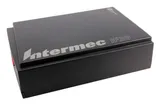
User's manual for the Intermec IF30 Fixed Reader, an RFID reader that sends tag data to an enterprise system over Ethernet. It covers the ports and LEDs, setting the IP address, installing and mounting the reader, network and RFID settings, upgrades, troubleshooting, the GPIO control port and the specifications.
- Device
- Fixed RFID reader that forwards tag data to a wired Ethernet network p. 14, 21
- RFID module
- EPCglobal Gen 2-certified IM5 Module, 86x MHz or 915 MHz versions p. 14
- Protocols
- EPCglobal Class 1 Gen 2, ISO 18000-6B Generation 1 and 2, Phillips v1.19 p. 95
- Antennas
- Up to 4, electronically switched; 915 MHz units use Reverse SMA connectors p. 20, 95
- Ports
- AC power, 10BaseT/100BaseTx Ethernet, RS-232 serial for configuration, GPIO control port, four RFID antenna ports p. 17, 20
- Control port
- GPIO with four optically-isolated inputs, four low voltage DC outputs and 12 VDC p. 17, 96
- Power
- AC 100 to 240V, 1.0 to 0.5A, 50 to 60 Hz; no power over Ethernet p. 94, 98
- Size and weight
- 9.5 cm (3.8 in) high, 35.5 cm (14.0 in) long, 23.6 cm (9.3 in) wide; 2.63 kg (5.8 lb) p. 94
- Humidity
- 10 to 90%, non-condensing p. 94
- Tag data rate
- 32 kbps/160 kbps p. 95
- Serial data rate
- 115,200 bps maximum p. 94
- Software
- Linux 2.6.11.5; SNMP agent RFC 1213 (MIB-2), RFC 1398 (dot3) p. 94
- Mounting brackets
- Mounting bracket kit P/N 068918; rotating mounting bracket kit P/N 068751 p. 30
- Configuration cable
- RS-232 null-modem cable P/N 059167 with a 9-pin socket connector p. 22
What this manual walks you through
- Identifying the ports, LEDs and the Ready-to-Work indicator p. 16, 17, 18, 19
- Setting the IP address through the serial port with a communications program p. 21, 22
- Choosing a mounting location p. 30
- Attaching antennas and connecting the reader to the network p. 31
- Upgrading the firmware p. 80
- Troubleshooting tag reading problems p. 80
- Troubleshooting network, serial and web browser connections p. 81
- Control, serial and Ethernet port pin assignments p. 96, 97
Good to know
- Every antenna port needs an antenna or a terminator before power is applied; running without terminators may damage the RFID module. p. 31, 80
- Use only antennas approved for this reader. p. 20
- The IF30 does not support power over Ethernet. p. 31
- Without a DHCP server at boot, the reader cannot communicate on the network while it searches for a lease. p. 31
- RFID antennas are not included with the reader. p. 15
Questions this manual answers
How do I set the IP address on the Intermec IF30?
It is a DHCP client by default. Without DHCP, connect a PC to its serial port with null-modem cable P/N 059167 and use a program such as HyperTerminal. p. 21, 22
How many antennas does the IF30 support?
Up to four, electronically switched. It ships with terminators on antenna ports 2, 3 and 4. p. 20, 95
Does the IF30 support power over Ethernet?
No. It is powered from AC through its power port. p. 31
What does the blinking blue light on the IF30 mean?
The BRI server is running but no application has connected to the BRI TCP port. p. 19
Why does my IF30 read tags slowly or not at all?
Check that antennas are connected tightly and well placed, that unused ports have terminators, and that the correct Tag Type is chosen. p. 80
Contents
Chapters and sections
Each line opens the PDF at its page.
- Chapter 1 - Getting Started13
- Chapter 2 - Configuring Network Settings35
- Chapter 3 - Creating and Using RFID Applications53
- Chapter 4 - Managing, Upgrading, and Troubleshooting the IF3067
- Chapter 5 - Using the IF30 GPIO Interfaces83
- Appendix A - Specifications93
2 more lines, from page 96 on
The whole text · 12 parts
Read the manual here as text
Its text as extracted from the PDF, unedited, in parts; each page opens the PDF at that page.
- Pages 1 to 121-12
- Chapter 1 - Getting Started, pages 13 to 2013-20
- Chapter 1 - Getting Started, pages 21 to 2821-28
- Chapter 1 - Getting Started, pages 29 to 3429-34
- Chapter 2 - Configuring Network Settings, pages 35 to 4335-43
- Chapter 2 - Configuring Network Settings, pages 44 to 5244-52
- Chapter 3 - Creating and Using RFID Applications53-66
- Chapter 4 - Managing, Upgrading, and Troubleshooting the IF30, pages 67 to 7467-74
- Chapter 4 - Managing, Upgrading, and Troubleshooting the IF30, pages 75 to 8275-82
- Chapter 5 - Using the IF30 GPIO Interfaces83-92
- Appendix A - Specifications93-98
- Index99-106
The file