Manual · Intermec
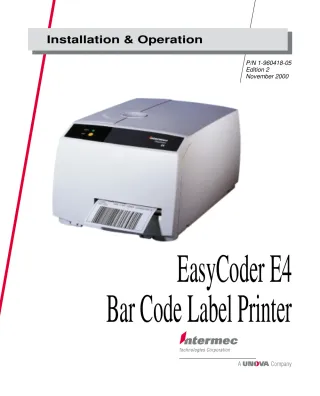
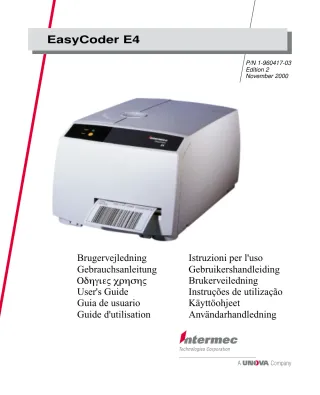
EasyCoder E4 User's Guide
Manual25 pagesPDF 990 KB
Multilingual user's guide for the Intermec EasyCoder E4 label printer: safety, media and ribbon loading, and cleaning.
Names · 1 model
The models it names
Filed with · 1 model
Also filed with these models on the old site
Summary
What is in it
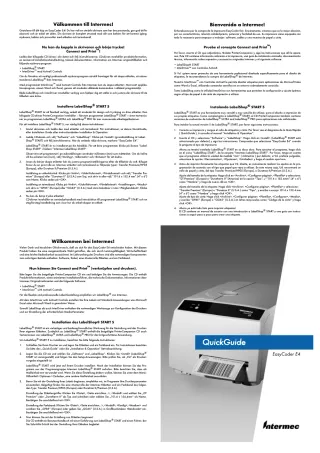
A short, mostly pictorial user's guide for the Intermec EasyCoder E4 label printer, with headings in twelve European languages. After regulatory notices, the declaration of conformity, product labeling and safety requirements, it shows step by step how to load media for tear-off and peel-off use and from an external supply, how to load the ribbon, and how to clean the outside of the printer and the printhead.
Its parts
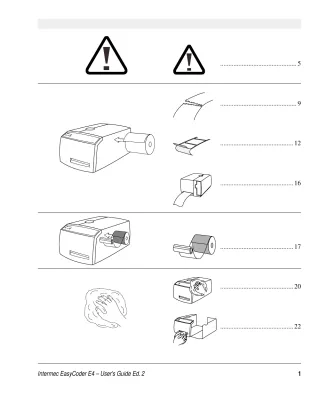
- Safety requirements
- Media load – Tear off
- Media load – Peel off
- Media load – External supply
- Ribbon load
- Cleaning – External
- Cleaning – Printhead
From the manual · read page by page
Key facts from this manual
Some pages are scans or cannot be read; this says only what the readable text supports. Each line names its page in the PDF.
Picture-based multilingual user's guide for the Intermec EasyCoder E4 label printer. It shows, mostly in drawings, how to load media for tear-off, peel-off and external supply use, load the ribbon, and clean the outside and the printhead, after the regulatory and safety pages.
- Media handling
- Tear off, peel off, or feed from an external supply p. 10, 13, 17
- Power rating
- 110-120/220-240V, 4/2A, 60/50Hz, as shown on the product label p. 5
- Sound level
- < 60 dB (A) p. 9
- Guide part number
- P/N 1-960417-03, Edition 2, November 2000 p. 1
What this manual walks you through
- Loading labels for tear-off use p. 10, 11, 12
- Loading labels for peel-off use p. 13, 14, 15, 16
- Feeding media from an external supply p. 17
- Loading the thermal transfer ribbon p. 18, 19, 20
- Cleaning the outside of the printer p. 21, 22
- Cleaning the printhead p. 23, 24, 25
Good to know
- The printer is a Class A device; used in a residential area it may cause interference the user must correct. p. 3
- Intermec takes no responsibility under the CE Directive if the printer is handled, modified or installed other than as its manuals describe. p. 6
- The manual states conformity with EN 60950 electrical safety and EN 50081-1 and EN 50082-1 EMC standards. p. 4
Questions this manual answers
How do I load labels in the Intermec EasyCoder E4 for peel-off printing?
The guide shows the peel-off loading steps in numbered drawings, ending with pressing Feed twice. p. 13, 16
What voltage does the EasyCoder E4 run on?
The product label shown in the guide reads 110-120/220-240V, 4/2A, 60/50Hz. p. 5
How do I clean the printhead on an Intermec E4?
The guide shows the printhead cleaning steps in drawings on PDF pages 23 to 25. p. 23
Can the EasyCoder E4 be used in a home?
The guide calls it a Class A device and says use in a residential area is likely to cause interference the user must correct. p. 3
Contents
Chapters and sections
Each line opens the PDF at its page.
- Disclaimer3
- Copyright Information3
- FCC Notice (United States of America)3
- DOC Notice (Canada)3
- EU Standard EN 55022 (The European Union)3
- Declaration of Conformity (CE)4
- Product Labeling5
- Safety requirements6
- Media load – Tear off10
- Media load – Peel off13
- Media load – External supply17
- Ribbon load18
- Cleaning – External21
- Cleaning – Printhead23
The whole text · 3 parts
Read the manual here as text
Its text as extracted from the PDF, unedited, in parts; each page opens the PDF at that page.
The file