Manual · Intermec
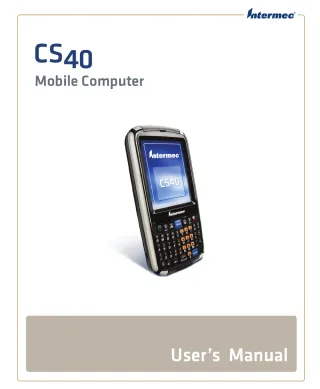
CS40 Mobile Computer User's Manual
Manual152 pagesPDF 5.8 MB
User's manual for the Intermec CS40 mobile computer, a rugged Windows Mobile 6.5 handheld with imager, phone, GPS and camera.
Covers · 1 model
The models it covers
Summary
What is in it
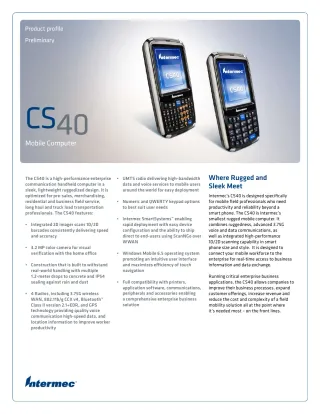
The user's manual for the Intermec CS40, a lightweight rugged mobile computer running Windows Mobile 6.5. It explains the battery, keypads and microSD card, the user interface and Intermec applications, the UMTS phone, reading bar codes and capturing images with the EA11 area imager, the color camera, GPS, configuration with Intermec Settings, Wi-Fi, Bluetooth and wireless security, software management and updates, troubleshooting and resets, plus specifications and default settings.
Its parts
- Using the Computer
- Understanding the User Interface and Intermec Applications
- Using the Phone
- Using the Imager
- Using the Camera
- Using GPS
- Configuring the Computer
- Managing the Computer
- Troubleshooting and Maintaining the Computer
From the manual
Key facts from this manual
Each line names its page in the PDF.
The Intermec user's manual (2011) for the CS40, a rugged smartphone-style mobile computer running Windows Mobile 6.5 with an area imager, cell phone, Wi-Fi, Bluetooth and GPS. It covers first setup, the battery, keypad and microSD card, file transfer, troubleshooting, resetting, cleaning and the specifications.
- Device
- Lightweight, rugged smartphone-style mobile computer running Microsoft Windows Mobile 6.5.3 p. 14, 119
- Radios
- 3.75G UMTS/HSUPA with EDGE, GPRS and GSM fallback; 802.11b/g CCX v4.0; Bluetooth; integrated GPS receiver p. 15, 119
- Imager
- EA11 area imager that reads bar codes and captures signatures, plus a color camera p. 15
- Memory
- 256 MB RAM (about 150 MB for user applications); 512 MB Flash (about 350 MB for user applications); microSD slot up to 32 GB p. 118
- Processors
- Main ARM 11, 528 MHz; radio ARM 9, 320 MHz p. 118
- Display
- Trans-reflective TFT-LCD, QVGA color touch screen, 240 x 320 pixels, 7.1 cm (2.8 in) diagonal, 5-level LED backlight p. 119
- Keypad
- QWERTY or numeric; lights up when a key is pressed p. 23
- Battery
- Model 1005AB01 rechargeable Li-ion pack, 3.7 V, 1430 mAh (5.2 Wh) p. 18, 118
- Charging
- Universal cell phone charger 4 hours; vehicle power adapter (Model 9005AX01) 6 hours; power and data Y-cable variable p. 16, 19
- Connectors
- Micro-AB USB (1 A maximum charge with the universal charger); 7-pin docking contacts for USB OTG and charge power p. 120
- Wireless LAN
- IEEE 802.11b/g (2.4 GHz), up to 54 Mbps; 802.11i, WPA, 802.1x, WEP security p. 119
- Size and weight
- 13.3 x 6.3 x 2.4 cm (5.2 x 2.5 x 0.9 in); 196 g (6.9 oz) p. 118
- Temperature
- Operating -10°C to 50°C (14°F to 122°F); charging 5°C to 30°C (41°F to 86°F) p. 118
- Sealing and drops
- IP54 compliant; all corners and sides from 1.8 m (6 ft) per MIL-STD 810G p. 118
What this manual walks you through
- Turning on the CS40 for the first time and choosing a language p. 17, 18
- Charging and changing the battery p. 19, 20
- Reading the battery status LED p. 22
- Entering characters on the QWERTY and numeric keypads p. 24, 25
- Installing a microSD card p. 26, 27, 28
- Transferring files with ActiveSync or Windows Mobile Device Center p. 28
- Troubleshooting the Wi-Fi connection and 802.1x security p. 106, 107
- Checking network status with iConnect p. 108, 109
- Troubleshooting bar code reading and general operation p. 110, 111, 112
- Warm, cold and clean booting the computer p. 114, 115, 116
Good to know
- Do not charge the battery through a direct USB connection to a PC; use approved charging accessories. p. 19
- Removing the battery before shutting down makes the CS40 cold boot; tap Start, then Shutdown first. p. 18
- The language cannot be changed once loaded, except by reloading or updating the firmware. p. 17
- A clean boot erases all applications and data files in the ObjectStore. p. 115
- The battery may be a fire or chemical burn hazard: do not disassemble it, heat it above 100°C or incinerate it. p. 18
Questions this manual answers
What battery does the Intermec CS40 use?
A Model 1005AB01 rechargeable Li-ion battery pack rated 3.7 V, 1430 mAh (5.2 Wh). p. 18, 118
How long does the CS40 battery take to charge?
4 hours with the universal cell phone charger and 6 hours with the vehicle power adapter. p. 19
What size microSD card does the CS40 take?
Up to 32 GB. p. 26
How do I restart a CS40 that has locked up?
Press and hold the Power key for ten seconds to warm boot it; if that fails, the manual describes cold and clean boots. p. 111, 114
What is the default Wi-Fi network name on the CS40?
INTERMEC. p. 107
Contents
Chapters and sections
Each line opens the PDF at its page.
The whole text · 18 parts
Read the manual here as text
Its text as extracted from the PDF, unedited, in parts; each page opens the PDF at that page.
- Pages 1 to 81-8
- Before You Begin9-12
- Chapter 1 - Using the Computer, pages 13 to 2013-20
- Chapter 1 - Using the Computer, pages 21 to 2821-28
- Chapter 2 - Understanding the User Interface and Intermec Applications29-40
- Chapter 3 - Using the Phone41-44
- Chapter 4 - Using the Imager45-54
- Chapter 5 - Using the Camera55-58
- Chapter 6 - Using GPS59-64
- Chapter 7 - Configuring the Computer, pages 65 to 7465-74
- Chapter 7 - Configuring the Computer, pages 75 to 8475-84
- Chapter 7 - Configuring the Computer, pages 85 to 9485-94
- Chapter 8 - Managing the Computer95-104
- Chapter 9 - Troubleshooting and Maintaining the Computer105-116
- Appendix A - Specifications and Default Settings117-130
- Appendix B - Keypads and Keystrokes131-136
- Appendix C - Imager Configuration Bar Codes137-142
- Index143-152
The file