Manual · Intermec
CN4 Mobile Computer User's Manual
Manual145 pagesPDF 7.9 MB
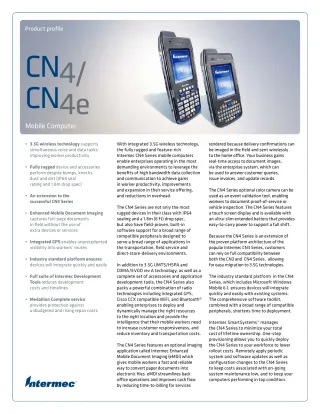
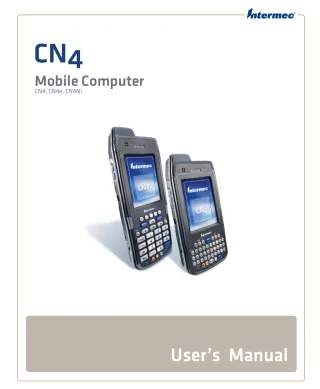
User manual for the Intermec CN4, CN4e and CN4NI Windows Mobile computers: battery, keypad, imager, phone, networking, apps and troubleshooting.
Covers · 1 model
The models it covers
Summary
What is in it
The user manual for the Intermec CN4 Series mobile computers (CN4, CN4e and CN4NI), handheld units running Windows Mobile 6.1. It covers the battery and power profiles, keypads, audio and cell phone use, screen, status LEDs, the area imager for bar codes, images and signatures, the color camera, miniSD and SIM cards and GPS. Later chapters configure the phone, 802.11b/g, Ethernet, Bluetooth and wireless security, install and upgrade software, and cover troubleshooting, booting, cleaning, specifications and default settings.
Its parts
- Before You Begin
- Using the CN4
- Connecting and Configuring the CN4
- Developing and Installing Applications
- Troubleshooting and Maintaining the CN4
From the manual
Key facts from this manual
Each line names its page in the PDF.
The Intermec user's manual for the CN4 Series mobile computers, covering the CN4, the CN4e and the CN4NI versions, which run Windows Mobile 6.1. It explains the battery, keypad, screen, imager, camera and GPS, how to connect and configure the computer and its network security, how to install applications, and how to troubleshoot, reset and clean it.
- Device
- Mobile computer on Windows Mobile 6.1; the CN4e adds extended environmental specifications and larger keys p. 14
- Radios
- GPS, 802.11b/g, Bluetooth and WWAN (UMTS/HSDPA or CDMA/1xRTT/EV-DO Rev A) p. 15
- Processor and memory
- Marvell PXA270M, 520 MHz; 128 MB RAM; 256 MB NAND flash; miniSD card slot p. 114
- Display
- Transflective TFT QVGA color touch screen, 240 x 320 pixels, 8.9 cm (3.5 in), 5-level LED backlight p. 115
- Batteries
- 3.7 VDC Li-ion. CN4: standard AB8 or AB15 (2.2 Ah), extended AB9 or AB16 (4.0 Ah); CN4e: AB9 or AB16; CN4NI: AB28 p. 15, 115
- Keypad
- Numeric, QWERTY (CN4) or alphabetic (CN4e) p. 114
- Imaging
- EA11 or EA21 area imager, or 2-megapixel color camera with LED flash p. 15
- Charging
- Standard battery up to four hours, extended up to five, between 0 °C and 40 °C; external charge power 5 V +/- 5% at 3.5 A max p. 16, 115
- Backup
- Super capacitor keeps status, memory and the real-time clock for up to five minutes without a battery p. 16, 115
- Size and weight
- CN4: 17.3 x 8.1 x 2.8 cm (3.3 cm with extended battery), 397 to 454 g; CN4e: 21.0 x 8.1 x 3.3 cm, 510 to 567 g p. 114
- Environment
- Operating -20 °C to 60 °C, storage -20 °C to 70 °C; 5% to 95% humidity; IP64; 26 drops from 1.8 m per MIL-STD 810G p. 115
- Wireless LAN
- 802.11g up to 54 Mbps and 802.11b up to 11 Mbps, 100 mW; WPA2, WPA, 802.1x, WEP; CCX version 4 p. 115
- Adapters and chargers
- AA15 audio, AA16 Ethernet, AA17 RS-232/DEX and AA18 USB adapters; AC14 quad battery charger; AE11 vehicle power adapter; AR1 magnetic card reader p. 121, 122
- Docks
- AD10 single dock; AD11 multidock (four units, Ethernet); AD12 charge-only multidock; vehicle docks AV6 (CN4) and AV9 (CN4e); scan handle p. 121, 122
What this manual walks you through
- Charging and changing the battery p. 16
- Reading the status LEDs p. 35
- Solving problems while configuring or operating the CN4 p. 101, 102
- Solving 802.11 network and 802.1x security problems p. 102, 103, 104
- Solving bar code reading problems p. 104
- Warm booting and cold booting the CN4 p. 109, 110
- EA21 and EA11 imager reading distances p. 117, 118, 119, 120
- Factory default settings p. 122
Good to know
- The battery can be a fire or chemical burn hazard if mistreated: do not take it apart, heat it above 100 °C (212 °F) or burn it. p. 16
- Off external power, a charged battery must go in within 5 minutes of removing the old one, or the CN4 resets and data may be lost. p. 16
- A cold boot can lose transactional data; use it only after other recovery methods fail. p. 110
- A clean boot does not keep the date and time. p. 104
- WEP key values are not kept when the SSID changes; enter them again. p. 103
Questions this manual answers
Intermec CN4 battery LED is amber
The CN4 is on charge, and either the battery temperature is outside the charging range or the battery is defective. p. 102
How do I warm boot a CN4?
Press and hold the Power button for 10 seconds; the computer shuts down, restarts and initializes. p. 110
How long does the CN4 battery take to charge?
Up to four hours for the standard pack and up to five hours for the extended pack, at battery temperatures of 0 °C to 40 °C. p. 16
Which battery fits the CN4e?
The CN4e uses the extended battery AB9 or AB16; there is no standard battery for it. p. 15
CN4 battery LED blinking red
The battery is low. Replace or charge it. p. 102
Contents
Chapters and sections
Each line opens the PDF at its page.
The whole text · 17 parts
Read the manual here as text
Its text as extracted from the PDF, unedited, in parts; each page opens the PDF at that page.
- Pages 1 to 91-9
- Send Feedback10-12
- Chapter 1 - Using the CN4, pages 13 to 2113-21
- Chapter 1 - Using the CN4, pages 22 to 3022-30
- Chapter 1 - Using the CN4, pages 31 to 3931-39
- Chapter 1 - Using the CN4, pages 40 to 4840-48
- Chapter 1 - Using the CN4, pages 49 to 5449-54
- Chapter 2 - Connecting and Configuring the CN4, pages 55 to 6455-64
- Chapter 2 - Connecting and Configuring the CN4, pages 65 to 7465-74
- Chapter 2 - Connecting and Configuring the CN4, pages 75 to 8275-82
- Chapter 3 - Developing and Installing Applications, pages 83 to 9083-90
- Chapter 3 - Developing and Installing Applications, pages 91 to 9891-98
- Chapter 4 - Troubleshooting and Maintaining the CN499-112
- Appendix A - Specifications and Default Settings, pages 113 to 120113-120
- Appendix A - Specifications and Default Settings, pages 121 to 128121-128
- Appendix B - Keypads and Keystrokes129-136
- Index137-145
The file