Manual · Intermec
97XX Wedge Interface Reference Manual
Manual109 pagesPDF 275 KB
Reference manual for connecting Intermec 97XX wedge readers to terminals and PCs: cables, power needs and configuration bar codes.
Names · 1 model
The models it names
Filed with · 1 model
Also filed with these models on the old site
Summary
What is in it
A reference manual that gathers Intermec's individual wedge interface (WIF) guides for 97XX wedge readers. For each workstation family, from AT&T, Bull, DEC, IBM, HP, Macintosh, Wang, Wyse and many others, it lists the part numbers of the wedge interface kit and the keyboard and terminal cables, states the power supply requirements, and prints the bar codes that configure the reader for that workstation. It is meant to be used together with the Wedge Reader User's Manual.
Its parts
- AT&T 615 and 65XX Series
- AT&T 6286
- AT&T 6580 and 6591
- Bull DKU 710X Series
- Bull Questar 210
- Burroughs UniSys Series
- Compaq/PS-2 Series
- DEC VT and VXT Series
- Decision Data 349X Series
- Decision Data 3791
- Decision Data Series
- Harris Series
- HP 2392A
- HP HIL Series
- IBM 3151 and 34XX Series
From the manual
Key facts from this manual
Each line names its page in the PDF.
The 1996 Intermec 97XX Wedge Interface Reference Manual (P/N 056341-001), a collection of the individual Wedge Interface (WIF) guides for the 97XX wedge readers. For each family of workstations and terminals (IBM PC and PS/2, Compaq, DEC VT, HP, Macintosh, Sun, Wyse and many others) it lists the interface kit and cable part numbers, whether an external power supply is needed and the PCB jumper setting, and the bar codes that configure the reader.
- Document
- Workstation-by-workstation interface guide for 97XX wedge readers: cables, power and configuration bar codes p. 11
- PC/AT, PS/2 kit
- Wedge interface kit 056944: keyboard cable 054140, terminal cable 056311, adapter 056943 (WIF guide 056945) p. 79
- PCB jumper
- Pins 1 and 2 without an external power supply; pins 2 and 3 with one p. 81
- DEC VT kit
- Kit 054133: keyboard cable 054132, terminal cable 054131 (WIF guide 054134) p. 22
- Macintosh II/SE kit
- Kit 054841: expansion cable 054840, terminal cable 054839 (WIF guide 054842) p. 69
- HP-HIL kit
- Kit 059306: keyboard cable 057900, terminal cable 057899 (WIF guide 059307) p. 39
- Sun kit
- Kit 056244: keyboard cable 056243, terminal cable 056242 (WIF guide 056245) p. 96
- AT&T 615/65XX kit
- Kit 054230: keyboard cable 054229, terminal cable 054228 p. 11
- Reader current (HP table)
- 9710D02: 180 mA with a wand, 380 mA with a 1545A; 9720D02: 200 and 400 mA p. 39
- Software release
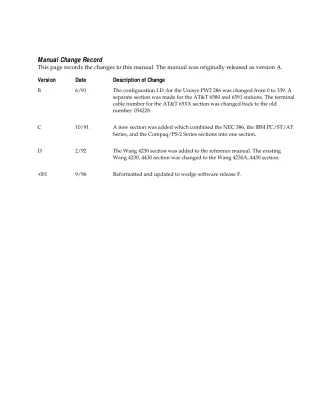
- Updated for wedge software release F (9/96) p. 3
- Configuration beeps
- One low beep then four low beeps when a configuration is stored p. 12
What this manual walks you through
- Finding the cables for a given workstation or terminal p. 5, 6, 7, 8, 9, 10
- Deciding whether an external power supply is needed p. 22, 39, 81, 96
- Configuring the reader for a PC/AT or PS/2 keyboard p. 79, 80, 81
- Setting the keyboard language for Compaq and Macintosh workstations p. 19, 69, 70
- Configuring the reader on an HP-HIL network p. 40
- Checking DEC VT420 firmware before configuring p. 22
- Turning Caps Lock Sensing on or off p. 81
Good to know
- With an external power supply, plug it in before switching on the workstation or the reader may lock up. p. 81
- On HP-HIL, an external supply is needed when the reader and HP-HIL devices draw over 1000 mA. p. 39
- On HP-HIL, the reader cannot be the last device in the chain. p. 40
- Some PC/AT-family workstations, including HP X-Station 700/RX, NCD X-Station 15-b and DEC VT520/VT525, need an external supply. p. 81
Questions this manual answers
What cable connects an Intermec 9710 wedge to an IBM PC or PS/2?
The PC/AT, PS/2 Universal kit 056944, with keyboard cable 054140, terminal cable 056311 and adapter 056943. p. 79
Does the Intermec 9710 wedge reader need a power supply?
It depends on the workstation; most need none (jumper on pins 1 and 2), but some, such as the DEC VT520 or Sparc Station IPX with a Type V keyboard, do. p. 81, 96
Which wedge interface kit fits a Macintosh SE?
Kit 054841, with expansion cable 054840 and terminal cable 054839. p. 69
How do I know the 97XX wedge reader accepted a workstation configuration?
It gives one low beep followed by four low beeps. p. 12
The whole text · 11 parts
Read the manual here as text
Its text as extracted from the PDF, unedited, in parts; each page opens the PDF at that page.
The file