Manual · Intermec
Intermec 9189 Quick Reference
Manual3 pagesPDF 60 KB
All 3 pages are below, each with its text.
Covers · 1 model
The models it covers
From the manual · read page by page
Key facts from this manual
Each line names its page in the PDF.
Intermec's quick reference card for the 9189 RF Gateway, which links wired bar code readers, terminals and printers to an RF network. It covers connecting an end device, power and battery charging, the four status lights, the carrying case and basic troubleshooting.
- Device
- RF gateway letting bar code devices and printers talk to the host over an RF network p. 1
- Protocols
- Works with most Intermec products supporting Multi-drop or Polling Mode D p. 1
- End devices
- 944X Portable Reader, 951X On-line Reader, 9540 terminal, 95XX Industrial Transaction Manager, 86XX, 3XXX and 4XXX printers p. 1
- Interface
- RS-232 port for the end device p. 2
- Power
- Internal NiCad battery pack, recharged when an external supply is connected p. 2
- External supplies
- 120, 100 and 220 VAC, 50/60 Hz versions; part numbers 042684, 043230 and 045652 p. 2
- Battery charger
- Intermec battery pack charger, part number 048501 p. 2
- Carrying case
- Part number 055121, with a belt, for use with a portable reader p. 3
- Status lights
- Tx, Fault, Data and Connect p. 2
- Fault light
- On for five seconds at power up; once per second = low NiCad battery; twice per second = low lithium battery p. 2
- Full manuals
- RF System/9180 User's Manual 054292-001 or RF System/9185 User's Manual 056543-001 p. 1
What this manual walks you through
- Connecting an end device to the gateway p. 2
- Powering the gateway and recharging the battery pack p. 2
- Reading the status lights p. 2
- Wearing the gateway in its carrying case with a portable reader p. 3
- Troubleshooting fault light and connection problems p. 3
Good to know
- The battery pack must be installed when an external power supply is used, or the equipment can be damaged. p. 2
- Do not turn the gateway off while the Data light is on; buffered data stays and can cause problems later. p. 2
- In the carrying case the lights cannot be seen, so the gateway must be set to relay low battery warnings to the reader. p. 3
- A low lithium battery means the gateway goes back to Intermec for service. p. 3
Questions this manual answers
What charger does the Intermec 9189 battery pack use?
NiCad packs recharge in the Intermec battery pack charger, part number 048501. p. 2
Why won't the Connect light on my 9189 turn on?
The card lists three causes: the gateway is out of range, it is configured wrongly, or the RF system does not recognize it. p. 3
What does a blinking Fault light on the 9189 mean?
Once per second is a low NiCad battery to recharge; once per half-second is a low lithium battery needing service. p. 3
Which devices can connect to a 9189 RF Gateway?
Most Intermec products with Multi-drop or Polling Mode D protocol, such as 944X readers, 9540 terminals and 4XXX printers. p. 1
The file
Size and text
Every page · 3
Read it here
Each page as it is printed, and its words beside it, so a phone can search and copy them.
Page1of 3
Open in the PDF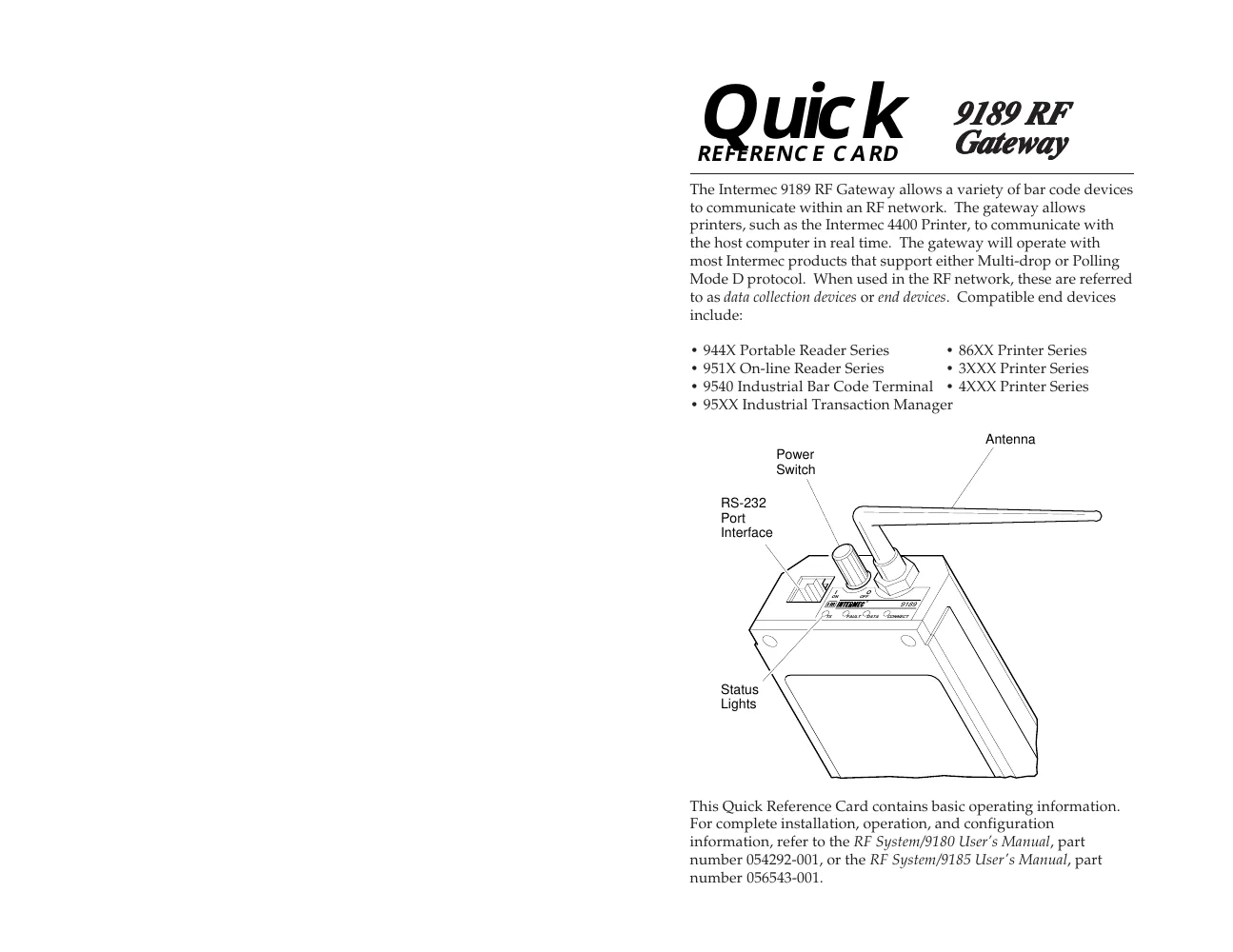
The text of page 1, from the PDF itself
RF Quick 9189 Gateway REFERENCE CARD
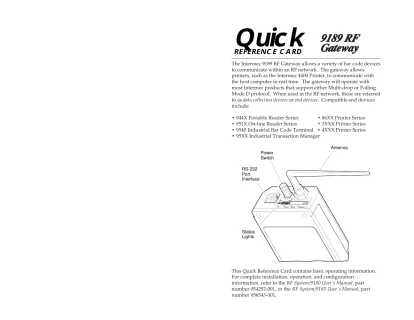
The Intermec 9189 RF Gateway allows a variety of bar code devices to communicate within an RF network. The gateway allows printers, such as the Intermec 4400 Printer, to communicate with the host computer in real time. The gateway will operate with most Intermec products that support either Multi-drop or Polling Mode D protocol. When used in the RF network, these are referred to as data collection devices or end devices. Compatible end devices include:
- 944X Portable Reader Series
- 86XX Printer Series
- 951X On-line Reader Series
- 3XXX Printer Series
- 9540 Industrial Bar Code Terminal • 4XXX Printer Series
- 95XX Industrial Transaction Manager Antenna Power Switch RS-232 Port Interface
IONOOFF®TXFAULTDATA9189 CONNECTStatus Lights
This Quick Reference Card contains basic operating information. For complete installation, operation, and configuration information, refer to the RF System/9180 User’s Manual, part number 054292-001, or the RF System/9185 User's Manual, part number 056543-001.
Page2of 3
Open in the PDF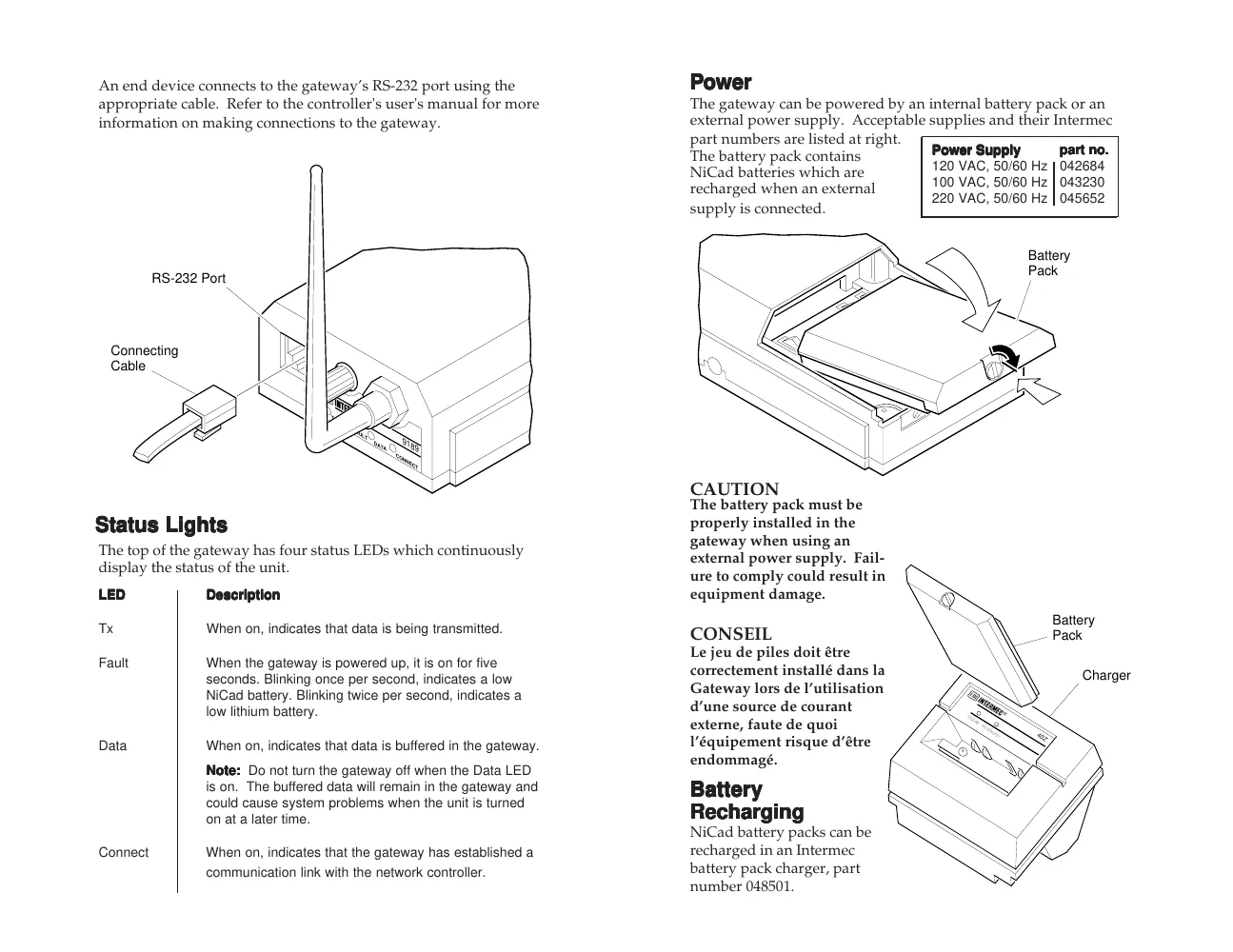
The text of page 2, from the PDF itself
An end device connects to the gateway’s RS-232 port using the appropriate cable. Refer to the controller's user's manual for more information on making connections to the gateway.
Power The gateway can be powered by an internal battery pack or an external power supply. Acceptable supplies and their Intermec part numbers are listed at right. part no. Power Supply The battery pack contains 042684 120 VAC, 50/60 Hz NiCad batteries which are 043230 100 VAC, 50/60 Hz recharged when an external 220 VAC, 50/60 Hz 045652 supply is connected. Battery Pack
RS-232 PortConnecting Cable®TX FAULT DATA9189CONNECTCAUTION
Status Lights The top of the gateway has four status LEDs which continuously display the status of the unit. LED
Description
Tx
When on, indicates that data is being transmitted.
Fault
When the gateway is powered up, it is on for five seconds. Blinking once per second, indicates a low NiCad battery. Blinking twice per second, indicates a low lithium battery.
Data
When on, indicates that data is buffered in the gateway. Note: Do not turn the gateway off when the Data LED is on. The buffered data will remain in the gateway and could cause system problems when the unit is turned on at a later time.
Connect
When on, indicates that the gateway has established a communication link with the network controller.
The battery pack must be properly installed in the gateway when using an external power supply. Failure to comply could result in equipment damage. Battery Pack
CONSEIL Le jeu de piles doit être correctement installé dans la Gateway lors de l’utilisation d’une source de courant externe, faute de quoi l’équipement risque d’être endommagé.
Battery Recharging NiCad battery packs can be recharged in an Intermec battery pack charger, part number 048501.
Charger ®ReadyDischarge40Z
Page3of 3
Open in the PDF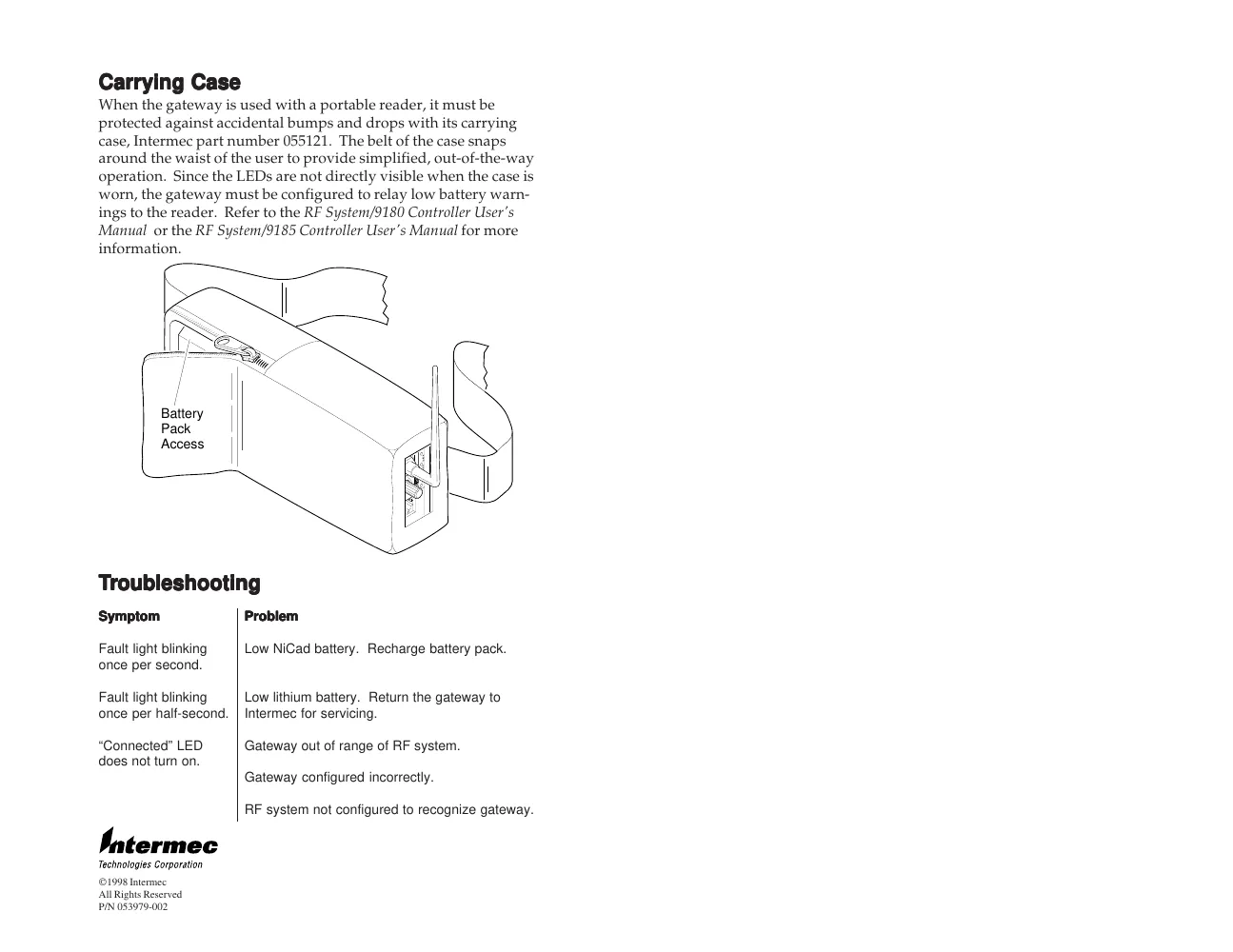
The text of page 3, from the PDF itself
Carrying Case When the gateway is used with a portable reader, it must be protected against accidental bumps and drops with its carrying case, Intermec part number 055121. The belt of the case snaps around the waist of the user to provide simplified, out-of-the-way operation. Since the LEDs are not directly visible when the case is worn, the gateway must be configured to relay low battery warnings to the reader. Refer to the RF System/9180 Controller User's Manual or the RF System/9185 Controller User's Manual for more information.
TXFAULTDATABattery Pack Access
Troubleshooting Symptom
Problem
Fault light blinking once per second.
Low NiCad battery. Recharge battery pack.
Fault light blinking once per half-second.
Low lithium battery. Return the gateway to Intermec for servicing.
“Connected” LED does not turn on.
Gateway out of range of RF system. Gateway configured incorrectly. RF system not configured to recognize gateway.
1998 Intermec All Rights Reserved P/N 053979-002