Manual · Intermec
PEN*KEY 6642 Pen Computer User's Guide
Manual77 pagesPDF 705 KB
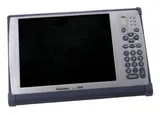
User's guide for the Norand PEN*KEY 6642 pen computer, a Windows 98 tablet with an 8.4 inch SVGA display, from Intermec.
Covers · 1 model
The models it covers
Summary
What is in it
User's guide for the PEN*KEY 6642 pen computer, a compact mobile computer running Windows 98. It describes the unit's controls, LEDs and ports, first-time use with the AC adapter and pen stylus, the external floppy drive/port expander, the included software and PEN*KEY utility tool (backlight, suspend, keypad assignment, pen calibration), handwriting recognition, internal and expansion battery packs, connecting peripherals (USB, SVGA, printer, RS-232C, IrDA, PC card, modem) and troubleshooting.
Its parts
- Overview
- Using the Pen Computer for the First Time
- Software
- Battery Use
- Connecting Peripheral Equipment
- Troubleshooting
From the manual
Key facts from this manual
Each line names its page in the PDF.
User's guide for the Norand PEN*KEY 6642 Pen Computer, P/N 961-054-019, from December 1999. It describes the unit's controls and connectors, charging and the expansion battery pack, connecting peripherals, IrDA, PC cards and the modem, and a troubleshooting section.
- Device
- Compact, lightweight pen computer with a 266MHz Celeron processor and Windows 98 p. 11
- Hard disk
- 4.3GB, formatted with FAT32 p. 11, 71
- Display and input
- TFT color SVGA display, resistive touch panel and passive pen p. 11, 12
- Keypad
- 21 key numeric keypad and navigation keys p. 12
- Weight
- 2.2 lbs (1.0 kg) p. 11
- Battery
- Internal Li-Ion, 1700mAh, 3 cell, not removable; optional expansion battery pack p. 12, 46, 48
- Operating time
- Internal pack about 1.5 to 2 hours; expansion pack about 2.5 to 4 hours p. 54
- Charging time
- Internal pack about 2.5 hours off, 4 hours on; both packs about 6 hours off, about 8 hours on p. 46, 54
- PC card slot
- One Type II slot; 5V and 3V 32-bit CardBus and 16-bit PC cards, with Zoom Video p. 12, 64
- Modem
- Internal 56K V.90 modem with RJ11 jack, for the United States and Canada p. 12, 66
- Infrared
- IrDA port, SIR at 115.2Kbps and FIR at 4Mbps p. 62
- Built-in connectors
- USB, SVGA video out on DB-15, audio I/O (2.5mm socket), DC power in, floppy drive/port expander p. 12, 58
- Port expander
- Floppy drive/port expander adds PS/2 keyboard/mouse, parallel and RS-232C serial ports p. 58, 59, 61
- Audio
- AC '97 compliant audio, microphone, and monaural headset p. 12
What this manual walks you through
- Reading the power, hard disk and battery LEDs p. 15
- Charging the internal battery p. 46, 47
- Attaching or removing the expansion battery pack p. 48, 49, 50
- Checking the remaining battery capacity p. 51, 52
- Connecting the floppy drive/port expander and peripherals p. 56, 58
- Switching the display to an external monitor p. 60
- Installing a printer driver p. 61
- Setting up infrared file transfer p. 62, 63
- Inserting and removing PC cards p. 64, 65
- Troubleshooting startup, display, disk, peripheral and communication problems p. 69, 70, 71, 72, 73, 74, 75
Good to know
- The internal battery is not removable and must be replaced by an Intermec service center. p. 46, 55
- The built-in modem is for regular analog telephone lines only; a digital ISDN terminal or digital PBX may damage it. p. 67
- Do not connect or disconnect devices on the keyboard/mouse port while the 6642 is powered on. p. 59
- Use only the supplied pen or a fingertip on the screen; pencils or sharp objects scratch it. p. 16
- Running on in a low battery condition forces a suspend-to-disk and then turns the power off. p. 53
Questions this manual answers
How long does the 6642 battery last?
About 1.5 to 2 hours on the internal pack and about 2.5 to 4 hours on the expansion pack, depending on power settings and software. p. 54
How do I reset the 6642 if the power button does not work?
Press the RESET switch on the bottom of the unit with the tip of the stylus. p. 19, 20
Why is the date and time wrong on the 6642?
The backup battery may be low: connect the AC adapter for at least eight hours, then set the date and time again. p. 75
Does the 6642 modem work outside North America?
No. The internal modem is qualified for the United States and Canada; elsewhere an international PCMCIA modem can be used. p. 66
How far apart can the IR ports be?
Less than 20 inches (50 cm), in a direct line of sight. p. 62
Contents
Chapters and sections
Each line opens the PDF at its page.
- Section 110
- Section 2-Using the Pen Computer22
- Connecting the AC Adapter23
- System Startup24
- Startup24
- Pen Stylus Input25
- Selecting an Item (pointing)25
- Moving Items/Resizing Windows25
- Inputting Text25
- Connect Devices27
- Using the External Floppy Drive/Port Expander28
- Removing External Floppy Drive/Port Expander29
- Handling Floppy Disks30
- Inserting and Removing Floppy Disks30
- Formatting a Floppy Disk31
- Section 3-Software32
42 more lines, from page 41 on
The whole text · 7 parts
Read the manual here as text
Its text as extracted from the PDF, unedited, in parts; each page opens the PDF at that page.
The file