Manual · Intermec
1470/1471 Imager Quick Start Guide
Manual16 pagesPDF 379 KB
Multilingual quick start guide for the Intermec 1470 and 1471 imagers: unpacking, connecting, scanning and default settings.
Covers · 1 model
The models it covers
Summary
What is in it
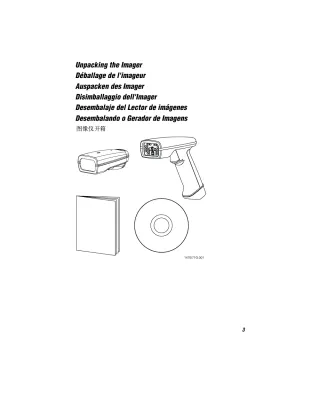
Intermec's short, mostly pictorial quick start guide for the 1470/1471 imager, with captions in six languages. Illustrated pages show unpacking the imager, the accessories, connecting it and scanning a label. A page of bar codes restores factory defaults and shows the software revision and data formats. The rest of the booklet holds regulatory statements for Canada, the United States and other countries, including safety approvals, the approved power supply and electrical ratings.
Its parts
- Unpacking the Imager
- Accessories
- Connecting the Imager
- Scanning a Label
- Factory Default Settings
- Regulatory Statements for Users in Canada and the United States
- Regulatory Statements For Users Outside of Canada and the United States
From the manual · read page by page
Key facts from this manual
Some pages are scans or cannot be read; this says only what the readable text supports. Each line names its page in the PDF.
The multilingual quick start guide for the Intermec 1470/1471 Imager. Mostly pictures, it shows unpacking, accessories, connecting the imager and scanning a label, then gives the factory defaults, electrical ratings, the approved power supply and pages of sample bar codes to test with.
- Device
- 1470/1471 bar code imager p. 1
- Electrical rating
- 5 to 14 V, 750 mA p. 8
- Default serial setup
- RS-232 at 38400, N, 8, 1 p. 7
- Power supply
- Intermec power supply, catalog number 065236, input 100 to 240V, 50/60 Hz p. 9
- Host power limit
- Output from a host system to the imager limited to 5 to 14 V, 750 mA p. 9
- Test symbols
- UPC-A, I 2 of 5, Code 128, EAN 13, Code 39, CodaBar, PDF417, Aztec, Maxicode, Data Matrix, QR Code, Code 49, MicroPDF417, Code 93 p. 14, 15, 16
- Mode bar codes
- Scan Stand On/Off and Presentation Mode On/Off p. 16
What this manual walks you through
- Unpacking the imager p. 3
- Connecting the imager p. 5
- Scanning a label p. 6
- Restoring factory defaults and showing the software revision and data formats p. 7
- Testing the imager on sample bar codes of many symbologies p. 14, 15, 16
Good to know
- To keep FCC compliance, the I/O cables between the imager and any peripheral must be as specified by Intermec. p. 8
- The manual states the product is UL and cUL Listed and TÜV GS licensed when powered by a host or an external Intermec supply. p. 9
Questions this manual answers
What power does the Intermec 1470 imager need?
The guide rates it at 5 to 14 V, 750 mA; a host system powering it must limit its output to that. p. 8, 9
What are the default RS-232 settings of the 1470/1471 imager?
The factory default is 38400, N, 8, 1. p. 7
Which power supply is approved for the Intermec 1470?
The Intermec supply with catalog number 065236, for 100 to 240V, 50/60 Hz input. p. 9
The whole text · 2 parts
Read the manual here as text
Its text as extracted from the PDF, unedited, in parts; each page opens the PDF at that page.
The file