Manual · Intermec
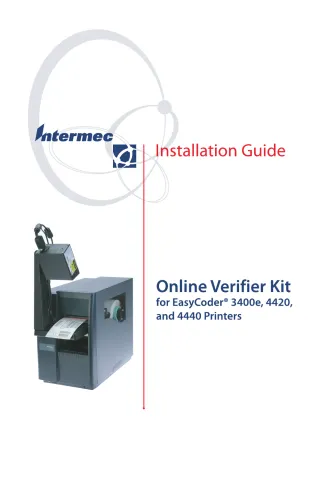
Online Verifier Kit Installation Guide for EasyCoder 3400e, 4420, and 4440 Printers
Manual58 pagesPDF 5.1 MB
Installation guide for the Intermec Online Verifier Kit (RJS SV100) on EasyCoder 3400e, 4420 and 4440 label printers.
Filed with · 1 model
Also filed with these models on the old site
Summary
What is in it
Installation guide for the Intermec Online Verifier Kit, which mounts an RJS SV100 Online Verifier (OLV) on an EasyCoder 3400e, 4420 or 4440 printer to grade bar codes as labels print. It lists the kit contents, then explains attaching the OLV to the printer and PC, modifying the media cover, installing PrintSet and ScanVision, upgrading printer firmware, choosing reprint or no reprint mode, positioning and calibrating the OLV for picket fence and ladder bar codes, label design limits, handling failed bar codes, and specifications.
Its parts
- Introducing the Online Verifier (OLV)
- Installing the New OLV Hardware
- Installing and Configuring the Software
- Adjusting and Calibrating the OLV
- Designing and Printing Bar Code Labels
- Reacting to Failed Bar Codes
- Specifications
From the manual
Key facts from this manual
Some pages are scans or cannot be read; this says only what the readable text supports. Each line names its page in the PDF.
An installation guide for the Online Verifier kit, the RJS SV100 bar code verifier that mounts on EasyCoder 3400e, 4420 and 4440 printers. It covers mounting and wiring the verifier, printer firmware and software setup, label design limits and what to do when a bar code fails. It does not name 073981.
- What it is
- RJS SV100 Online Verifier that grades bar code print quality as an EasyCoder 3400e, 4420 or 4440 prints p. 7
- Printer/power cable
- Combined printer/power cable P/N 072915 p. 9
- Verifier port kit
- P/N 074010 (adapter cable, connector plate, screws) p. 9
- Kit CD
- SV100 Online Verifier Kit CD P/N 073992 with printer firmware, configuration file and PrintSet 2.51 or later p. 9
- Cables to the PC
- 9-pin to 9-pin serial cable P/N 059167 for the verifier; 9-pin to 25-pin null modem cable P/N 048693 for printer firmware p. 11
- Firmware files
- 200OLVvnnn.exe for EasyCoder 4420 and 3400e 200 dpi; 400OLVvnnn.exe for EasyCoder 4440 and 3400e 400 dpi p. 25
- Communications port
- DB-9 male, RS 232C, programmable baud rate p. 55
- I/O and power port
- DB-15 male, 5 programmable outputs, 2 sync inputs, +5 VDC @ 1 amp required p. 55
- Laser scanner
- 400 scans/second, 3.0 mW, 650 nm to 670 nm p. 55
- Operating temperature
- 4°C to 41°C (40°F to 105°F) p. 55
- Size
- 112 mm (4.4 in) x 61 mm (2.4 in) x 132 mm (5.2 in) p. 55
- Indicators
- 5 LEDs: Power/Sync, Calibration, Read, LED 1, LED 2 p. 55
- Minimum label length
- 12.7 mm (0.5 in) in Reprint Mode; 25.4 mm (1 in) in No Reprint Mode p. 49
- Bar codes per label
- Up to 48 picket fence bar codes (4 across, 12 down); one ladder bar code p. 49, 50
What this manual walks you through
- Unpacking the RJS and Intermec boxes p. 7, 8, 9
- Planning the installation: cables, tools and the verifier port p. 10, 11
- Mounting the verifier on the printer and connecting it to the PC p. 12, 13, 14, 15, 16, 17, 18, 19
- Fitting the new bezel and plate to the media cover p. 20, 21, 22
- Identifying the back panel connectors, LEDs and Reset button p. 22
- Installing PrintSet and upgrading the printer firmware p. 23, 24, 25, 26
- Choosing and setting Reprint Mode or No Reprint Mode p. 26, 27, 28
- Designing bar code labels for the verifier p. 49, 50, 51, 52
- Clearing a voided label and finding the cause of a failure p. 53, 54
Good to know
- A trained Intermec service technician must install the verifier port; opening the electronics cover exposes the user to shock hazards. p. 10
- A cutter and the verifier cannot be used at the same time. p. 11
- The firmware download takes about 10 minutes and must not be interrupted, or the printer may need repair. p. 26
- In No Reprint Mode the last 17 mm (2/3 in) of the printed image is not scanned. p. 50
- Do not use metallic media; black bar codes on white labels give the best results. p. 49
Questions this manual answers
Which printers does the SV100 Online Verifier fit?
The EasyCoder 3400e, 4420 and 4440 printers. p. 7
What happens when the online verifier fails a bar code?
LED 1 or LED 2 lights, the printer pulls back the label, prints VOID along its trailing edge and waits for the operator. p. 53
Which firmware file does an EasyCoder 4440 need for the verifier?
400OLVvnnn.exe, the file for EasyCoder 4440 and 3400e 400 dpi printers. p. 25
What cable connects the online verifier to a PC?
A 9-pin to 9-pin serial cable, Intermec P/N 059167, to the verifier's 9-pin serial connector. p. 11, 19
What does LED 2 on the verifier mean?
The verifier partly read or could not read a bar code. p. 22
Contents
Chapters and sections
Each line opens the PDF at its page.
The whole text · 6 parts
Read the manual here as text
Its text as extracted from the PDF, unedited, in parts; each page opens the PDF at that page.
The file