Manual · Honeywell
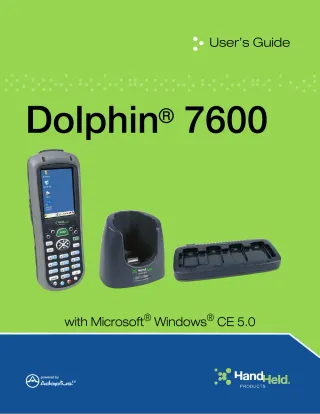
Dolphin 7600 User's Guide
Manual102 pagesPDF 2.5 MB
User's guide for the Dolphin 7600 Windows CE mobile computer: hardware, keyboards, image engine, communication, Bluetooth and chargers.
What this file really is
The old site listed this file as a manual for the Honeywell 7600 II. The file is named as a 7600 II manual, but the document is the Dolphin 7600 User’s Guide (Rev D, 2007) and does not mention the 7600 II.
Filed with · 1 model
Also filed with these models on the old site
Summary
What is in it
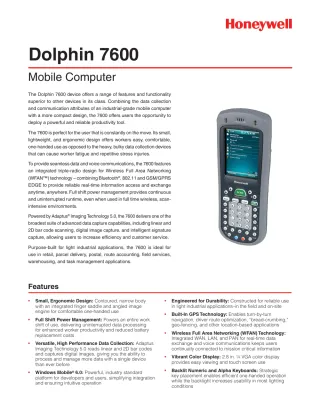
The user's guide for the Dolphin 7600 handheld mobile computer from Hand Held Products, a Windows CE 5.0 terminal with an area imager, Bluetooth and optional 802.11b/g. It covers agency approvals, getting started, the hardware and battery, resets, suspend mode and memory allocation, the 29-key numeric and 38-key alpha keyboards, decoding bar codes and capturing images, ActiveSync, wireless and infrared communication, the Bluetooth Manager, the HomeBase and QuadCharger, the mobile mount, and customer support.
Its parts
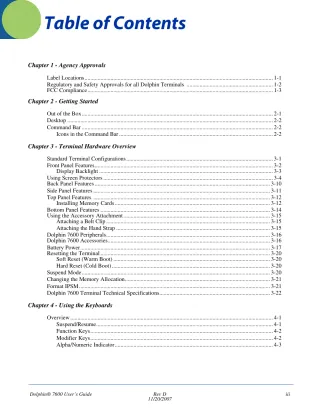
- Agency Approvals
- Getting Started
- Terminal Hardware Overview
- Using the Keyboards
- Using the Image Engine
- Communication
- Bluetooth Manager
- Dolphin HomeBase
- Dolphin QuadCharger
- Dolphin Mobile Mount
- Customer Support
From the manual
Key facts from this manual
Each line names its page in the PDF.
User's guide (Rev D, 2007) for the Dolphin 7600 mobile computer running Windows CE 5.0, with chapters on the Dolphin HomeBase and QuadCharger; it names the Dolphin 7600 only. It covers setup, batteries, keyboards, the image engine, wired and wireless communication, resets and the technical specifications.
- Device
- Dolphin 7600 handheld mobile computer running Microsoft Windows CE 5.0, in WPAN and WPAN/WLAN configurations p. 17
- Processor
- Samsung 2440 400 MHz p. 38
- Memory
- 64MB RAM (standard) or 128MB RAM (optional), each with 128 MB non-volatile memory; SD or MMC slot p. 38
- Display
- 2.8 in. 1/4 VGA, 240X320 TFT color, backlit touch screen p. 18, 38
- Image engine
- 5300SR VGA area imager with High-Vis bracket aimer; reads 1D and 2D bar codes and captures images p. 38, 53
- Keyboards
- Backlit 29-key numeric or 38-key alpha keyboard p. 38
- Battery
- Li-ion 3.7V/2200mAh/8.1Wh standard or 3.7V/3240mAh/12.0Wh optional; internal 2.4V NiMH backup battery p. 33, 35
- Communications
- RS-232/USB connector, IrDA port, Bluetooth Class 2 version 1.2; 802.11b/g optional p. 38
- Charging input
- 5.0V DC through the side jack or the USB/Serial connector p. 38
- Charging peripherals
- AC wall adapter and Charge/Communication Cable; HomeBase single-bay cradle (USB or RS-232); QuadCharger four-slot battery charger p. 32, 38
- HomeBase
- USB B connector up to 12 Mbps or DB9 serial up to 115 Kbps; supply output 5 Volts DC, 3.0 A p. 85
- QuadCharger
- Charges four Li-ion packs, 2200mAh and 3240mAh; supply output 12Volts DC, 2.5 A p. 87, 92
- Size and weight
- 7 in. long X 2.7 in. wide X 1.8 in. deep; about 11.7 oz. / 332 g p. 39
- Operating temperature
- 14° to 122°F (-10° to 50°C); charging 32° to 104°F (0° to 40°C) p. 38
What this manual walks you through
- Installing and charging the battery and booting the terminal p. 13, 14
- Using the desktop, command bar and stylus p. 14, 15
- Changing the main battery and managing battery power p. 33, 34
- Soft reset, hard reset and suspend mode p. 36
- Memory allocation and formatting IPSM p. 37
- Scanning bar codes with the image engine p. 53, 54, 55
- Installing additional software p. 59
- Charging and communicating with the Dolphin HomeBase p. 79, 85
- Charging spare batteries in the QuadCharger and fixing its faults p. 87, 91
Good to know
- A hard reset erases all data and applications stored in RAM. p. 36
- Without the main battery, the backup battery keeps RAM data and the clock for up to 30 minutes. p. 35
- The terminal ships with a screen protector installed; do not remove it before first use. p. 18
- With Advanced Linear Decoding enabled, the imager does not read matrix or postal codes. p. 55
- Store batteries between -4 and 122° F (-20 to 50°C), and not in a powered charger for long periods. p. 34
Questions this manual answers
What battery does the Dolphin 7600 take?
A 3.7V Li-ion pack: 2200mAh standard or 3240mAh optional. p. 33
How do I reset a Dolphin 7600?
For a soft reset hold Red + ESC about 5 seconds; for a hard reset, which erases RAM, hold Red + TAB about 5 seconds. p. 36
How far from a bar code should I hold the Dolphin 7600?
The guide recommends 4 to 10 inches (10 to 25 cm). p. 55
Why won't my Dolphin 7600 wake up from suspend?
The main battery may be too low; install a fully charged battery or connect a Dolphin charging peripheral. p. 36
Contents
Chapters and sections
Each line opens the PDF at its page.
The whole text · 11 parts
Read the manual here as text
Its text as extracted from the PDF, unedited, in parts; each page opens the PDF at that page.
The file