Manual · HHP
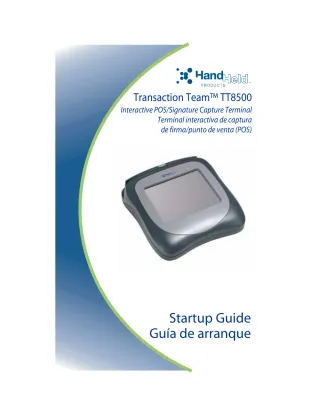
Transaction Team TT8500 Interactive POS/Signature Capture Terminal Startup Guide
Manual68 pagesPDF 1.3 MB
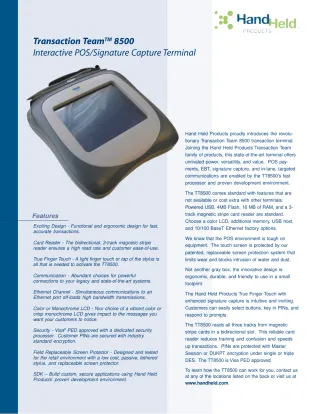
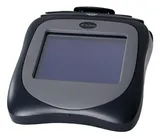
Startup guide in English and Spanish for the Hand Held Products Transaction Team TT8500 POS signature capture terminal.
Names · 1 model
The models it names
Filed with · 1 model
Also filed with these models on the old site
Summary
What is in it
Hand Held Products' startup guide, in English and Spanish, for the Transaction Team 8500 interactive point-of-sale and signature capture terminal. It lists the standard features and minimum system requirements, the package contents, and the RS-232, pass-through, USB client, USB host and Ethernet installation steps, then the setup and test menus, the software development kit, technical specifications, screen protector replacement, physical security, service and an appendix on encryption key loading.
Its parts
- Installation and Startup
- Instalación y arranque
- Appendix - Encryption Key Loading
- Apéndice - Carga de la clave de codificación
From the manual
Key facts from this manual
Each line names its page in the PDF.
Startup guide, in English and Spanish, for the Hand Held Products Transaction Team TT8500 point-of-sale signature capture terminal. It covers unpacking, cabling for RS-232, pass-through, USB and Ethernet, the on-screen Setup and Test menus, the developer kit, specifications, cleaning, and encryption key loading. The guide names only the TT8500; it does not mention the TT8501.
- Device
- Interactive point-of-sale terminal with a backlit pressure-sensitive LCD signature panel p. 1, 11
- Interfaces
- RS-232, RS-485, USB and Ethernet; the unit auto-configures to the attached cable p. 11
- Terminal connector
- 15-pin HDB15 on the underside; host end DB9, USB or RJ45 Ethernet p. 14
- Ethernet
- IEEE 802.3/802.3u 10 BaseT/100 Base Tx via RJ45 jack p. 28
- Card reader
- 3-track magnetic stripe reader for credit, debit and EBT p. 11
- Memory
- 4 MB to 16 MB Flash; 16 MB to 64 MB SDRAM (standard: 4MB Flash, 16MB SDRAM) p. 28
- Power
- 1.5A at 12VDC from a 12VDC adapter; host-powered options also listed p. 29
- Dimensions
- 7.3 in. W x 7.56 in. D x 2.41 in. H; 2 lb. (.9 kg) p. 28
- Display area
- 4.45 in. x 3.3 in. active LCD area; touch pad 4096 x 4096 coordinates p. 28
- Operating temperature
- 50 to 104 F (10 to 40 C); storage -4 to 140 F p. 28
- Encryption
- PIN encryption, Master Session key, DUKPT, single and triple DES p. 11
- Cables
- RS-232/RS-485 (12 or 30 ft), RS-232 pass-through Y (HDB15-DB9 host and DB9 Aux, 12 ft), PC USB, straight-through Ethernet p. 13
- Serial defaults
- 38400 baud, CTS holdoff enabled, on host and aux ports p. 20
- Software
- SDK with TTAdvantage88 (Visual Basic 6.0 add-in) and JPOS/OPOS controls p. 26
What this manual walks you through
- Checking the box contents and optional accessories p. 12, 13
- Connecting by RS-232 cable with the AC adapter p. 14
- Setting up RS-232 pass-through to a peripheral p. 15
- Connecting as a USB client or USB host p. 16, 17
- Connecting to Ethernet and setting TCP/IP addresses p. 18, 19
- Entering the Setup menu at power-up and changing settings p. 18, 19, 20, 21
- Routing data between ports p. 22, 23
- Resetting settings and user data to factory defaults p. 24
- Testing the display, pad, audio, keypad, signature and card reader p. 25
- Cleaning and replacing the screen protector p. 29, 30, 31
Good to know
- Opening the case erases all secure information; the unit then shows uninitialized device and must go back to the factory. p. 31
- If a setup password is set and forgotten, the setup can no longer be changed; there is no default password. p. 20
- Encryption key loading is meant for key loading facilities, not for customer use. p. 59
- The SDK does not include a compiler; Microsoft C/C++ or a development environment such as Visual Basic is required. p. 26
Questions this manual answers
How do I get into the TT8500 setup menu?
Power it up and touch the screen while the message Touch the Pad Now to Enter Setup is shown for a few seconds. p. 18
What power supply does the TT8500 need?
The base unit draws 1.5A at 12VDC, supplied by a 12VDC adapter that plugs into the cable's DB9 connector or USB pod. p. 29
What is the TT8500 default IP address and port?
The host IP address defaults to 192.168.1.200 on port 1010, with the terminal's own address, gateway and subnet from DHCP. p. 19
Why does my TT8500 say uninitialized device?
Opening the device erases its secure information, and it then has to be returned to the factory to be re-initialized. p. 31
Contents
Chapters and sections
Each line opens the PDF at its page.
- Transaction Team™ TT85001
- Installation and Startup11
- Standard Features of the Transaction Team 850011
- Introduction11
- Unpack and Check Contents12
- Hardware Installation Procedures14
- Using the Transaction Team 8500 Setup and Test Menus18
- Software Development Kit26
- Summary of SDK Components26
- Technical Specifications28
- Maintenance29
- Physical Security31
- Product Service and Repair32
- Technical Assistance33
- Instalación y arranque35
- Características estándar del equipo Transaction Team 850035
- Introducción36
- Desempaque y verificación del contenido36
- Procedimientos para la instalación de hardware38
- Uso de los menús de configuración y prueba del equipo Transaction Team 850042
- Paquete de desarrollo de software50
- Resumen de los componentes del paquete SDK50
- Especificaciones técnicas52
- Mantenimiento54
- Seguridad física56
- Para obtener el servicio de fábrica57
- Asistencia técnica58
- Appendix - Encryption Key Loading59
- Apéndice - Carga de la clave de codificación61
The whole text · 8 parts
Read the manual here as text
Its text as extracted from the PDF, unedited, in parts; each page opens the PDF at that page.
- Transaction Team™ TT85001-10
- Installation and Startup, pages 11 to 1811-18
- Installation and Startup, pages 19 to 2619-26
- Installation and Startup, pages 27 to 3427-34
- Instalación y arranque, pages 35 to 4235-42
- Instalación y arranque, pages 43 to 5043-50
- Instalación y arranque, pages 51 to 5851-58
- Pages 59 to 6859-68
The file