Manual · HHP
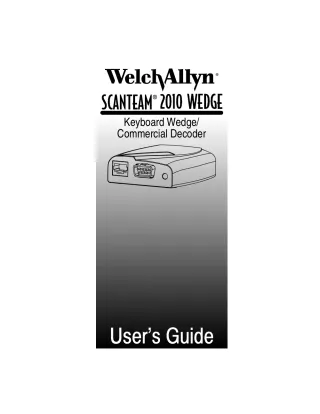
SCANTEAM 2010 Wedge Keyboard Wedge/Commercial Decoder User's Guide
Manual134 pagesPDF 1.4 MB
User's guide for the Welch Allyn SCANTEAM 2010 keyboard wedge and commercial decoder: installation, programming bar codes and symbologies.
Covers · 1 model
The models it covers
Summary
What is in it
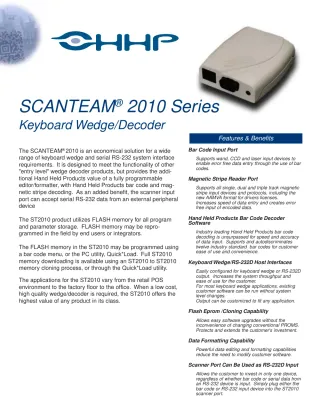
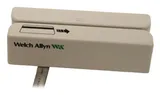
Welch Allyn's user's guide for the SCANTEAM 2010 keyboard wedge / commercial decoder, which adds bar code, magnetic stripe, keyboard wedge and RS-232 data entry to point-of-sale terminals, CRT terminals and PCs. It covers installation and scanning technique, a quick start menu for IBM PC, RS-232 and terminal interfaces, output, prefix and suffix, magnetic stripe and data formatter options, serial settings, symbology selections, the cloning utility, specifications and pinouts, maintenance and troubleshooting.
Its parts
- Introduction & Installation
- Quick Start Menu
- Output Interface Menu
- Serial Communications Menu
- Symbology Menu
- Firmware Utility Menu
- Supported Interface Keys
- Product Specifications and Pinouts
- Maintenance and Troubleshooting
- Customer Support
From the manual
Key facts from this manual
Some pages are scans or cannot be read; this says only what the readable text supports. Each line names its page in the PDF.
User's Guide (1998) for the Welch Allyn SCANTEAM 2010 Wedge keyboard wedge / commercial decoder, filed here under the HHP ST2010. It covers connecting the decoder and external power, plug and play and terminal programming, the menus for output, serial ports, symbologies and firmware, connector pinouts, maintenance and troubleshooting.
- Device
- Keyboard wedge / commercial decoder that adds bar code, magnetic stripe, keyboard wedge and RS-232 entry to terminals and PCs p. 9
- Compatible scanners
- SCANTEAM 5400, 5700, 6100 and 3400/E; only scanners of 50 scans per second or less p. 2
- Scanner types
- Welch Allyn non-decoded output wand, laser and CCD scanners p. 9
- Bar codes decoded
- 12: Codabar, Code 2 of 5, EAN, Code 39, Matrix 2 of 5, UPC, Code 93, Code 11, MSI, Code 128, Plessey, Interleaved 2 of 5 p. 9
- Magnetic stripe port
- RJ-45 8 pin modular, for one, two or three track readers p. 9, 115
- Port 1 (scanner/aux)
- 9 pin D male, for a +5 volt non-decoded scanner or an RS-232 auxiliary input device p. 115
- Port 2 (host)
- DB-15 pin female, for keyboard wedge terminals and PCs or direct RS-232D output p. 116
- Port 2 pins
- 1 ground, 2 +5V from terminal, 3 RxD input, 4 CTS input, 11 TxD output, 12 RTS output p. 116
- RS-232 input cable
- Switching port 1 from scanner to RS-232D input needs cable part number 42205531-xx p. 115
- External power
- 2010-2 only: separately ordered 115V, 60Hz power supply with +5VDC output, into the rear barrel connector p. 14
- RS-232 plug and play
- 9600 bits per second on port 2, 2400 on port 1, even parity, 7 data bits, 1 stop bit, CR suffix p. 22
- Firmware
- Flash EEPROM, upgraded with a download kit (DOS or Windows software) or by cloning from a master unit p. 99
- Beeps
- One beep after valid scanner or auxiliary input; three beeps for invalid auxiliary input p. 115
What this manual walks you through
- Connecting the decoder to a terminal or computer p. 12
- Connecting external power to a 2010-2 p. 14
- Scanning with a wand, laser or CCD scanner p. 15, 16
- Plug and play setup with a single bar code p. 17, 18, 19, 20, 21, 22
- Programming a terminal by its terminal I.D. number p. 23, 24, 25
- Upgrading firmware by download or cloning p. 99
- Connector pinouts for the magnetic stripe, scanner and host ports p. 115, 116
- Troubleshooting bar codes that are misread or not read p. 118, 119
Good to know
- Do not submerge the decoder or use solvents such as alcohol or acetone on the housing. p. 117
- Turn the unit off and on again after changing the input device. p. 115
- Cables connected to the decoder must be shielded to keep FCC compliance. p. 3
- Programming bar codes do not send data to the terminal. p. 19
Questions this manual answers
Which scanners work with the SCANTEAM 2010 decoder?
It supports the SCANTEAM 5400, 5700, 6100 and 3400/E, and only scanners whose scan rate is 50 scans per second or less. p. 2
How do I set up the ST2010 for my terminal?
Scan the Program Terminal Interface bar code, then the two digits of the terminal I.D. from the Supported Terminals chart; for an ADI 1496 the I.D. is 72. p. 25
Why does the host show the wrong characters when I scan?
The decoder may not be programmed for the right terminal interface; reprogram it with the correct Plug and Play or Terminal Selection bar code. p. 119
Why won't the decoder read MSI or Plessey bar codes?
Scanning Default All enables most symbologies, but MSI and Plessey have to be enabled individually. p. 119
What cable do I need to use the scanner port for RS-232 input?
Cable part number 42205531-xx; turn the unit off and on again after changing the input device. p. 115
The whole text · 14 parts
Read the manual here as text
Its text as extracted from the PDF, unedited, in parts; each page opens the PDF at that page.
The file