Manual · Epson
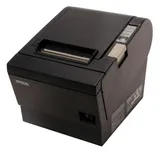
TM-T88II Series User's Manual
Manual52 pagesPDF 462 KB
User's manual for the Epson TM-T88II series thermal POS receipt printer: setup, paper loading, troubleshooting and specifications.
Covers · 1 model
The models it covers
Summary
What is in it
The user's manual for the Epson TM-T88II series, a thermal POS printer that prints on a paper roll. It covers unpacking, connecting cables, the cash drawer and power supply, grounding, loading and replacing the paper roll, the self test, the control panel, troubleshooting printing, paper handling and auto cutter problems, the hexadecimal dump, printing, paper and electrical specifications, environmental conditions, and DIP switch and paper near end settings.
Its parts
- Introduction
- Setting Up the Printer
- Using the Printer
- Troubleshooting
- Reference Information
- DIP Switch and Paper Near End Settings
From the manual · read page by page
Key facts from this manual
Each line names its page in the PDF.
The Epson user's manual (1998) for the TM-T88II Series thermal receipt printers (model name M129B). It covers setup, cables, drawer and power connections, loading paper, the self test, troubleshooting, the hex dump, specifications, and DIP switch and paper near end settings.
- Device
- Thermal line POS receipt printer with standard autocutter; ESC/POS command protocol p. 9, 37
- Interfaces
- Serial or parallel interface; RS-485 interface board as a dealer option; drawer kick-out connector for two drawers p. 9, 10, 16, 46
- Power
- +24 VDC ± 7%; optional EPSON PS-170 power supply p. 40
- Current draw
- High-speed mode mean approximately 1.7A, peak 7.7A; standby approximately 0.2A; drawer kick-out maximum 1A p. 40
- Print speed
- Up to 28.4 lines/second (4.23 mm feed); approximately 120 mm/second maximum p. 9, 37
- Print resolution
- 180 dpi × 180 dpi; 72 mm printing width, 512 dot positions p. 37
- Fonts
- Font A 12 × 24, 42 characters per line; Font B 9 × 17, 56 characters per line p. 37, 38
- Paper
- Single-ply thermal roll, 79.5 mm ± 0.5 mm wide, 83 mm maximum diameter; specified paper NTP080-80 p. 11, 39
- Accessories
- PS-170 power supply; DF-10 affixing tapes; WH-10 wall hanging bracket set p. 10
- Serial speeds
- 2400, 4800, 9600 or 19200 bps, set by DIP switches 1-7 and 1-8 p. 43, 44
- Receive buffer
- 45 bytes or 4K bytes, by DIP switch 1-2 p. 43
- Reliability
- Mechanism 15,000,000 lines; auto cutter 1,500,000 cuts; MTBF 360,000 hours p. 41
- Environment
- Operating 5° to 45° C (41° to 113° F), 10 to 90% RH p. 41
- Ground wire
- AWG 18 or equivalent, on an FG screw at the back p. 19
What this manual walks you through
- Connecting the interface cable and changing inch to millimeter lock screws p. 16, 17
- Connecting a cash drawer p. 17, 18
- Grounding the printer and connecting the power supply p. 19, 20
- Loading or replacing the paper roll p. 21, 22, 23
- Running the self test p. 24, 25
- Reading the control panel lights p. 27, 28
- Troubleshooting ERROR light and printing problems p. 29, 30
- Cleaning the print head and clearing paper or cutter jams p. 31, 32, 33, 34
- Using the hexadecimal dump to see incoming data p. 35
- Setting the DIP switches and the paper near end detector p. 43, 48, 49
Good to know
- Use the EPSON PS-170 or an equivalent power supply; a wrong supply may cause fire or shock. p. 20
- Never connect a telephone line to the drawer kick-out connector. p. 18
- Do not use paper rolls with the paper glued to the core; the printer cannot detect the paper end. p. 21
- DIP switch changes take effect only at power-on or reset; do not change switches with the power on. p. 45
- A non-shielded interface cable invalidates the printer's EMC standards. p. 5
Questions this manual answers
What power supply does the Epson TM-T88II use?
It runs on +24 VDC ± 7%; the manual names the optional EPSON PS-170 or an equivalent. p. 19, 40
How do I run a self test on the TM-T88II?
With the printer off and covers closed, hold FEED while turning it on; press FEED again when the PAPER OUT light blinks to continue. p. 24, 25
Why is the ERROR light blinking on my TM-T88II?
Check for a paper jam; if there is none, the print head may be overheated and printing resumes when it cools, usually within two or three minutes. p. 29, 30
What paper roll does the TM-T88II take?
Single-ply thermal paper 79.5 mm ± 0.5 mm wide, up to 83 mm in diameter; the specified paper is NTP080-80. p. 11, 39
How do I free a jammed autocutter on the TM-T88II?
Open the cutter cover and turn the cutter knob until the triangle shows in the opening, then close the cover. p. 34
Contents
Chapters and sections
Each line opens the PDF at its page.
The whole text · 5 parts
Read the manual here as text
Its text as extracted from the PDF, unedited, in parts; each page opens the PDF at that page.
The file