Manual · DVTel
DVTel EV Series User Manual: User Guide for Multi-Port Encoders and Single-Port Decoders
Manual71 pagesPDF 2.7 MB
User manual for DVTel EV Series H.264 video encoders and decoders (EV-216, EV-208, EV-116, EV-101-D, EV-401-D): install, setup, upkeep.
Covers · 1 model
The models it covers
Summary
What is in it
User manual for the DVTel EV Series of H.264 network video devices: the single-port decoders EV-101-D and EV-401-D and the multi-port encoders EV-116, EV-208, EV-208-A, EV-216 and EV-216-A. It gives safety rules, frame rates and resolutions, audio formats and LED meanings, installation and wiring (video, audio, network, power, serial devices), configuration (IP address, serial ports, video standard, SNMP, audio, I/O terminals), firmware updates, recovery, resets and technical specifications.
Its parts
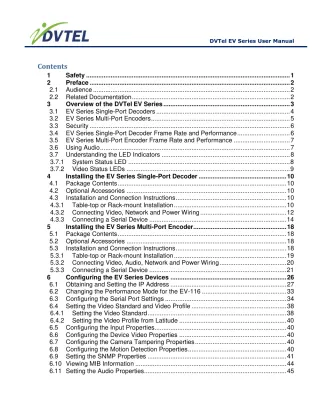
- Safety
- Preface
- Overview of the DVTel EV Series
- Installing the EV Series Single-Port Decoder
- Installing the EV Series Multi-Port Encoder
- Configuring the EV Series Devices
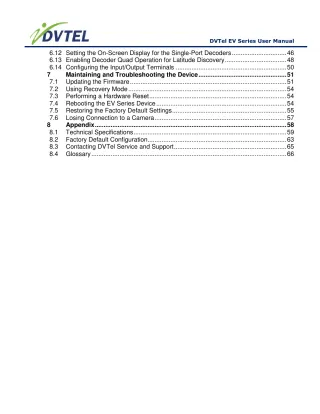
- Maintaining and Troubleshooting the Device
- Appendix
From the manual
Key facts from this manual
Each line names its page in the PDF.
The DVTel EV Series user manual (2012) for the EV-116, EV-208, EV-208-A, EV-216 and EV-216-A multi-port encoders and the EV-101-D and EV-401-D single-port decoders. It covers installing and wiring the devices, reading the status LEDs, frame rates, firmware updates, recovery mode, resets and the technical specifications.
- Device
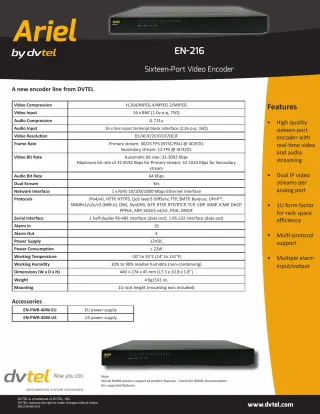
- EV-216: 16-port H.264 video encoder, up to 4CIF/30 fps on all ports p. 6, 10
- Video input
- Composite, 1V p-p into 75 ohm, NTSC/PAL, BNC female p. 62
- Network
- LAN 1 RJ-45 on the front; LAN 2 is for DVTel support debugging p. 23
- Power
- Certified 12VDC supply, 1.8A up to 3A, to a terminal block plug; EV-216: 25W max. (2.1A at 12VDC) p. 23, 65
- Serial ports
- RS-232, RS-422 and RS-485 on pluggable screw-terminal strips p. 24
- Alarms
- EV-216: 16 dry contact inputs; four relay outputs (48V AC/DC at 500 mA max.) p. 63
- Stream performance
- EV-216: 4CIF/30 fps + 2CIF/30 fps + CIF/15 fps on all channels simultaneously p. 62
- Operating environment
- Multi-port encoders: 32F to 131F (0C to 55C), up to 95% humidity non-condensing p. 4
- Mounting
- Table-top or 1U rack space; rack-mount brackets with four Philips M3 x 6mm screws included p. 21, 22
- Power accessories
- DVT-PWR-40W (12VDC, 40W, one encoder); DVT-PWR-275RM1 (275W, up to 8); DVT-PWR-275RM2 (dual, up to 16); DVT-WH-4UA 8A fused harness p. 21
- Audio
- EV-216-A only: eight ports of bidirectional audio input and output p. 8
- Firmware
- Embedded Linux; managed and upgraded through Latitude VNMS, Device Configurator or a web browser p. 65
- Serial defaults
- 4800 bps, 8 data bits, no parity, 1 stop bit; RS-422/485 mode RS-422 four-wire p. 66
- Security
- Each device has its own SSL certificate for its IP link p. 9
What this manual walks you through
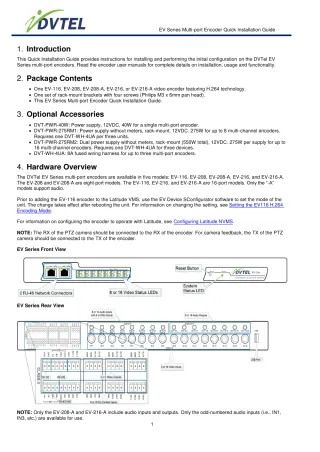
- Installing a multi-port encoder on a table-top or in a rack p. 22
- Connecting video, audio, network and power wiring p. 23, 24
- Connecting an RS-232, RS-422 or RS-485 serial device p. 24
- Reading the system status and video status LEDs p. 11, 12
- Frame rates and resolutions of each encoder p. 10
- Updating the firmware, one device or a batch p. 54, 55, 56
- Getting a device out of recovery mode p. 57
- Rebooting the device and restoring factory defaults p. 58, 59, 60
- What to check when the connection to a camera is lost p. 60
Good to know
- The devices are for indoor use only, in a clean, dry place. p. 4
- Do not run the device's cabling outdoors without proper protection. p. 4
- Do not install the devices in an enclosed cabinet or small area without ventilation. p. 4
- Firmware downgrade is not supported. p. 54
- A device in recovery mode leaves it only through a firmware update with a valid firmware file. p. 57
Questions this manual answers
How much power does the DVTel EV-216 encoder use?
The EV-216 draws 25W max. (2.1A at 12VDC). Any certified 12VDC supply rated 1.8A up to 3A can feed its terminal block. p. 23, 65
What does a flashing red-orange status LED mean on a DVTel EV encoder?
An internal error is stopping the encoder from starting normally. Shut it down, wait 30 seconds and start it again; if it persists, call DVTel support. p. 11
How do I factory reset a DVTel EV-216?
Use Load Default Settings in Device Configurator, the Web Interface, or hold the Reset button until the status LED flashes red very rapidly, then five more seconds. p. 59, 60
What does a steady red video status LED mean on the EV-216?
The connection to a camera is lost. Check the cable to the camera, that the camera is sending video, and the device itself. p. 60
The whole text · 8 parts
Read the manual here as text
Its text as extracted from the PDF, unedited, in parts; each page opens the PDF at that page.
The file