Manual · Denso
QR Code Scanner QS20P User's Manual
Manual37 pagesPDF 452 KB
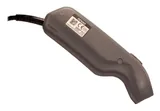
User's manual for the Denso QS20P QR code scanner with its power supply box: setup, scanning, parameters, QR-coded menu and RS-232C link.
Covers · 1 model
The models it covers
Summary
What is in it
The user's manual for the Denso QS20P, a QR code scanner that connects to a host computer through a battery-powered power supply box and an RS-232C cable. It covers safety precautions and care, the package contents, names and functions of the parts, loading the battery cartridge and connecting to a PC, scanning codes, the features, parameters and defaults, the QR-coded parameter menu for changing settings, communications, and specifications for the scanner, the power supply box and the interface.
Its parts
- Components in Package
- Names and Functions
- Preparation
- Scanning Codes
- Features
- Parameters and Defaults
- QR-coded Parameter Menu
- Communications
From the manual · read page by page
Key facts from this manual
Some pages are scans or cannot be read; this says only what the readable text supports. Each line names its page in the PDF.
Denso's user's manual for the QS20P QR Code Scanner, which connects by a scanner cable to a power supply box that holds its battery and links to the PC. It covers setup, scanning, the trigger modes, split QR codes, the QR-coded parameter menu, RS-232C communications and specifications. Every page is a scan read by OCR, and the parameter menu pages of printed codes are garbled in the text.
- Device
- QR code scanner that reads codes in any orientation and sends the data to a PC or other equipment over RS-232C p. 16, 17, 30
- Codes read
- QR Code Model 1, Model 2 and MicroQR, white-on-black codes, and split QR codes (Structured Append) of up to 16 blocks p. 18, 19
- Power
- 3.6 VDC lithium-ion battery cartridge in the power supply box, charged in the optional C-700 charger p. 13, 34
- Interface
- RS-232C on a Dsub 9-pin female: pin 2 SD out, 3 RD in, 5 SG, 7 CS (CTS) in; start-stop, up to 115200 bps p. 34, 35
- Port settings
- 4800 to 115200 bps; 7 or 8 bits; even, odd or no parity; 1 or 2 stop bits; header none or STX; terminator ETX, CR, LF or CR LF; optional BCC p. 32
- Resolution
- 0.1 mm; white cells 45% min. and black cells 25% max. reflection, PCS 0.45 min. p. 34
- Size and weight
- 20 x 162 x 43 mm or 20 x 169 x 43 mm (two bore versions); approx. 70 g without cable, 105 g with 0.8-m scanner cable p. 34
- Operating environment
- 0 to 40 C, 10 to 85% RH without condensation, free of dust and corrosive gases, 3000 lux or less p. 34
- Power supply box
- Holds the battery cartridge, has the power switch, scanner connector and RS-232C connector; 54 x 90 x 31 mm, approx. 50 g p. 12, 34
- In the package
- QS20P, power supply box, RS-232C interface cable, battery cartridge, user's manual p. 11
- Trigger modes
- Auto-off, momentary switching, alternate switching or continuous reading p. 17, 18
- Setup
- Settings are changed by scanning the QR-coded parameter menu and are kept after power off p. 14, 22
- Split code limit
- Edit mode joins split codes of up to 8 kilobytes; larger data causes a reading error p. 19
- Power-off timer
- 1, 3, 5, 10 or 30 minutes, or disabled p. 21
What this manual walks you through
- Charging and loading the battery cartridge p. 13
- Scanning QR codes and handling read failures p. 15, 16
- Choosing a trigger switch mode p. 17, 18
- Reading split and inverted QR codes p. 18, 19
- Changing settings with the QR-coded parameter menu p. 22
- Communications flow and transmission format p. 30, 31, 32, 33
- RS-232C pin assignment and PC wiring example p. 35
- Cleaning the scanner and scanning window p. 9
Good to know
- Charge the battery cartridge only in the C-700 charger. p. 5
- The battery cartridge generally needs replacing after about 300 charge cycles. p. 13
- Do not confuse the RS-232C and scanner connectors on the power supply box; wrong connection can damage the scanner or box. p. 14
- Turn the power supply box off when storing or carrying the scanner, so a trigger press cannot turn it on. p. 17
- Keep only one QR code in the scanning range, and avoid direct sunlight. p. 16
Questions this manual answers
What codes can the Denso QS20P read?
QR Code Model 1, Model 2 and MicroQR, including white-on-black codes and split QR codes. p. 18, 19
How do I restore the QS20P to factory defaults?
Scan the "Defaults" code in the menu control of the QR-coded parameter menu. p. 22
What battery and charger does the QS20P use?
A 3.6 VDC lithium-ion battery cartridge that fits in the power supply box and is charged in the optional C-700 charger. p. 13, 34
How does the QS20P connect to a computer?
The scanner cable and an RS-232C interface cable both plug into the power supply box, and the RS-232C cable goes to the host computer. p. 14
The whole text · 4 parts
Read the manual here as text
Its text as extracted from the PDF, unedited, in parts; each page opens the PDF at that page.
The file