Manual · Datamax
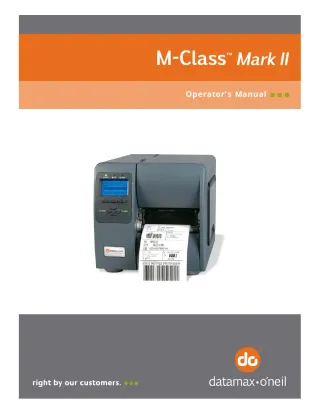
M-Class Mark II Operator's Manual
Manual100 pagesPDF 2.1 MB
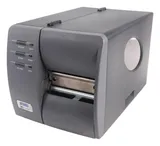
Operator's manual for the Datamax-O'Neil M-Class Mark II industrial thermal label printers (M-4206, M-4210, M-4306).
Covers · 1 model
The models it covers
Summary
What is in it
Datamax-O'Neil's operator's manual for the M-Class Mark II family of industrial thermal printers, which includes the M-4206, M-4210 and M-4306. It covers unpacking, power and interface connections (parallel, USB, serial, optional network), memory modules, loading media and ribbon, printer operation, the front panel menu system, maintenance and adjustments, and troubleshooting. Appendices give specifications, the GPIO port, paper menu setup for non-display models and changing the language.
Its parts
- Getting Started
- Printer Setup
- Printer Operation
- Menu System
- Maintenance and Adjustments
- Troubleshooting
From the manual
Key facts from this manual
Each line names its page in the PDF.
The Datamax-O'Neil M-Class Mark II Operator's Manual (part number 88-2340-01, revision K, 2012), covering the M-4206, M-4210 and M-4306 printers. It walks through setup and connections, the front panels of display and non-display models, maintenance and adjustments, troubleshooting with fault and warning messages, and the specifications.
- Device
- Industrial thermal label printer; direct thermal, thermal transfer optional p. 7, 75
- Print speed, M-4206
- M-4206: 2 - 6 IPS (50 - 152 mm/s) p. 75
- Resolution, M-4206
- M-4206: 203 dpi (8 dots/mm) p. 75
- Memory, M-4206
- M-4206: 8MB DRAM, 4MB flash p. 75
- Interfaces
- USB, RS-232 (DB-9), IEEE 1284 compliant Centronics parallel; optional wired and wireless Ethernet print servers p. 10, 76
- AC input
- 90-132 or 180-264 VAC @ 47-63 Hz, auto-ranging p. 75
- Size and weight
- Width 9.8” (24.9 cm), depth 18.06” (45.9 cm), height 10.3” (26.2 cm); 27.0 lbs. (12.2 kg) p. 75
- Environment
- Operating 40° F to 95° F (4° C to 35° C); humidity 10% - 95% non-condensing p. 75
- Media
- Roll-fed, die-cut, continuous, fan-fold; max. width 4.65" (118 mm); thickness .0025 - .01"; roll 8" O.D. on a 3.0" core or 7" O.D. on a 1.5” core p. 76
- Ribbon
- Width 1.0 - 4.5" (25 - 114 mm); approx. 1476’ (450 m) long; core 1.010” ± .006” inner diameter p. 76
- Serial settings
- 600 to 38,400 BPS; Xon/Xoff, CTS, DTR handshaking; even, odd or no parity; 1 or 2 stop bits; 7 or 8 data bits p. 76
- Serial cables
- Part # 32-2300-01 and Part # 32-2301-01 p. 10
- Cleaning card
- Datamax-O’Neil Cleaning Card, part number 70-2013-01, for automated printhead cleaning on display-equipped printers p. 55
- Memory devices
- If equipped, SDIO and USB host ports take memory devices up to 16 GB; the USB host port also takes a USB keyboard p. 10, 11
What this manual walks you through
- Connecting power and the parallel, USB or serial interface p. 9, 10
- Using SDIO cards and USB memory devices for fonts, formats and firmware p. 10, 11
- Front panel lights and buttons on non-display printers p. 19, 20
- Button sequences for test labels, calibration, hex dump and resets p. 20
- Display icons and indicators on display-equipped printers p. 21
- Cleaning schedule for printhead, rollers, media path and sensor p. 53
- Cleaning the printhead by hand or with a cleaning card p. 54, 55
- Adjusting for less than full width media p. 55
- Solving print, feed, power and communication problems p. 65, 66, 67, 68
- Fault and warning messages and their solutions p. 69, 70, 71, 72, 73
Good to know
- Turn the power switch off before connecting the AC power cord or interface cables. p. 9
- To change to a different interface connection, the printer's power must be cycled off and on. p. 10
- Isopropyl alcohol, the recommended cleaning solvent, is flammable. p. 53
- Reflective (black) marks must be carbon based and on the back of the stock. p. 77
- If the printer shuts down for printhead temperature, leave it off until cool to prevent permanent damage. p. 71
Questions this manual answers
How fast does the Datamax M4206 print?
The M-4206 prints at 2 - 6 IPS (50 - 152 mm/s) at 203 dpi. p. 75
Why does my M-Class printer print strange characters instead of the label?
It may be in Hex Dump Mode, or on a serial link the printer and host data bits may not match (8 versus 7). p. 65
The M-Class display is blank but the Ready light is on. What do I do?
The display contrast may be too low; press and hold the MENU Key for 10 seconds or until the display reappears. p. 65
How do I clear a fault on the M-Class Mark II?
Correct the fault, then press the FEED Key to clear the condition. p. 69
Labels feed but nothing prints on my M4206. Why?
Check the used ribbon for an image: if there is one, the ribbon may be loaded wrong or have the wrong coating; if not, print a test label and check port settings and heat. p. 67
The whole text · 10 parts
Read the manual here as text
Its text as extracted from the PDF, unedited, in parts; each page opens the PDF at that page.
The file