Manual · Datalogic
F734-E Series Terminals User's Manual
Manual50 pagesPDF 2.9 MB
User's manual for the Datalogic Formula F734-E and F734-E/RF portable laser terminals: connections, operation, maintenance and specs.
Covers · 1 model
The models it covers
Summary
What is in it
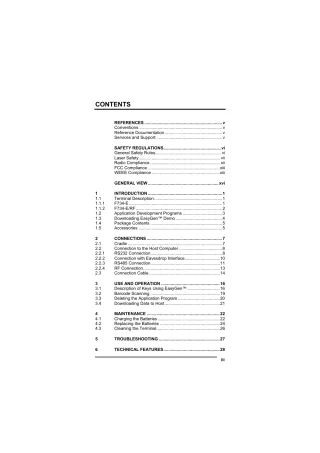
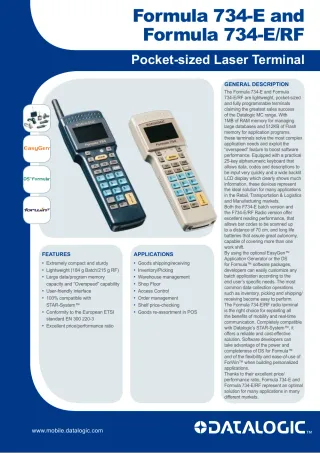
The user's manual for the Datalogic Formula 734-E series, a pocket-sized programmable data collection terminal with a laser scanner, in a cradle-connected F734-E batch version and a radio frequency F734-E/RF version. It covers safety and laser regulations, the terminal and its display, application development tools such as EasyGen and DS for Formula, the cradle and RS232, eavesdrop, RS485 and RF host connections, key use, barcode scanning, downloading data, charging and replacing batteries, troubleshooting and technical features.
Its parts
- References
- Safety Regulations
- General View
- Introduction
- Connections
- Use and Operation
- Maintenance
- Troubleshooting
- Technical Features
From the manual
Key facts from this manual
Each line names its page in the PDF.
User's manual (Rev. D, 2008) for the Datalogic F734-E Series portable terminals: the batch Formula 734-E and the radio Formula 734-E/RF. It explains the cradles, host connections and cable pinouts, the keys under an EasyGen application, battery charging and replacement, troubleshooting and the technical features.
- What it is
- Pocket-sized, fully programmable data collection terminal with laser scanner; the F734-E/RF adds a radio link p. 17, 18
- Memory
- F734-E: 512 or 1024 KB RAM; F734-E/RF: 512 KB RAM; both 512 KB Flash p. 32
- Display
- Backlit LCD graphic display, 16 characters by 4 lines plus an icon line p. 19
- Keypad
- 25 silicone rubber keys and a reset button p. 44
- Scanner
- Laser scanner, VLD source, 630-680nm, 35±5 scans/sec p. 44
- Reading distance
- F734-E: barcodes up to 70 cm p. 17
- Host interfaces
- Through the cradle: RS232, RS485 or Eavesdrop; 300 to 19200 bits/sec p. 23, 45
- Radio
- F734-E/RF: 433.92 MHz, 10 mW max, to a STARGATE RF base station p. 29, 45
- Battery
- Rechargeable NiCd or NiMh pack; FBK73X-E NiMh battery kit, FBS73X-E 5 pcs pack p. 22, 38
- Cradles
- F951 Transceiver/Charger RS232/RS485; F951/C Charger; F951/V Vehicle Transceiver/Charger; F950/4 and F950/4/C 4-slot p. 21
- Cables
- 94A054000 RS232 to PC/AT (9-pin D-sub to RJ45); 94A054030 Eavesdrop and modem kit; 94A054020 RS485 p. 30, 31
- Cradle power
- 9 V power jack on the F951 cradle p. 23
- Software
- EasyGen application generator or DS for Formula C development package; ForWin for RF applications p. 19, 22
- RS485 network
- With the Formula 902 T-Box, up to 1200 meters and up to 32 cradles p. 27
What this manual walks you through
- Connecting the F951 cradle to a host over RS232 p. 24
- Connecting through the Eavesdrop interface or a modem p. 26
- Building an RS485 network of cradles p. 27, 28
- Linking the F734-E/RF to a STARGATE base station p. 29
- Cable pinouts for RS232, Eavesdrop, modem and RS485 p. 30, 31
- Using the keys with an EasyGen application p. 32, 33, 34
- Deleting the application program p. 36
- Downloading data to the host p. 37
- Charging and replacing the batteries p. 38, 39, 40, 41
- Troubleshooting power, loading and fault messages p. 43
Good to know
- Rechargeable battery packs are not charged when shipped; charge them in the cradle first. p. 21
- About 60 hours of charging is advised to reach full NiMh capacity. p. 38
- Over RS232, only the first station of the F950/4 multi-cradle talks to the host; a RS232/RS485 converter is needed for all four. p. 25
- Cradles other than those specified may damage the terminal. p. 23
- If the terminal will sit unused for about two weeks, download its data and take out the battery pack. p. 39
Questions this manual answers
What does FAULT CODE P21CO4 mean on a Formula 734?
The loaded application is not suitable for the terminal; the manual says to load the correct application program. p. 43
What battery does the Formula 734-E take?
A rechargeable NiCd or NiMh battery pack; the NiMh battery kit is FBK73X-E. p. 22, 38
How long should a Formula 734 charge?
At least eight hours without interruption in its cradle, and about 60 hours to reach full NiMh capacity. p. 38
Which cable connects the Formula 734 cradle to a PC serial port?
Cable 94A054000, with a 9-pin D-sub female on the PC side and RJ45 on the cradle side. p. 30
How do I erase a DS for Formula program from an F734-E?
Press the SCAN key and the protected reset button together, then press the down arrow key to go on with the deletion. p. 36
Contents
Chapters and sections
Each line opens the PDF at its page.
The whole text · 8 parts
Read the manual here as text
Its text as extracted from the PDF, unedited, in parts; each page opens the PDF at that page.
The file