Manual · Datalogic
DS4300 Installation Manual
Manual53 pagesPDF 796 KB
Installation manual for the Datalogic DS4300 compact fixed-mount laser scanner: mounting, wiring, interfaces and reading features.
Covers · 1 model
The models it covers
Summary
What is in it
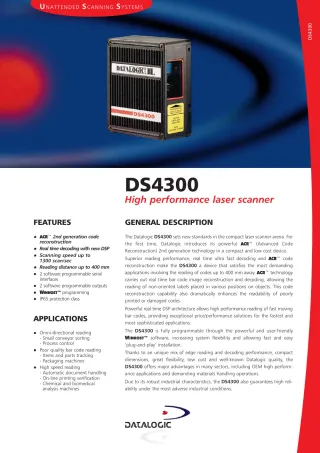
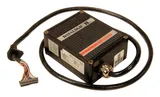
Installation manual for the Datalogic DS4300, a compact laser scanner with built-in decoder and ACR (Advanced Code Reconstruction) technology. It gives laser safety and power supply rules, the general features and models, then installation: package contents, mounting, the junction box and 25-pin wiring, RS232, RS485 and 20 mA interfaces, the auxiliary port, inputs and outputs, positioning and typical layouts. It ends with reading features and diagrams, maintenance and technical features.
Its parts
- Guide to Installation
- Safety Precautions
- General Features
- Installation
- Reading Features
- Maintenance
- Technical Features
From the manual
Key facts from this manual
Some pages are scans or cannot be read; this says only what the readable text supports. Each line names its page in the PDF.
Installation manual (821000262 Rev. B, 1999) for the Datalogic DS4300, a compact omnidirectional laser scanner with a built-in decoder, made in 25-pin connector and junction box versions. It shows how to mount and position the scanner, wire power, serial interfaces, inputs and outputs, build multi-scanner layouts, and gives the technical specifications.
- Device
- Compact laser scanner with built-in decoder using ACR (Advanced Code Reconstruction) for omnidirectional reading p. 12
- Main interface
- RS232, RS485 full-duplex, RS485 half-duplex; 20 mA current loop only with the INT-24 accessory p. 52
- Auxiliary interface
- RS232; baud rates 1200 to 115200 p. 52
- Power
- 10 to 30 Vdc; current peak of about 1 A at 10 V at power on p. 24
- Power source
- Class 2 unit rated 10-30 V, minimum 0.55 A; DS4300-1000 by plug-in unit or 25-pin connector, DS4300-1001 through the junction box p. 11
- Versions
- DS4300-1000 with 25-pin connector cable; DS4300-1001 with junction box p. 11, 15
- Accessories
- GFC-41 90° deflection mirror; PG110/DVE-1212A power block 110 Vac; PG220/DVE-1212A power block 220 Vac; INT-24 20 mA active current loop interface p. 15
- Reading
- 800 scans/sec; 60° aperture angle; 50 mm (1.9 in) to 400 mm (15.7 in); maximum resolution 0.20 mm (8 mils) p. 52
- Symbologies
- EAN/UPC, Code 93, 2/5 Interleaved, Code 128, Code 39, EAN 128, Codabar, Pharmacode p. 53
- Inputs
- External Trigger, IN1, IN2; optocoupled, NPN or PNP; 30 Vdc and 25 mA maximum p. 32, 33
- Outputs
- OUT1 and OUT2, user-defined as No Read, Right or Wrong; open collector, 40 Vdc max; level or pulse p. 34
- Housing
- Aluminum, IP65; 101 x 83.5 x 42 mm (3.97 x 3.29 x 1.65 in.); about 800 g (28.2 oz.) p. 13, 53
- Environment
- Operating 0 to 40 °C (32 to 104 °F); storage -20 to 70 °C (-4 to 158 °F); humidity 90% max, non condensing p. 53
- Configuration
- WinHost utility on the supplied disk, or Host Mode commands over a serial port; modes On Line, Automatic, Serial On Line, Test p. 12, 53
What this manual walks you through
- Following the installation checklist p. 6
- Mounting the scanner with its four M4 x 5 screw holes p. 17
- Mounting and wiring the junction box p. 19, 20, 21, 22
- Reading the 25-pin D-sub connector pinout p. 23
- Supplying power through the connector pins or the jack p. 24
- Wiring the RS232, RS485 and 20 mA current loop main interface p. 25, 26, 27, 28, 29, 30
- Wiring the trigger and general purpose inputs for NPN or PNP commands p. 31, 32, 33
- Positioning the scanner for pitch, skew and tilt p. 35
- Building point-to-point, pass through, master/slave and multiplexer layouts p. 36, 37, 38, 39, 40
Good to know
- The DS4300 cannot be the master in the RS485 master/slave layout. p. 39
- Above 35 °C the manual advises using the beam shutter. p. 53
- The scanner does not need to be opened for installation, use or maintenance. p. 10
- The plug for the power jack is not supplied with the scanner. p. 24
- In the RS485 master/slave layout, the RS485 bus termination resistors must not be installed. p. 40
Questions this manual answers
What power supply does the DS4300 need?
10 to 30 Vdc from a Class 2 power unit rated at least 0.55 A; the motor draws a peak of about 1 A at 10 V at power on. p. 11, 24
What is the DS4300 reading distance?
50 mm (1.9 in) to 400 mm (15.7 in), at 800 scans per second. p. 52
What accessories are available for the DS4300?
The GFC-41 90° mirror, PG110/DVE-1212A and PG220/DVE-1212A power blocks, and the INT-24 20 mA current loop interface. p. 15
Which serial interfaces does the DS4300 have?
A main port for RS232, RS485 full-duplex or RS485 half-duplex (20 mA current loop with the INT-24), and an auxiliary RS232 port. p. 52
Can a DS4300 be the master in an RS485 master/slave system?
No. The manual says the DS4300 cannot be the master in that layout. p. 39
The whole text · 6 parts
Read the manual here as text
Its text as extracted from the PDF, unedited, in parts; each page opens the PDF at that page.
The file