Manual · Datalogic
DLC6000 Series CCD Readers Quick Reference
Manual16 pagesPDF 253 KB
Multilingual quick reference for the Datalogic DLC6000 series contact CCD readers (DLC6065, DLC6090): connection, setup codes and specs.
Covers · 2 models
The models it covers
Summary
What is in it
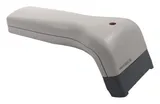
A short multilingual quick reference for the Datalogic DLC6000 series CCD readers, hand-held readers that scan bar codes on contact. It shows how to hold the reader, gives technical features for the DLC6065 and DLC6090, the RS232, wedge and pen emulation connections, a restore default code with the default settings for each interface, interface selection and wedge keyboard nationality codes, standby options for trigger models and test codes to check operation.
From the manual
Key facts from this manual
Each line names its page in the PDF.
The Datalogic quick reference (820000512 Rev. B) for the DLC6000 Series CCD contact readers, with columns for the DLC6065 and DLC6090, in English, Italian, French and German. It shows how to connect the reader by RS232, keyboard wedge or pen emulation cable, restore defaults, pick the interface and keyboard nationality, and test reading. It also lists the technical features and the factory settings.
- Device
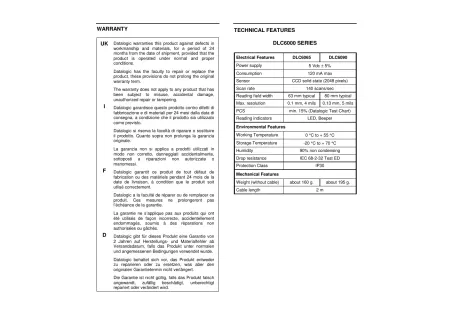
- CCD contact bar code reader; some models have a trigger p. 2
- Interfaces
- RS232, keyboard wedge (IBM AT or PS/2, IBM XT, PC Notebook, IBM terminals) and pen emulation p. 4, 5, 8
- Power
- 5 Vdc plus or minus 5%; 120 mA max p. 3
- Sensor
- CCD solid state, 2048 pixels; 140 scans/sec p. 3
- RS232 power
- With the RS232 cable, a UL Listed Class 2 plug-in power unit rated 5 V, minimum 150 mA p. 4
- Temperature
- Working 0 to +55 C; storage -20 to +70 C; humidity 90% non condensing p. 3
- Protection
- IP30 p. 3
- Cable length
- 2m p. 3
- Indicators
- LED and beeper p. 3
- RS232 defaults
- 9600 baud, no parity, 8 data bits, 1 stop bit, no handshaking; terminator CR-LF p. 6
- Default codes
- EAN 8, EAN 13, UPC A, UPC E, Interleaved 2/5, Standard Code 39 and Code 128 enabled p. 7
- Configuration manual
- Hand-Held Devices Software Configuration Manual, part number 90ACC1854 p. 6
What this manual walks you through
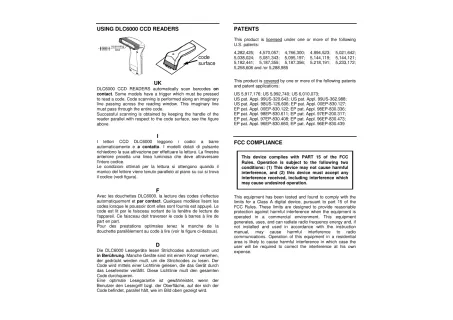
- Holding the reader to scan a code p. 2
- Connecting RS232, wedge and pen emulation cables p. 4, 5
- Setting standby for low power or reading speed p. 4
- Reading the test codes p. 5
- Restoring the default settings p. 6
- Selecting the wedge keyboard nationality p. 7
- Selecting the interface, including IBM terminal key transmission p. 8
Good to know
- Standby setting applies only to readers with a button or trigger. p. 4
- This is a Class A device; use in a residential area is likely to cause harmful interference. p. 2
- With the wedge or PC Notebook cables, the computer supplies power directly to the reader. p. 4
Questions this manual answers
How do I reset a Datalogic DLC6065 to factory defaults?
Scan the RESTORE DEFAULT code in the quick reference. p. 6
What are the default RS232 settings of the DLC6000 readers?
9600 baud, no parity, 8 data bits, 1 stop bit and no handshaking, with a CR-LF terminator. p. 6
What power supply does a DLC6090 need on RS232?
A UL Listed Class 2 plug-in power unit rated 5 V, at least 150 mA. p. 4
Where can I find all the configuration codes for the DLC6000?
In the Hand-Held Devices Software Configuration Manual, part number 90ACC1854. p. 6
The whole text · 2 parts
Read the manual here as text
Its text as extracted from the PDF, unedited, in parts; each page opens the PDF at that page.
The file