Spec sheet · Datalogic
Datalogic D130 Spec Sheet
Spec sheet2 pagesPDF 321 KB
Both pages are below, each with its text.
Covers · 1 model
The models it covers
From the sheet · read page by page
Key facts from this sheet
Each line names its page in the PDF.
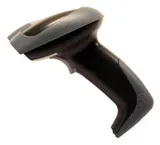
A two-page Datalogic data sheet for the Heron D1x0 on-counter presentation linear imager readers. It covers the D130 multi-interface model and the D110, D140 and D150 variants. It describes the features and gives electrical, environmental, reading and physical specifications.
- Device
- On-counter presentation linear imager bar code reader, usable handheld or hands-free in its auto-sensing stand p. 1
- Interfaces
- D130: RS-232, USB, keyboard wedge and wand emulation p. 1, 2
- Power
- 5 VDC +/- 5%; 155mA typical operating, under 500 µA standby p. 2
- Imager
- CCD solid-state 2048 pixels; red LED illumination 640 nm p. 2
- Depth of field
- 10 mils: 0.5 to 18.0 cm / 0.2 to 7.0 in; 13 mils: 1.0 to 22.5 cm / 0.4 to 8.8 in; 20 mils: 1.0 to 27.0 cm / 0.4 to 10.5 in p. 2
- Read rate
- 256 reads/sec. p. 2
- Reading angle
- Pitch 75°; roll (tilt) 30°; skew (yaw) 70° p. 2
- Symbologies
- All standard 1D codes, including GS1 DataBar linear codes p. 2
- Indicators
- Beeper, Green Spot good-read feedback on the code, good read LED p. 2
- Stand
- 90ACC1874 hands free stand (STD-HERON); 90ACC1875 metal plate for the stand p. 2
- Dimensions and weight
- 15.2 x 15.3 x 6.8 cm / 6.0 x 6.0 x 2.7 in; 160.0 g / 5.6 oz p. 2
- Temperature
- Operating 0 to 55 °C / 32 to 131 °F; storage -20 to 70 °C / -4 to 158 °F p. 2
- Drops and sealing
- Repeated drops from 1.8 m / 5.9 ft onto concrete; IP30 p. 2
- Software
- Datalogic Aladdin configuration program; OPOS and JavaPOS utilities p. 2
What this sheet walks you through
- Features of the Heron readers and the differences between the D110, D130, D140 and D150 p. 1
- Electrical, environmental, reading and physical specifications p. 2
Good to know
- Reading ranges depend on printing resolution, contrast and ambient light; minimum distance depends on symbol length and scan angle. p. 2
Questions this sheet answers
What interfaces does the Datalogic D130 have?
RS-232, USB, keyboard wedge and wand emulation. p. 1
What is the difference between the Heron D110, D130, D140 and D150?
The D130 is multi-interface; the D110 connects to IBM cash registers and POS terminals; the D140 is for undecoded reader applications; the D150 has an integrated EAS antenna. p. 1
Can the D130 be used handheld?
Yes. Taken out of its stand it switches to handheld mode; placed back in the stand it beeps and switches to hands-free Stand Mode. p. 1
What voltage does the Heron D130 need?
5 VDC +/- 5%. p. 2
How is the D130 configured?
With the Datalogic Aladdin configuration program. p. 2
The file
Size and text
Every page · 2
Read it here
Each page as it is printed, and its words beside it, so a phone can search and copy them.
Page1of 2
Open in the PDF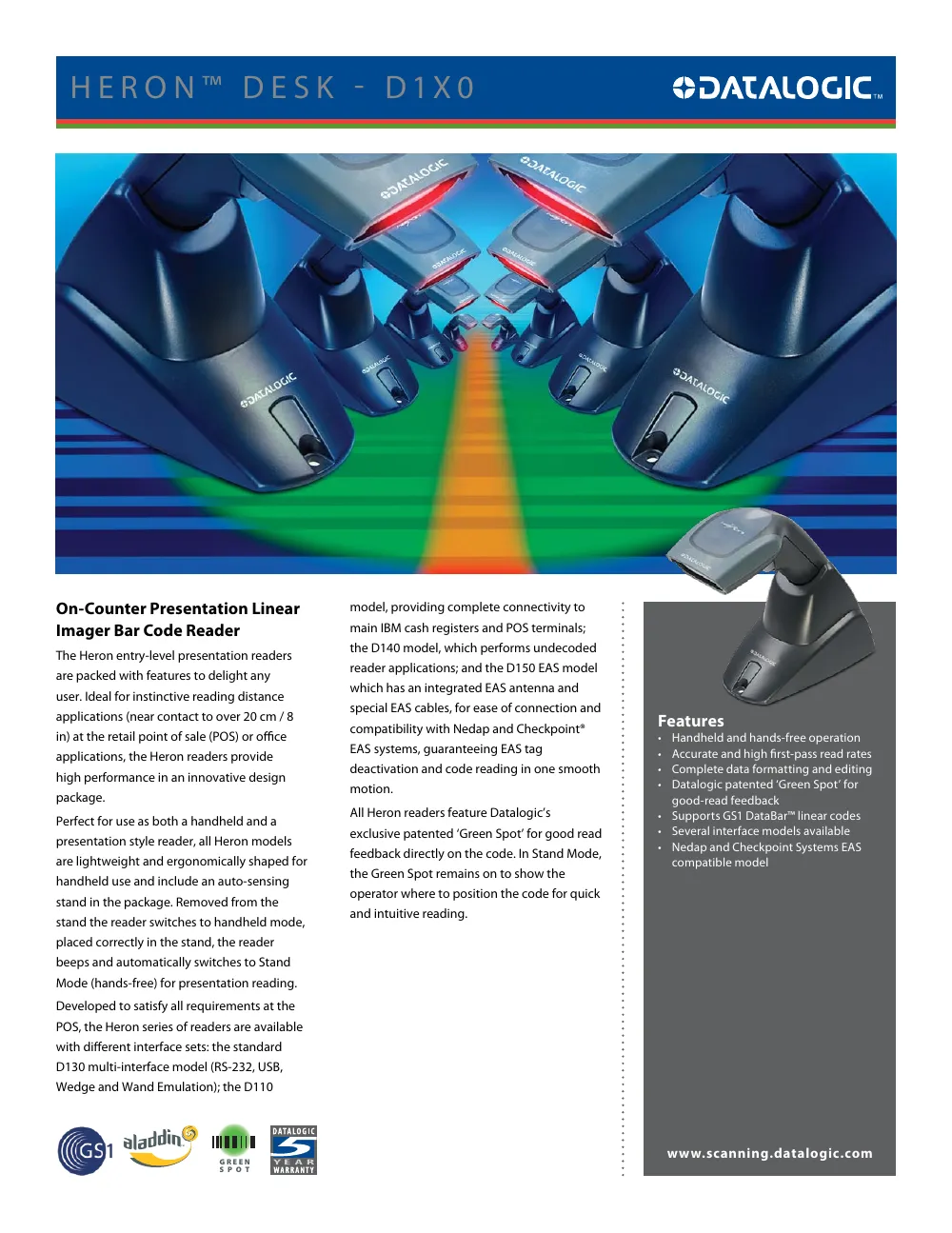
The text of page 1, from the PDF itself
H eron ™ D es k - D 1 x 0
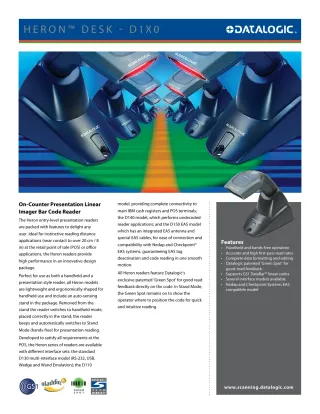
On-Counter Presentation Linear Imager Bar Code Reader The Heron entry-level presentation readers are packed with features to delight any user. Ideal for instinctive reading distance applications (near contact to over 20 cm / 8 in) at the retail point of sale (POS) or office applications, the Heron readers provide high performance in an innovative design package. Perfect for use as both a handheld and a presentation style reader, all Heron models are lightweight and ergonomically shaped for handheld use and include an auto-sensing stand in the package. Removed from the stand the reader switches to handheld mode,
model, providing complete connectivity to main IBM cash registers and POS terminals; the D140 model, which performs undecoded reader applications; and the D150 EAS model which has an integrated EAS antenna and special EAS cables, for ease of connection and compatibility with Nedap and Checkpoint® EAS systems, guaranteeing EAS tag deactivation and code reading in one smooth motion. All Heron readers feature Datalogic’s exclusive patented ‘Green Spot’ for good read feedback directly on the code. In Stand Mode, the Green Spot remains on to show the
Features
Handheld and hands-free operation Accurate and high first-pass read rates Complete data formatting and editing Datalogic patented ‘Green Spot’ for good-read feedback
- Supports GS1 DataBar™ linear codes
- Several interface models available
- Nedap and Checkpoint Systems EAS compatible model
operator where to position the code for quick and intuitive reading.
placed correctly in the stand, the reader beeps and automatically switches to Stand Mode (hands-free) for presentation reading. Developed to satisfy all requirements at the POS, the Heron series of readers are available with different interface sets: the standard D130 multi-interface model (RS-232, USB, Wedge and Wand Emulation); the D110
GREEN S P O T
www.scanning.datalogic.com
Page2of 2
Open in the PDF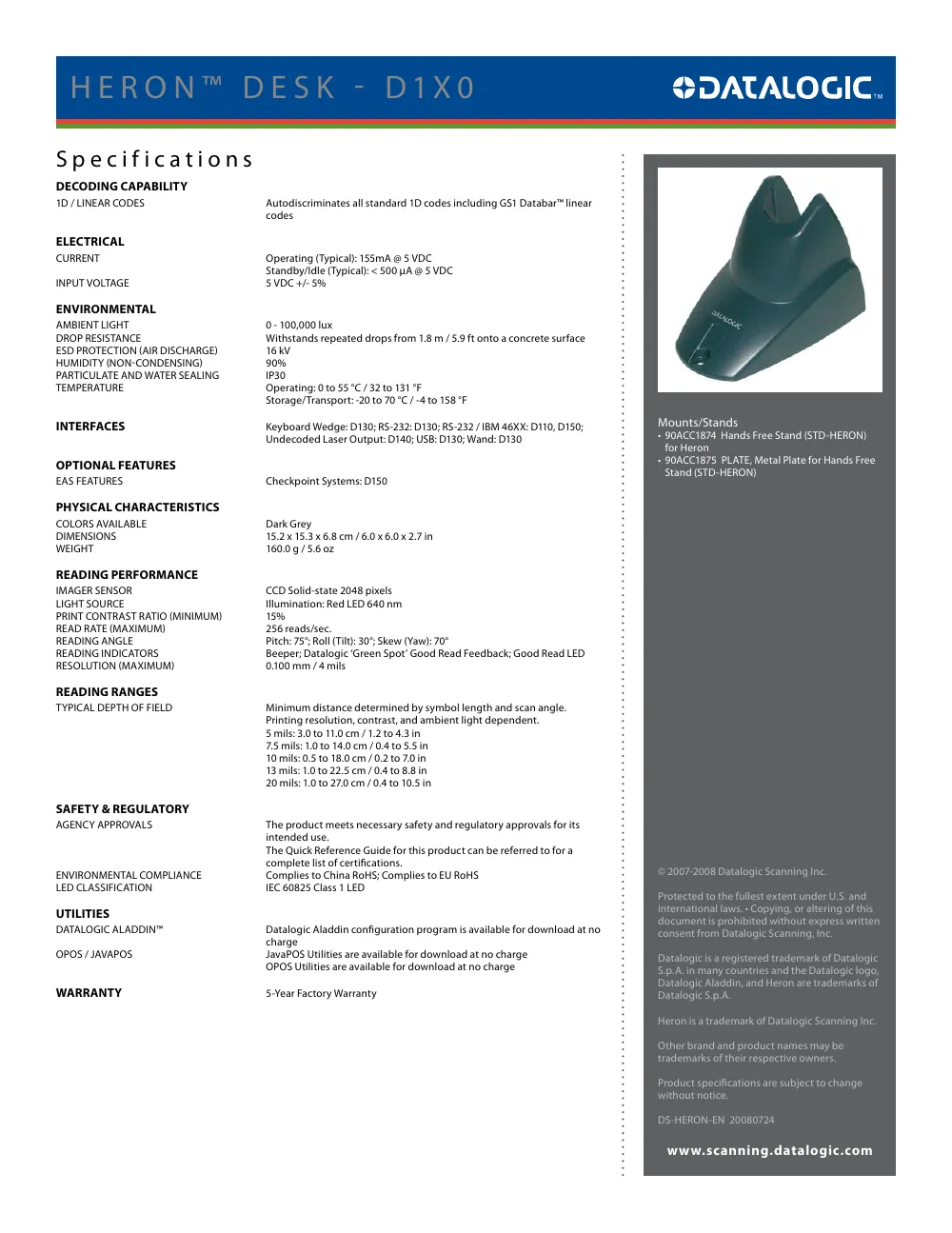
The text of page 2, from the PDF itself
H eron ™ D es k - D 1 x 0 Specifications Decoding Capability 1D / Linear Codes
Autodiscriminates all standard 1D codes including GS1 Databar™ linear codes
Electrical Current Input Voltage
Operating (Typical): 155mA @ 5 VDC Standby/Idle (Typical): < 500 µA @ 5 VDC 5 VDC +/- 5%
Environmental Ambient Light Drop Resistance ESD Protection (Air Discharge) Humidity (Non-Condensing) Particulate and Water Sealing Temperature
0 - 100,000 lux Withstands repeated drops from 1.8 m / 5.9 ft onto a concrete surface 16 kV 90% IP30 Operating: 0 to 55 °C / 32 to 131 °F Storage/Transport: -20 to 70 °C / -4 to 158 °F
Interfaces
Keyboard Wedge: D130; RS-232: D130; RS-232 / IBM 46XX: D110, D150; Undecoded Laser Output: D140; USB: D130; Wand: D130
Optional Features EAS Features
Checkpoint Systems: D150
Mounts/Stands
- 90ACC1874 Hands Free Stand (STD-HERON) for Heron
- 90ACC1875 PLATE, Metal Plate for Hands Free Stand (STD-HERON)
Physical Characteristics Colors Available Dimensions Weight
Dark Grey 15.2 x 15.3 x 6.8 cm / 6.0 x 6.0 x 2.7 in 160.0 g / 5.6 oz
Reading Performance Imager Sensor Light Source Print Contrast Ratio (Minimum) Read Rate (Maximum) Reading Angle Reading Indicators Resolution (Maximum)
CCD Solid-state 2048 pixels Illumination: Red LED 640 nm 15% 256 reads/sec. Pitch: 75°; Roll (Tilt): 30°; Skew (Yaw): 70° Beeper; Datalogic ‘Green Spot’ Good Read Feedback; Good Read LED 0.100 mm / 4 mils
Reading Ranges Typical Depth of Field
Minimum distance determined by symbol length and scan angle. Printing resolution, contrast, and ambient light dependent. 5 mils: 3.0 to 11.0 cm / 1.2 to 4.3 in 7.5 mils: 1.0 to 14.0 cm / 0.4 to 5.5 in 10 mils: 0.5 to 18.0 cm / 0.2 to 7.0 in 13 mils: 1.0 to 22.5 cm / 0.4 to 8.8 in 20 mils: 1.0 to 27.0 cm / 0.4 to 10.5 in
Safety & Regulatory Agency Approvals
Environmental Compliance LED Classification
The product meets necessary safety and regulatory approvals for its intended use. The Quick Reference Guide for this product can be referred to for a complete list of certifications. Complies to China RoHS; Complies to EU RoHS IEC 60825 Class 1 LED
Utilities Datalogic Aladdin™ OPOS / JavaPOS
Warranty
Datalogic Aladdin configuration program is available for download at no charge JavaPOS Utilities are available for download at no charge OPOS Utilities are available for download at no charge 5-Year Factory Warranty
© 2007-2008 Datalogic Scanning Inc. Protected to the fullest extent under U.S. and international laws. • Copying, or altering of this document is prohibited without express written consent from Datalogic Scanning, Inc. Datalogic is a registered trademark of Datalogic S.p.A. in many countries and the Datalogic logo, Datalogic Aladdin, and Heron are trademarks of Datalogic S.p.A. Heron is a trademark of Datalogic Scanning Inc. Other brand and product names may be trademarks of their respective owners. Product specifications are subject to change without notice. DS-HERON-EN 20080724
www.scanning.datalogic.com