Spec sheet · Compsee
Compsee Turbo-Wedge Spec Sheet
Spec sheet2 pagesPDF 326 KB
Both pages are below, each with its text.
Covers · 1 model
The models it covers
From the sheet · read page by page
Key facts from this sheet
Each line names its page in the PDF.
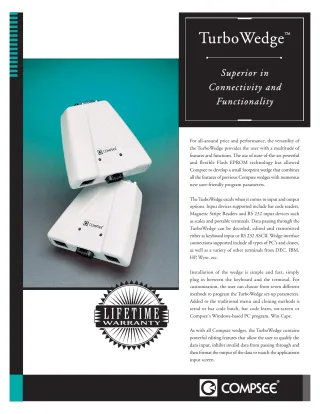
Spec sheet for the Compsee TurboWedge, in TurboWedge 1 and TurboWedge 2 versions, dated 9/97. It describes the input devices and output options, the terminals it connects to, the ways to program it, its data edit features, the bar code symbologies, the connectors and the power.
- Device
- Small footprint wedge built on Flash EPROM; plugs in between the keyboard and the terminal p. 1
- Input devices
- Bar code readers, magnetic stripe readers, and RS 232 devices such as scales and portable terminals p. 1
- Output
- Decoded, edited data sent as keyboard input or RS 232 ASCII p. 1
- Terminals
- All types of PCs and clones, and other terminals from DEC, IBM, HP, Wyse and others p. 1
- Power
- +5V to +14V supplied from the terminal, or an optional 9V power supply, which may be required in some cases p. 2
- Connectors
- Port 1: 9-pin D male, squeeze to release; Port 2 and Port 3: 10-pin modular; Power: 2-pin barrel; Interface: 15-pin D p. 2
- Symbologies
- Auto-discriminates Code 3 of 9, Code 3 of 9 Extended, UPC A, UPC E, Interleaved 2 of 5, Industrial 2 of 5, Codabar, Code 128, Code 93, Plessey, EAN/JAN 8, EAN/JAN 13, Code 11 p. 2
- Magnetic stripe
- Single track 1, 2 or 3; dual track 1 & 2, 1 & 3, 2 & 3; triple track 1, 2 & 3 on TurboWedge 2 only p. 2
- Programming
- Seven methods: menu, cloning, serial batch, bar code batch, bar code learn, on-screen, and the Windows-based Win Cape program p. 1
- Data editing
- Qualify input by port, length, symbology and data match; add, reformat or delete data; define two output formats p. 2
- Keyboard mapping
- TurboWedge 2 only: single key positions, swap two keys, function records, multiple key positions p. 2
- Weight
- 3.5 oz. (99.2 g) p. 2
- Environment
- Humidity 0% to 95% non-condensing; electrostatic discharge 15 KV to any external surface p. 2
What this sheet walks you through
- Which input devices each port accepts: wands, slot scanners, lasers, CCD scanners, magnetic stripe readers, RS 232 devices p. 2
- Choosing a way to program the set-up parameters p. 1
- Worked examples of edit programming that qualify input and reformat the output p. 2
- General, bar code, serial, edit and keyboard mapping parameters that can be set p. 2
Good to know
- An optional 9V power supply may be required in some cases instead of power from the terminal. p. 2
- For terminals not listed, the sheet says to call for interface information. p. 2
- Specifications and features may change without prior notice. p. 2
Questions this sheet answers
How is the Compsee TurboWedge installed?
It plugs in between the keyboard and the terminal. p. 1
Does the TurboWedge need its own power supply?
Usually not: it takes +5V to +14V from the terminal, but an optional 9V power supply may be required in some cases. p. 2
Can the TurboWedge read three-track magnetic stripe cards?
Triple track 1, 2 & 3 is supported on the TurboWedge 2 only; single and dual track reading is also listed. p. 2
What bar codes does the TurboWedge decode?
It auto-discriminates Code 3 of 9 and Extended, UPC A and E, Interleaved and Industrial 2 of 5, Codabar, Code 128, Code 93, Plessey, EAN/JAN 8 and 13, and Code 11. p. 2
How do I program the TurboWedge?
There are seven methods: menu, cloning, serial or bar code batch, bar code learn, on-screen, and the Windows-based Win Cape program. p. 1
The file
Size and text
Every page · 2
Read it here
Each page as it is printed, and its words beside it, so a phone can search and copy them.
Page1of 2
Open in the PDF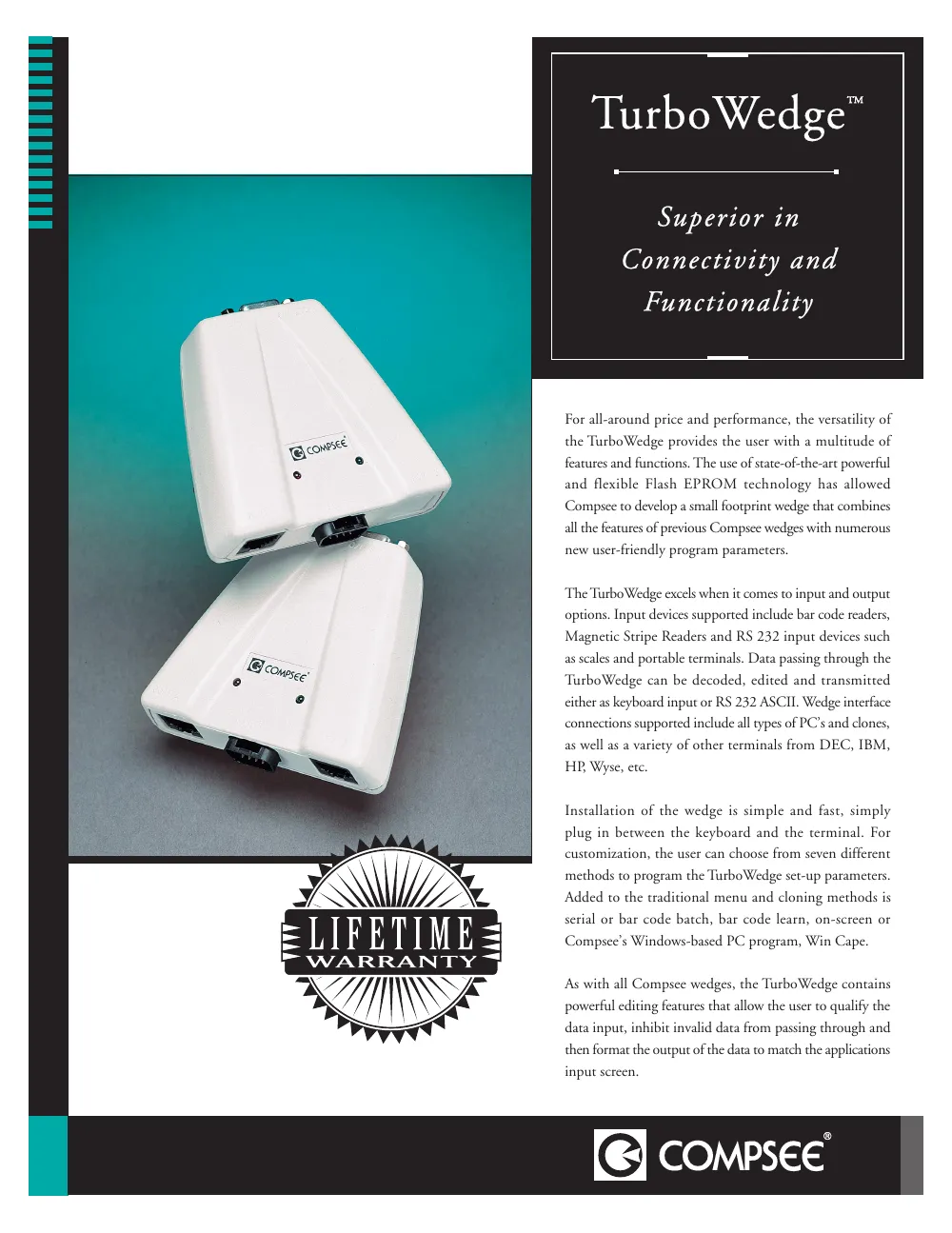
The text of page 1, from the PDF itself
TurboWedge
Superior in Connectivity and Functionality
For all-around price and performance, the versatility of the TurboWedge provides the user with a multitude of features and functions. The use of state-of-the-art powerful and flexible Flash EPROM technology has allowed Compsee to develop a small footprint wedge that combines all the features of previous Compsee wedges with numerous new user-friendly program parameters. The TurboWedge excels when it comes to input and output options. Input devices supported include bar code readers, Magnetic Stripe Readers and RS 232 input devices such as scales and portable terminals. Data passing through the TurboWedge can be decoded, edited and transmitted either as keyboard input or RS 232 ASCII. Wedge interface connections supported include all types of PC’s and clones, as well as a variety of other terminals from DEC, IBM, HP, Wyse, etc. Installation of the wedge is simple and fast, simply plug in between the keyboard and the terminal. For customization, the user can choose from seven different methods to program the TurboWedge set-up parameters. Added to the traditional menu and cloning methods is serial or bar code batch, bar code learn, on-screen or Compsee’s Windows-based PC program, Win Cape. As with all Compsee wedges, the TurboWedge contains powerful editing features that allow the user to qualify the data input, inhibit invalid data from passing through and then format the output of the data to match the applications input screen.
Page2of 2
Open in the PDF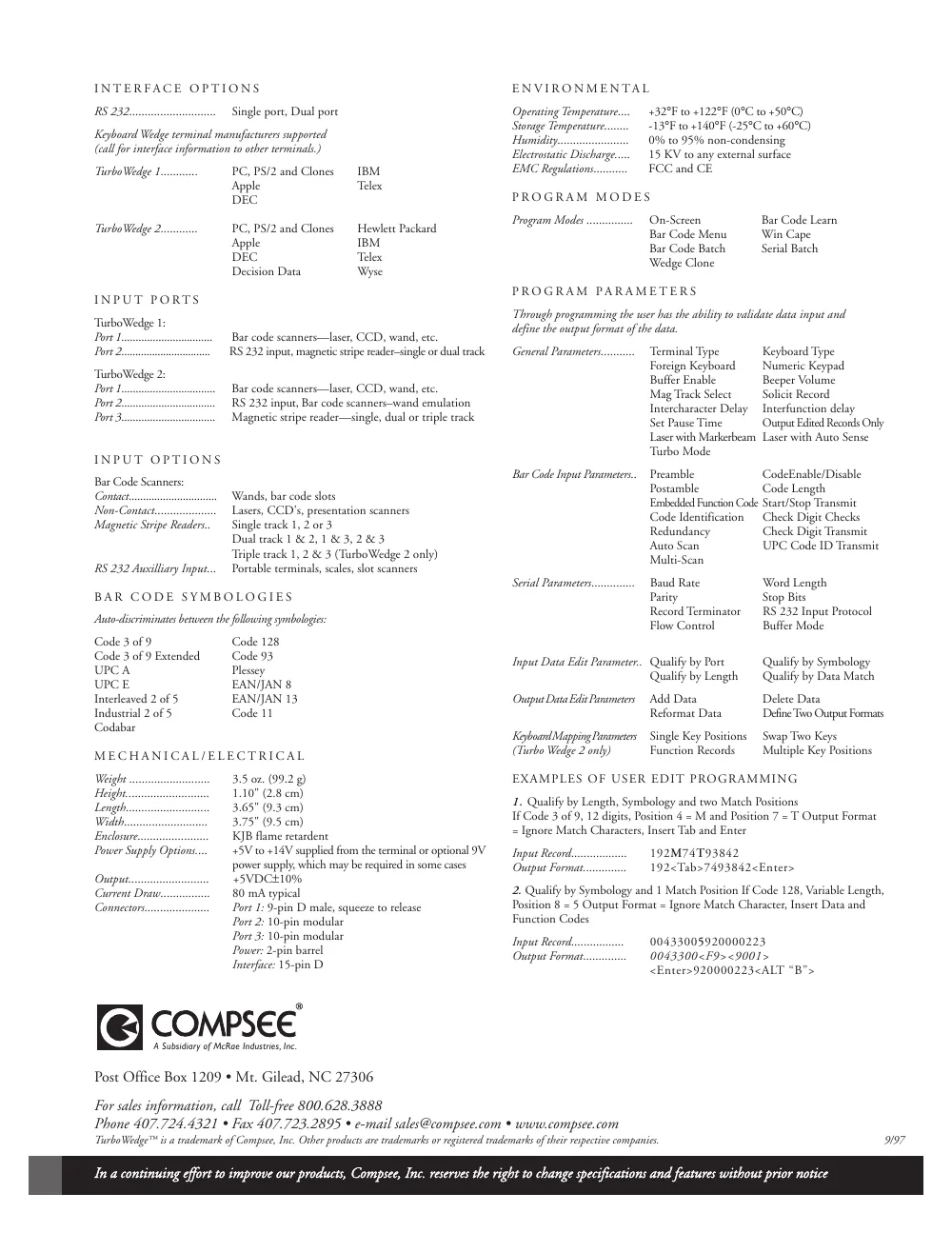
The text of page 2, from the PDF itself
INTERFACE OPTIONS
E N V I RO N M E N TA L
RS 232............................
Operating Temperature.... Storage Temperature........ Humidity....................... Electrostatic Discharge..... EMC Regulations...........
Single port, Dual port
Keyboard Wedge terminal manufacturers supported (call for interface information to other terminals.) TurboWedge 1............
TurboWedge 2............
PC, PS/2 and Clones Apple DEC
IBM Telex
PC, PS/2 and Clones Apple DEC Decision Data
Hewlett Packard IBM Telex Wyse
PROGRAM MODES Program Modes ...............
TurboWedge 1: Port 1................................ Port 2................................
Bar code scanners - laser, CCD, wand, etc. RS 232 input, magnetic stripe reader–single or dual track
TurboWedge 2: Port 1................................. Port 2................................. Port 3.................................
Bar code scanners - laser, CCD, wand, etc. RS 232 input, Bar code scanners–wand emulation Magnetic stripe reader - single, dual or triple track
General Parameters...........
Terminal Type Keyboard Type Foreign Keyboard Numeric Keypad Buffer Enable Beeper Volume Mag Track Select Solicit Record Intercharacter Delay Interfunction delay Set Pause Time Output Edited Records Only Laser with Markerbeam Laser with Auto Sense Turbo Mode
Bar Code Input Parameters..
Preamble CodeEnable/Disable Postamble Code Length Embedded Function Code Start/Stop Transmit Code Identification Check Digit Checks Redundancy Check Digit Transmit Auto Scan UPC Code ID Transmit Multi-Scan
Serial Parameters..............
Baud Rate Parity Record Terminator Flow Control
Word Length Stop Bits RS 232 Input Protocol Buffer Mode
Input Data Edit Parameter.. Qualify by Port Qualify by Length
Qualify by Symbology Qualify by Data Match
Output Data Edit Parameters
Add Data Reformat Data
Delete Data Define Two Output Formats
Keyboard Mapping Parameters (Turbo Wedge 2 only)
Single Key Positions Function Records
Swap Two Keys Multiple Key Positions
Wands, bar code slots Lasers, CCD’s, presentation scanners Single track 1, 2 or 3 Dual track 1 & 2, 1 & 3, 2 & 3 Triple track 1, 2 & 3 (TurboWedge 2 only) Portable terminals, scales, slot scanners
BAR CODE SYMBOLOGIES Auto-discriminates between the following symbologies: Code 3 of 9 Code 3 of 9 Extended UPC A UPC E Interleaved 2 of 5 Industrial 2 of 5 Codabar
Code 128 Code 93 Plessey EAN/JAN 8 EAN/JAN 13 Code 11
MECHANICAL/ELECTRICAL Weight .......................... Height........................... Length........................... Width........................... Enclosure....................... Power Supply Options.... Output.......................... Current Draw................ Connectors.....................
Bar Code Learn Win Cape Serial Batch
Through programming the user has the ability to validate data input and define the output format of the data.
INPUT OPTIONS
RS 232 Auxilliary Input...
On-Screen Bar Code Menu Bar Code Batch Wedge Clone
PROGRAM PARAMETERS
INPUT PORTS
Bar Code Scanners: Contact............................... Non-Contact.................... Magnetic Stripe Readers..
+32°F to +122°F (0°C to +50°C) -13°F to +140°F (-25°C to +60°C) 0% to 95% non-condensing 15 KV to any external surface FCC and CE
3.5 oz. (99.2 g) 1.10" (2.8 cm) 3.65" (9.3 cm) 3.75" (9.5 cm) KJB flame retardent +5V to +14V supplied from the terminal or optional 9V power supply, which may be required in some cases +5VDC±10% 80 mA typical Port 1: 9-pin D male, squeeze to release Port 2: 10-pin modular Port 3: 10-pin modular Power: 2-pin barrel Interface: 15-pin D
E X AMP LE S OF U S E R E D IT P ROG RAMMING 1. Qualify by Length, Symbology and two Match Positions If Code 3 of 9, 12 digits, Position 4 = M and Position 7 = T Output Format = Ignore Match Characters, Insert Tab and Enter Input Record.................. Output Format..............
192M74T93842 192<Tab>7493842<Enter>
2. Qualify by Symbology and 1 Match Position If Code 128, Variable Length, Position 8 = 5 Output Format = Ignore Match Character, Insert Data and Function Codes Input Record................. Output Format..............
00433005920000223 0043300<F9><9001> <Enter>920000223<ALT “B”>
A Subsidiary of McRae Industries, Inc.
Post Office Box 1209 • Mt. Gilead, NC 27306 For sales information, call Toll-free 800.628.3888 Phone 407.724.4321 • Fax 407.723.2895 • e-mail sales@compsee.com • www.compsee.com TurboWedge™ is a trademark of Compsee, Inc. Other products are trademarks or registered trademarks of their respective companies.
In a continuing effort to improve our products, Compsee, Inc. reserves the right to change specifications and features without prior notice
9/97