Manual · Compsee
Apex II Portable Data Collection Terminal Operations & Programming Manual, Part 1: User's Manual
Manual71 pagesPDF 342 KB
User's manual for the Compsee Apex II portable data collection terminal: operating modes, BASIC operating system, troubleshooting and specifications.
Covers · 1 model
The models it covers
Summary
What is in it
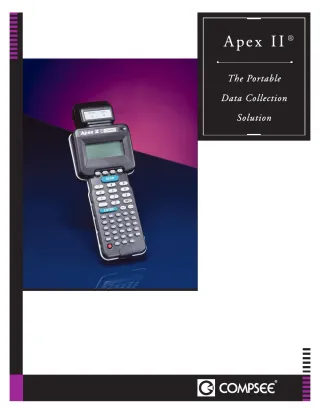
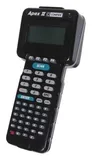
Part 1 (the user's manual) of the operations and programming manual for the Compsee Apex II, a portable batch data collection terminal that gathers bar code and key-entered data with a laser scanner or wand. It covers safety and warranty limits, the terminal's features, operating system modes, the COMPSEE BASIC interpreter operating system, building an application, troubleshooting, Compsee support, error codes, keypad commands, model differences and specifications, data communications, and care and maintenance.
Its parts
- General Information
- Operating Systems Modes
- Compsee BASIC Interpreter Operating System
- Building Your Application
- Troubleshooting Procedures
- Compsee Support
- Error Codes
- Keypad Commands
- Model Differences and Terminal Specifications
- Data Communications
- Care, Maintenance and Warranty Limitations
From the manual
Key facts from this manual
Each line names its page in the PDF.
Part 1, the User's Manual (revision 1.2, 1997), of the Operations and Programming Manual for the Compsee Apex II portable data collection terminal. It describes the terminal's features and operating modes, loading programs, troubleshooting and error codes, specifications, the RS-232-C port and the parts list.
- Device
- Portable data collection terminal with an on-board Compsee BASIC interpreter p. 1, 71
- Input options
- Detached bar code scanner, integrated standard laser, or integrated long range laser (680 nm) p. 62, 63
- Processor
- 16 bit Intel 80196NP p. 64
- Memory
- 128K byte Flash; 128K, 512K or 1 MB of RAM p. 64
- Display
- 4 lines by 16 character LCD p. 64
- Keypad
- Alphanumeric: A-Z, 0-9, Enter, Scan, F1 to F4, ALT, Backspace, Period, arrows p. 64
- Communications port
- 10-pin RS-232-C port, 300 to 19,200 baud p. 64, 65
- Power
- 4 AA alkaline or NICAD batteries, or a 4-cell NIMH pack (about 15 hours at 30 scans per minute) p. 64
- Battery parts
- 0214040 NIMH pack with lead; 0214044 NIMH pack leadless; 02MC519 wall charger; 0227000 external charging adapter cable p. 71
- Cables
- 0227001 RS 232 to PC 9 pin (included); 0227004 to PC 25 pin; 0227002 QuickReader AUX; 0227003 QuickLink AUX p. 71
- Other accessories
- COAAIIPG0000 Program Generator; COAMIIUG0000 manual; COAAIICRD1 Communication Cradle Kit p. 71
- Dimensions
- 3.8 in. wide, 2.1 in. deep, 8.4 in. high p. 63
- Operating temperature
- 0°C to +50°C (+32°F to +122°F) p. 63
- Scan rate
- 36 scans/second p. 64
What this manual walks you through
- The three operating modes: immediate, run and diagnostic p. 9
- Loading a new operating system and troubleshooting the LinkMstr program p. 9
- Fixing scanning, power, battery and communications problems p. 43, 44
- RS-232-C cable pin assignments and baud rates p. 65
- Ordering part numbers for terminals, batteries, chargers and cables p. 70, 71
Good to know
- Charge the battery pack only with an approved Compsee charging device; other devices can damage the terminal. p. 2
- Do not clean the terminal with alcohol, acetone or mineral spirits. p. 2
- Rebooting after an application program is loaded causes the program to be lost. p. 3
- The battery's life expectancy is 400 charge cycles. p. 44
Questions this manual answers
What batteries does the Compsee Apex II take?
Four AA alkaline or NICAD batteries, or a rechargeable 4-cell NIMH battery pack. p. 64
Why does the Apex II give 10 short beeps when I scan?
The 64 byte bar code buffer is full: the application program is not retrieving bar codes, cannot keep up, or is missing. p. 43
What cable connects the Apex II to a PC?
The RS 232 Cable to PC, part 0227001 for a 9 pin port (one is included), or 0227004 for a 25 pin port. p. 71
How long does an Apex II battery charge take and last?
A full charge takes 14 hours and gives about 15 hours of operation at 30 scans per minute. p. 43
The whole text · 8 parts
Read the manual here as text
Its text as extracted from the PDF, unedited, in parts; each page opens the PDF at that page.
The file